Amazon main image on a white background
Send a photo of your product shot on a kitchen table or a bed sheet. The bot puts it on a pure white background with a soft shadow and studio light. The image has no text on it, which is how an Amazon main image is usually built.
- 2 credits per image
- Result in 1–2 minutes
- No sign-up
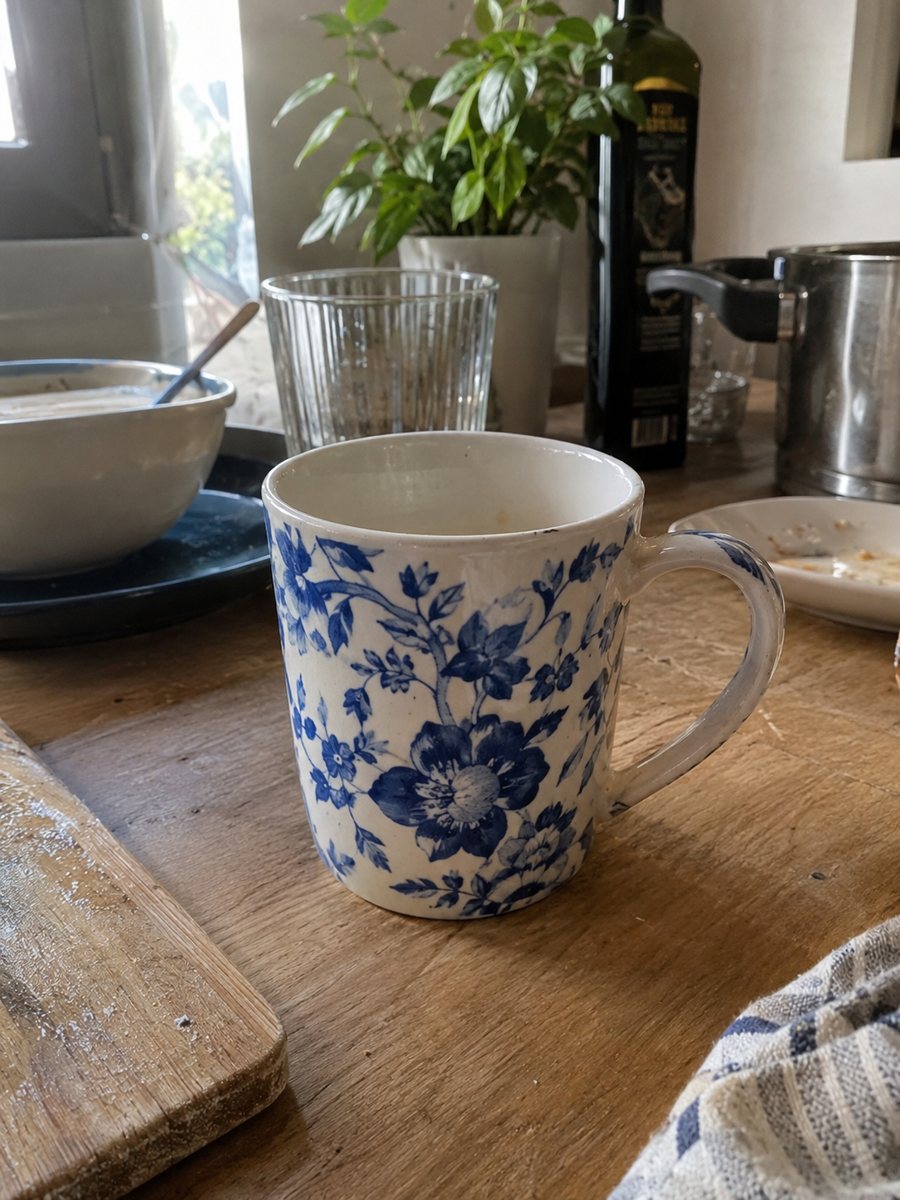
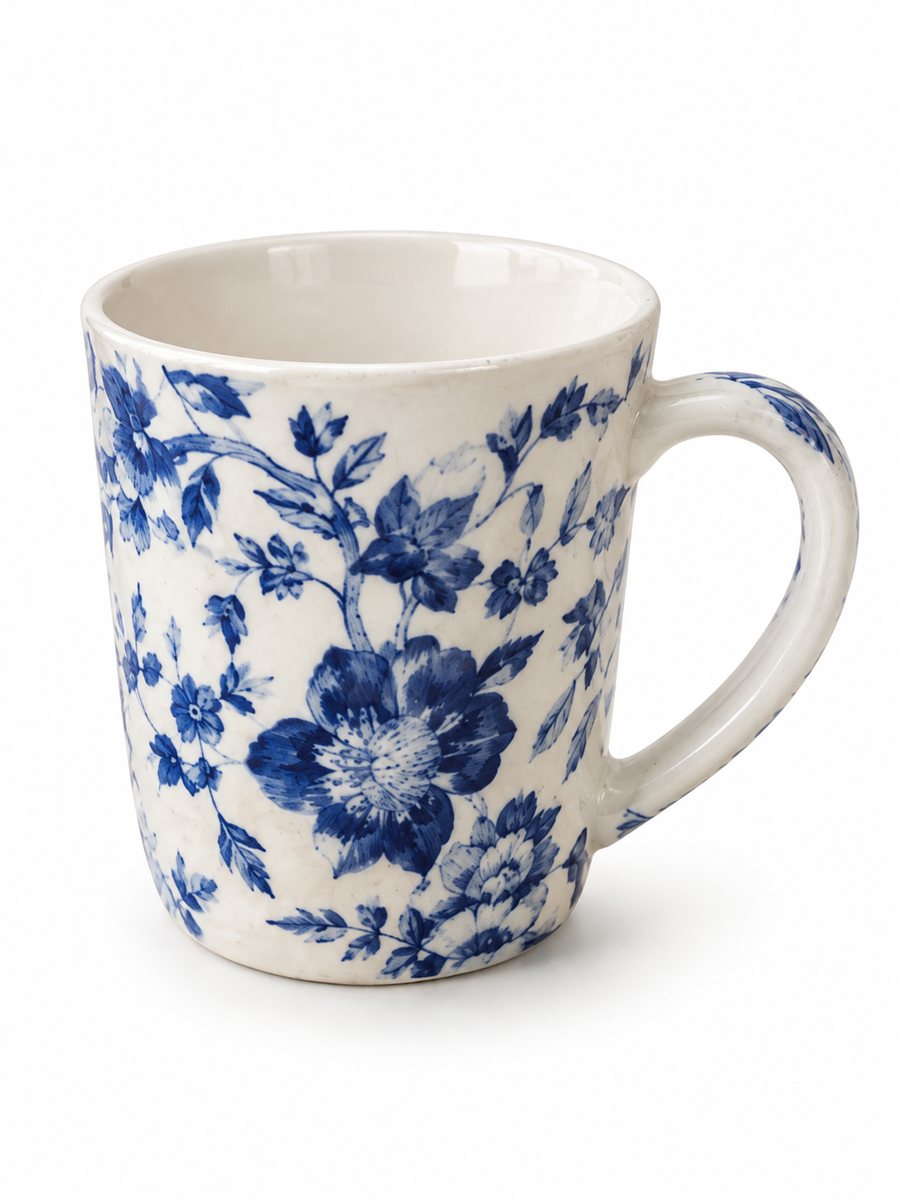 BeforeAfter
In short: Turn a phone photo into an Amazon main image on a pure white background with a soft shadow. No text or logos, vertical 3:4. 7 images free.
- Where: the VisuMate bot in Telegram, no app or sign-up.
- Cost: 2 credits per image, 7 images free, then packs from 49 Telegram Stars.
- Time: 1 to 2 minutes per image, rerun with a new instruction at the same price.
When you need this
- Your first listing is ready, but the only photo you have shows the product on a cluttered desk.
- A listing image was flagged for a colored background and you need a clean replacement fast.
- A photographer quote is more than the first month of sales.
How to do it
- 1
Open @visumate_ai_bot with the button on this page and press Start. The link opens the product-on-white mode.
- 2
Send the photo of the product as a file (document) so Telegram does not compress it. In the caption write: "pure white background, keep original colors, no text".
- 3
In 1–2 minutes the vertical 3:4 image arrives in the chat. Zoom in on the edges and the shadow of the product, then download it or run again.
Try it on your own photo: 7 images are free, no sign-up.
Make it in TelegramWhat an Amazon main image usually looks like
The common pattern is a pure white background, the product filling most of the frame, and no text or logos on the picture. At least 1000 px on the longest side is the usual guideline, because it enables zoom on the listing. These are guidelines, and the exact rules depend on your category, so read them in your seller account before you upload.
What you do before and after the bot
Before: clean the product, remove stickers you do not want visible and shoot it straight on. After: open the result at full size, look at the edges and any thin parts such as straps or handles, and compare logo and color with the real item. If an edge looks off, run the same photo again with a caption that names the problem part.
Tips
- Fill the frame: shoot close enough that the product takes most of the picture.
- Leave text, badges and logos off the main image. Put benefits on the secondary images.
- Aim for at least 1000 px on the longest side so zoom works, and check the exact rules in your seller account.
- Photograph in daylight near a window to avoid orange indoor light.
Questions and answers
Does the image meet Amazon rules?
The result follows the usual main image pattern: white background, product in the frame, no text. Rules vary by category, so check yours in the seller account before uploading.
Can I use the same photo for secondary images?
Yes. Send it to the infographic or lifestyle modes to get extra images for the same listing.
How many images can I try for free?
New users get 15 free credits on first launch. One image costs 2 credits, so 7 images are free.
Should I send the photo as a file?
Yes, send it as a document so Telegram does not compress it. A regular photo also works, but a file keeps more detail.
More in "Product photos"
- White background product photo, free to tryMake a white background product photo free for the first 7 images. Send a phone picture, get a clean 3:4...
- Remove the background from a product photoRemove the background from a product photo and place the item on pure white with a soft shadow. Send a...
- Facebook Marketplace photos with a clean backgroundFacebook Marketplace listing photos with a clean white background: send a phone picture of your item and...
- Pet product photographyPet product photography from a phone picture: toys, bowls, collars and beds on a clean gradient backdrop...
- Amazon main image requirementsAmazon main image requirements in plain words: white background, product fill, size for zoom, no text....