Facebook Marketplace photos with a clean background
Your living room does not belong in the listing. Send the phone photo of the item you sell and the bot gives you the item on a clean white background with a soft shadow.
- 2 credits per image
- Result in 1–2 minutes
- No sign-up
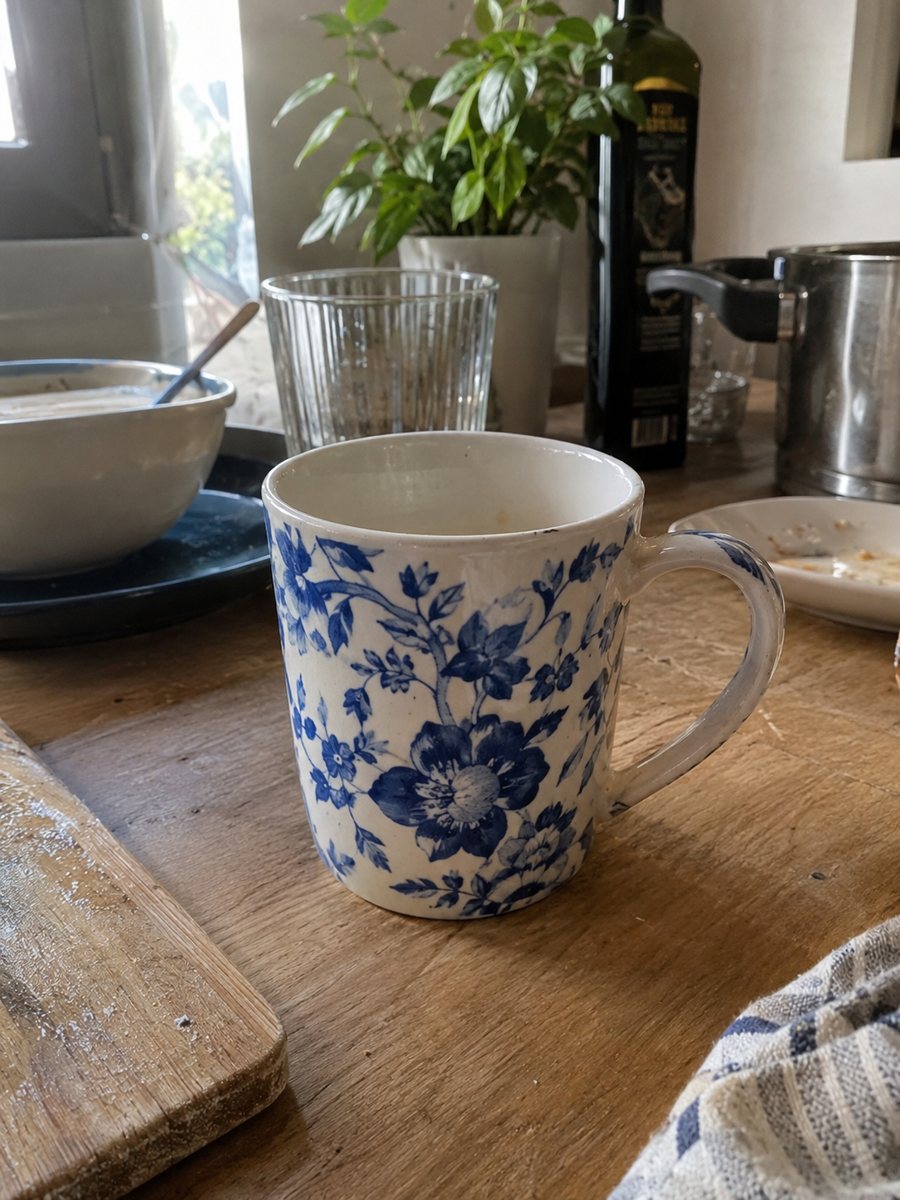
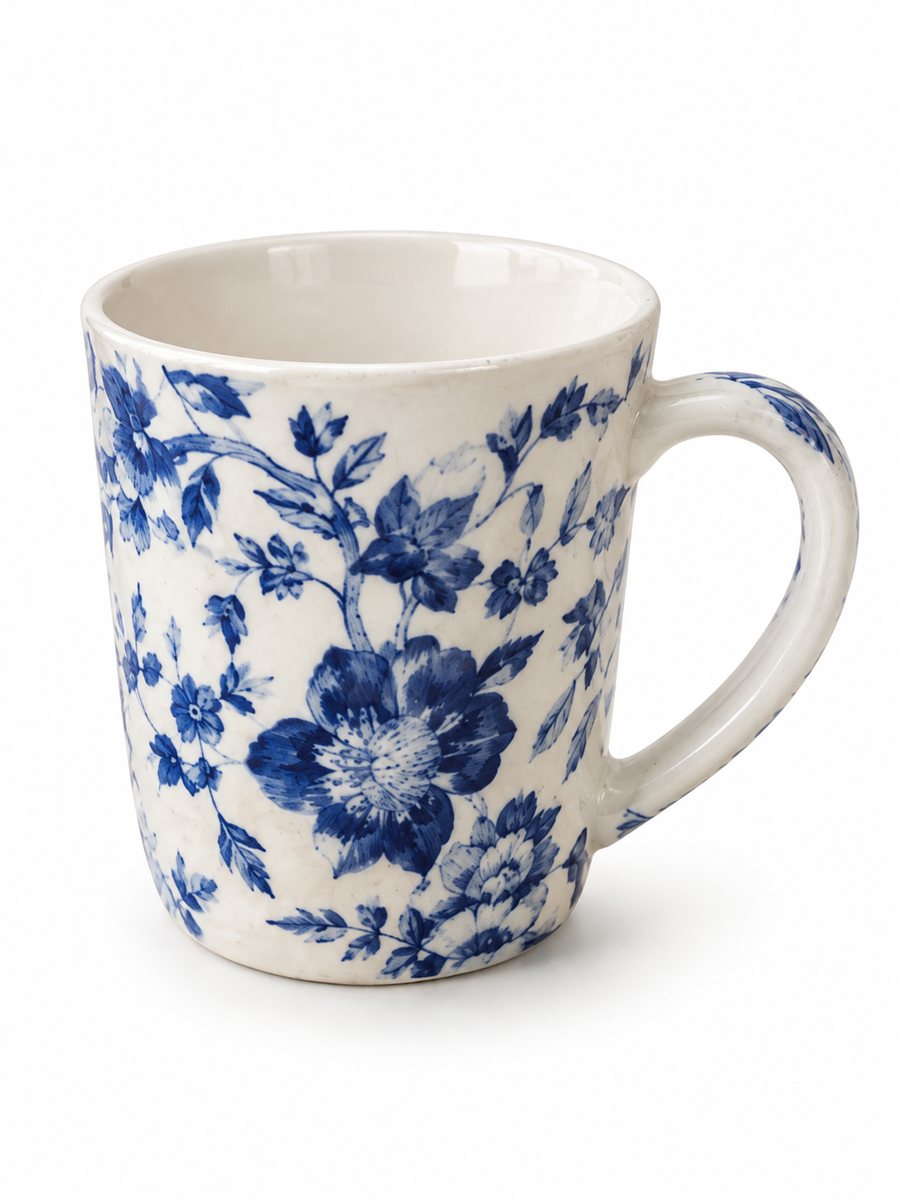 BeforeAfter
In short: Facebook Marketplace listing photos with a clean white background: send a phone picture of your item and get a tidy 3:4 image in minutes. 7 images free.
- Where: the VisuMate bot in Telegram, no app or sign-up.
- Cost: 2 credits per image, 7 images free, then packs from 49 Telegram Stars.
- Time: 1 to 2 minutes per image, rerun with a new instruction at the same price.
When you need this
- Your sofa photo shows the whole room, the dog and a pile of laundry.
- The item sits in a dark garage and the photo is gloomy.
- Your listing gets lost among brighter pictures.
How to do it
- 1
Open @visumate_ai_bot with the button on this page and press Start. The link opens the product-on-white mode.
- 2
Send the photo of the item as a file (document) so Telegram does not compress it. In the caption write: "clean white background, soft shadow, keep the item exactly as it is".
- 3
In 1–2 minutes the vertical 3:4 image arrives in the chat. Zoom in on the edges and the shadow of the item, then download it or run again.
Try it on your own photo: 7 images are free, no sign-up.
Make it in TelegramLocal selling needs honest pictures
On local marketplaces the buyer often comes to look at the item. A clean first picture helps you stand out in the feed, and honest extra photos prevent wasted trips. Use the white background image as the cover and show scratches, tears and wear in ordinary pictures. A sharp, evenly lit source photo gives the cleanest result, so wipe the product and shoot near a window.
Large items
Furniture, bikes and appliances are hard to photograph at home. Step back, shoot the whole item in one frame and keep it level. The vertical 3:4 result needs margin on the sides. If the item is long, shoot it slightly from a corner. Compare the shape and color of the result with the real item. Keep the same photo angle across similar products, since a uniform gallery looks more professional.
Tips
- Add the clean picture first and phone photos of flaws after it.
- Show the true size with a plain photo next to a door or a person.
- Take photos in daylight even if the bot cleans the background.
- Do not hide damage: local buyers inspect the item in person.
Questions and answers
Is it allowed to edit Marketplace photos?
Marketplace expects photos of the real item. Use the bot to clean the background, not to change the item or hide defects. Check the platform rules.
Does it work for big furniture?
Yes, if the whole item is visible in your photo. Check the legs and edges in the result.
How many images can I try for free?
New users get 15 free credits on first launch. One image costs 2 credits, so 7 images are free.
Should I send the photo as a file?
Yes, send it as a document so Telegram does not compress it. A regular photo also works, but a file keeps more detail.
More in "Product photos"
- Amazon main image on a white backgroundTurn a phone photo into an Amazon main image on a pure white background with a soft shadow. No text or...
- White background product photo, free to tryMake a white background product photo free for the first 7 images. Send a phone picture, get a clean 3:4...
- Bulk product photos on a white backgroundBulk product photos on white: a simple workflow for processing dozens of items in Telegram, one phone...
- Product image with benefit badgesProduct image with benefit badges: send a photo and the benefits in the caption, get a close-up with the...