White background product photo, free to try
You get 15 free credits on the first launch, and one image costs 2 credits. That is 7 white background product photos without paying. Send a phone picture of any item and the bot returns it on pure white with a soft shadow.
- 2 credits per image
- Result in 1–2 minutes
- No sign-up
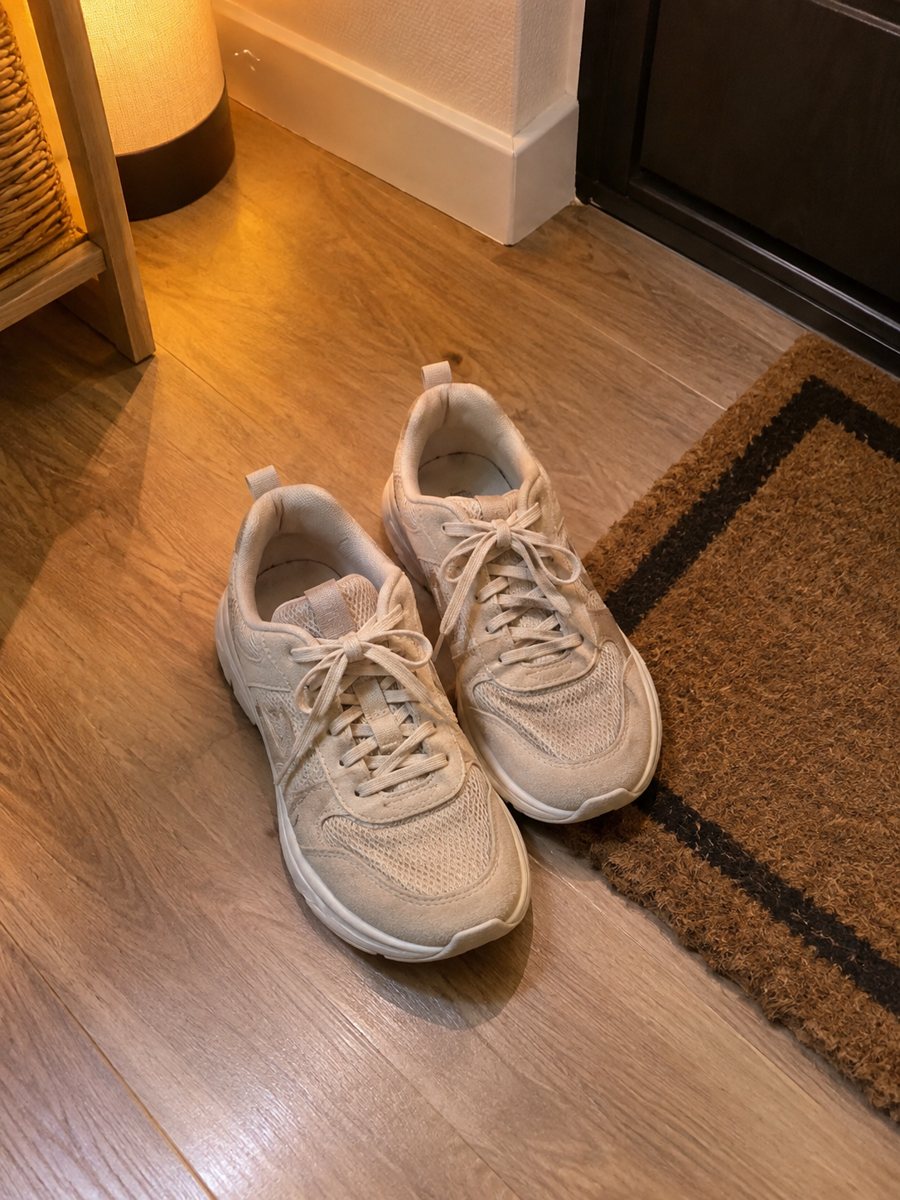
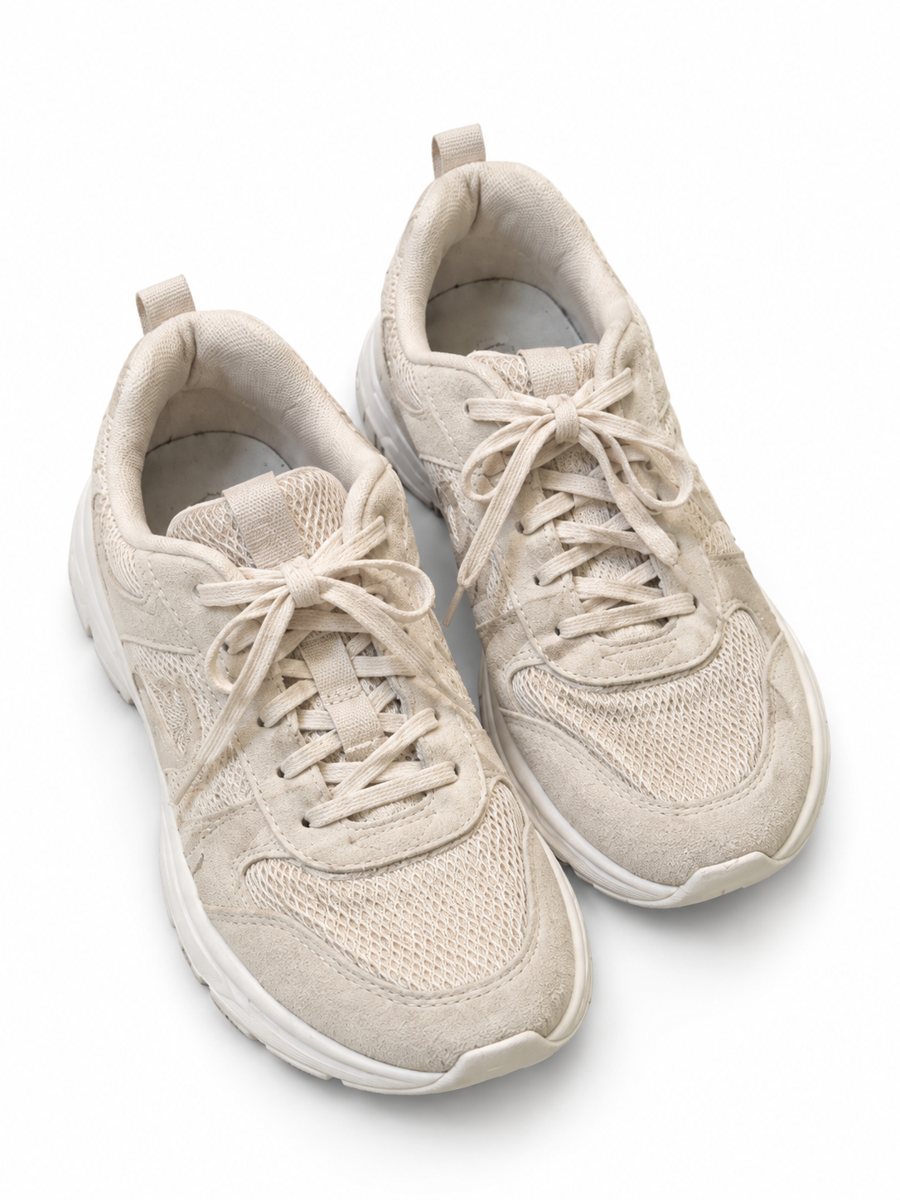 BeforeAfter
In short: Make a white background product photo free for the first 7 images. Send a phone picture, get a clean 3:4 image with a soft shadow. 7 images free.
- Where: the VisuMate bot in Telegram, no app or sign-up.
- Cost: 2 credits per image, 7 images free, then packs from 49 Telegram Stars.
- Time: 1 to 2 minutes per image, rerun with a new instruction at the same price.
When you need this
- You want to test whether an AI white background looks good enough before paying for anything.
- You sell a handful of items and do not want a monthly subscription for a photo editor.
- A free background remover cuts the edges badly and leaves white halos.
How to do it
- 1
Open @visumate_ai_bot with the button on this page and press Start. The link opens the product-on-white mode.
- 2
Send the photo of the item as a file (document) so Telegram does not compress it. In the caption write: "white background".
- 3
In 1–2 minutes the vertical 3:4 image arrives in the chat. Zoom in on the edges and the shadow of the item, then download it or run again.
Try it on your own photo: 7 images are free, no sign-up.
Make it in TelegramWhat the free credits cover
First launch gives 15 credits. Each image costs 2, so you can make 7 images before any payment. After that you can buy a pack with Telegram Stars, starting from 199 Stars for 30 credits. Credits never expire, so a pack bought in autumn is still there next spring. There is no subscription and no sign-up form. Compare the result with your original on color, shape and any printed text before you publish.
How to spread 7 images across your catalog
Pick the items where the current photo hurts sales the most. Use one image per item instead of testing every variation. If the first result has a small flaw, a second run costs the same 2 credits, so leave one or two images in reserve for reruns. Save the results in a folder named by date so you can compare later.
Tips
- Use the free images on your three best sellers first, then compare them with your current photos.
- Shoot against a plain surface so the product outline is easy to read.
- Send the photo as a file so Telegram keeps the detail.
- If the shadow is too strong or too soft, say so in the caption and run again.
Questions and answers
Is it really free?
The first 7 images are covered by the 15 free credits you get on first launch. After that you buy a credit pack with Stars.
Do I need a card to start?
No. Open the bot, press Start and send a photo. Payment is only needed when the free credits run out.
How long does one image take?
Usually 1–2 minutes. The result arrives in the chat, and you can download it or run the photo again.
What if the result is not right?
It is AI, so sometimes a rerun is needed. A second run costs the same 2 credits, and a clearer caption usually helps.
More in "Product photos"
- Remove the background from a product photoRemove the background from a product photo and place the item on pure white with a soft shadow. Send a...
- eBay listing photos on a white backgroundClean eBay listing photos on a white background with a soft shadow. Send a phone picture of the item, get...
- Amazon main image on a white backgroundTurn a phone photo into an Amazon main image on a pure white background with a soft shadow. No text or...
- Sports gear product photosSports gear product photos: gloves, bottles, bands and balls on a clean gradient backdrop with highlights...