Shopify hero banner generator
Describe the collection, the headline and the mood, and the bot draws a wide hero image for your Shopify home page. Download it and add it in the theme editor.
- 2 credits per image
- Result in 1–2 minutes
- No sign-up
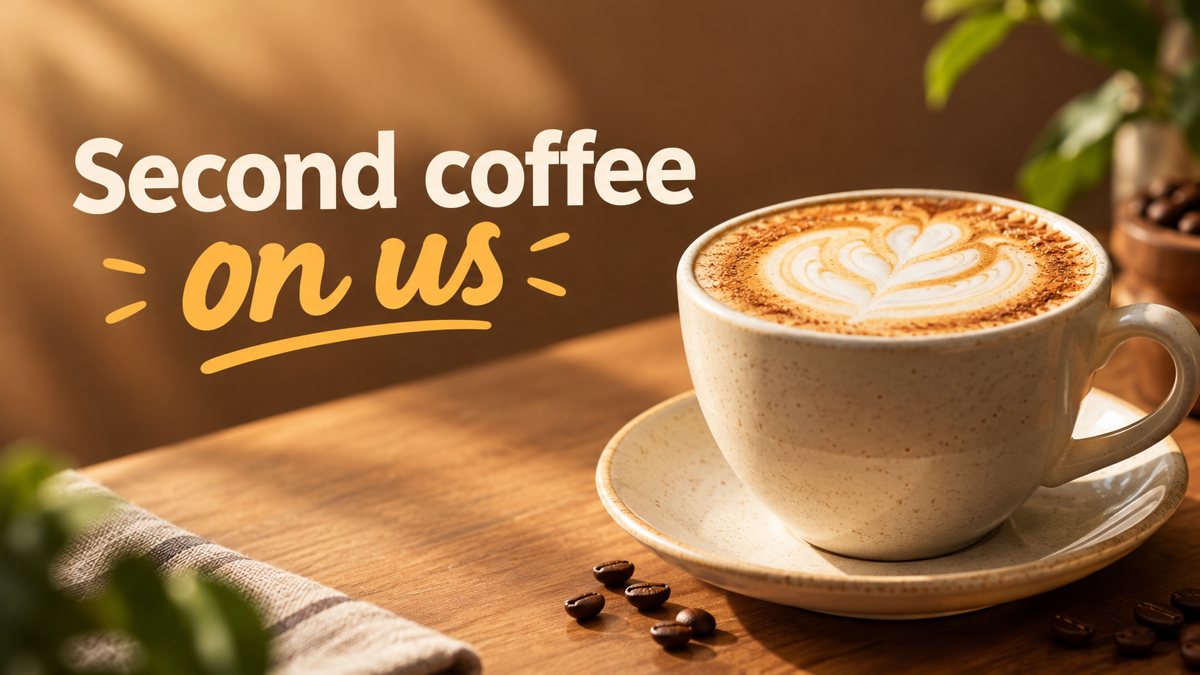 Made by the bot
In short: Make a Shopify home page hero banner from a text brief in Telegram. 16:9 image with your headline, 3 credits per run, 15 free credits to try.
- Where: the VisuMate bot in Telegram, no app or sign-up.
- Cost: 2 credits per image, 7 images free, then packs from 49 Telegram Stars.
- Time: 1 to 2 minutes per image, rerun with a new instruction at the same price.
When you need this
- Your store hero is a stock photo that every other store also uses.
- A seasonal collection needs a new banner before the launch day.
- You have no designer and the theme demo images are still in place.
How to do it
- 1
Open the bot through the button on this page and press Start. Choose the banner scenario if it is not already open.
- 2
Write the brief: an outdoor gear store, a lone tent on a ridge at sunrise, space on the left for text, headline 'Spring Trail Collection'.
- 3
Wait 1–2 minutes for the 16:9 result. Check the spelling of each word, then save the file or run again with a tweak.
Try it on your own photo: 7 images are free, no sign-up.
Make it in TelegramText in the image or from the theme
Many Shopify themes add a heading and a button over the hero image. If yours does, generate a clean scene without text and write the headline in the theme editor, which is easier to edit and better for accessibility. If your theme has no overlay, ask the bot to print a short headline on the image and read it for typos. Each run costs 3 credits, so decide this before you generate.
Matching the hero to the collection
Name one real product type and one scene in the prompt. A candle collection might get a mantel at dusk, a coffee collection a sunlit counter. The picture is generated, so it will not show your exact product. If shoppers must see the real item, use a product photo for that and keep the hero as the mood. Theme sizes vary, so check your theme's recommended dimensions before you upload.
Tips
- Leave space for the theme's own heading and button if your theme overlays text on the image.
- Text inside the image and text from the theme can clash. Choose one.
- Ask for a calm area on one side so a button stays readable.
- Test the banner on mobile in the theme preview, where the crop is tighter.
Questions and answers
Does the bot publish to Shopify?
No. You download the image and upload it in the theme editor.
What ratio is the result?
16:9. Many themes crop heroes, so check the preview.
Can I use my logo?
The bot does not place a logo exactly. A reference upload gives an approximate result.
What does a run cost?
3 credits, and new users get 15 free credits.
More in "Banners and stories"
- Email newsletter header image generatorGenerate an email newsletter header from a description in Telegram. Wide 16:9 image for your issue or...
- Website hero banner with AIGenerate a website hero banner from a text brief in Telegram. 16:9 image with room for your headline, 3...
- Etsy shop banner makerCreate an Etsy shop banner from a text prompt in Telegram. Wide image with your shop name or tagline, 3...
- Gym membership bannerMake a gym membership promo banner from a short brief in Telegram. 16:9 image for your site or social...
- YouTube channel art bannerCreate a YouTube channel art banner from a description in Telegram. 16:9 image with a short tagline, 3...