Email newsletter header image generator
Tell the bot the topic of the issue, the style and any short title, and it draws a wide header for Mailchimp, Substack, Beehiiv or any email tool. Each issue can get its own look.
- 2 credits per image
- Result in 1–2 minutes
- No sign-up
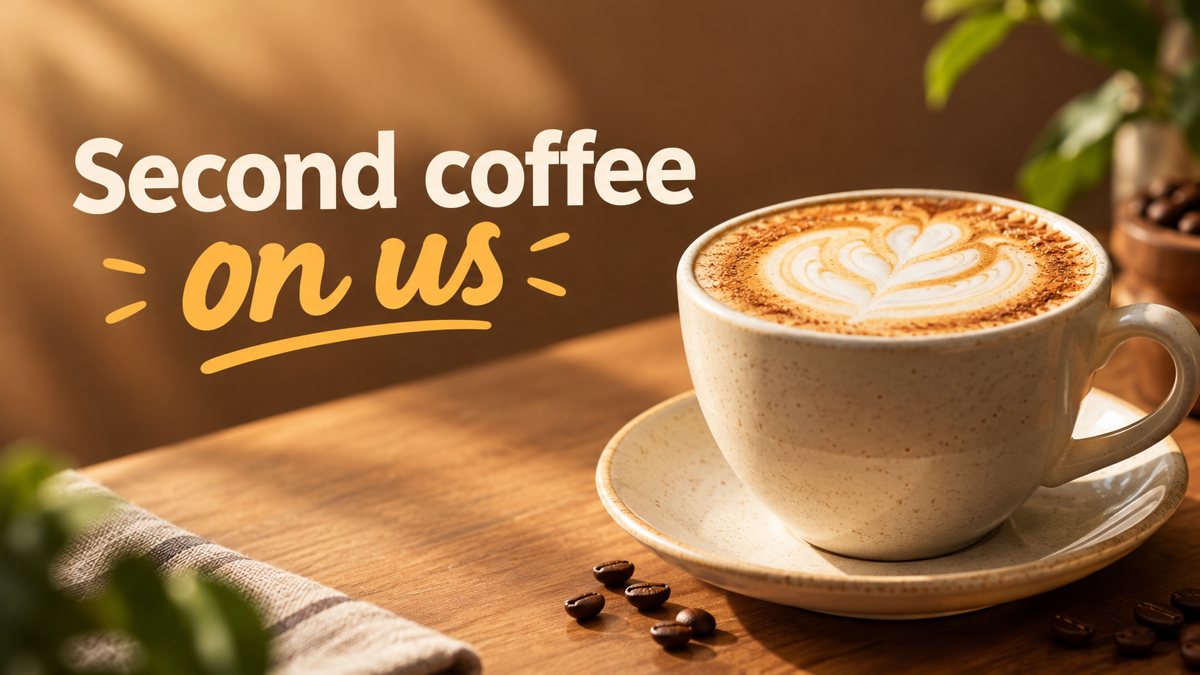 Made by the bot
In short: Generate an email newsletter header from a description in Telegram. Wide 16:9 image for your issue or campaign, 3 credits a run, 15 free credits to try.
- Where: the VisuMate bot in Telegram, no app or sign-up.
- Cost: 2 credits per image, 7 images free, then packs from 49 Telegram Stars.
- Time: 1 to 2 minutes per image, rerun with a new instruction at the same price.
When you need this
- Every issue starts with the same logo bar and readers skim past it.
- You write the newsletter yourself and design time comes last.
- A seasonal campaign needs a header that matches the theme.
How to do it
- 1
Open the bot with the link on this page, press Start and pick the banner mode.
- 2
Describe the issue: a monthly gardening newsletter, seed packets and a trowel on a wooden bench, spring green palette, text 'April Planting Guide'.
- 3
The banner comes back in the chat in 1–2 minutes (3 credits). Read the text letter by letter, then download it or rerun with a shorter line.
Try it on your own photo: 7 images are free, no sign-up.
Make it in TelegramHeader for each issue or one for the series
A fixed header builds recognition and a per-issue header signals what is inside. A good middle path is to keep the style phrase the same, for example paper cutout in warm tones, and change the subject for each issue. Reuse the style words word for word in your prompts. The AI will vary, but the family look usually holds. Save your best prompts in a notes file so the next issue starts from a known recipe.
Email client limits
Many readers open email on a phone, in dark mode, with images off. A header that carries the only message of the issue will fail in those cases. Use the image as decoration and put the real title as live text under it. If you want words in the image anyway, keep them to a few letters and proofread them. Test a sample send to yourself on a phone before the full list gets it.
Tips
- Email tools often scale headers to about 600 px wide, so keep fine details out of the prompt.
- Use a plain, high-contrast scene. Complex images get muddy at email size.
- Add alt text in your email tool because many clients block images by default.
- Keep the file size modest by exporting a smaller version if your tool allows.
Questions and answers
Does it work for Substack and Beehiiv?
You download the image and upload it in any platform. The bot does not connect to them.
Can I get a narrower header?
The bot returns 16:9. Crop it in your email tool.
Will fonts match my brand?
No. Style is described in words and the match is approximate.
How much does it cost?
3 credits per banner, 15 free credits for new users.
More in "Banners and stories"
- Website hero banner with AIGenerate a website hero banner from a text brief in Telegram. 16:9 image with room for your headline, 3...
- Google Display banner sizes and how to create the imageCommon Google Display ad sizes as guidelines, and how to get a wide banner image from a text prompt in...
- Shopify hero banner generatorMake a Shopify home page hero banner from a text brief in Telegram. 16:9 image with your headline, 3...
- Open house banner for realtorsCreate an open house banner for a listing from a text brief in Telegram. 16:9 image with a short headline,...
- Instagram story from a text promptMake an Instagram story image from a text description in Telegram. Vertical 9:16, short text on the image,...