Instagram story from a text prompt
Describe the scene and the few words you want, and the bot draws a vertical 9:16 story image. No templates, no editing app, and no photo needed. The image arrives in the chat in 1–2 minutes.
- 2 credits per image
- Result in 1–2 minutes
- No sign-up
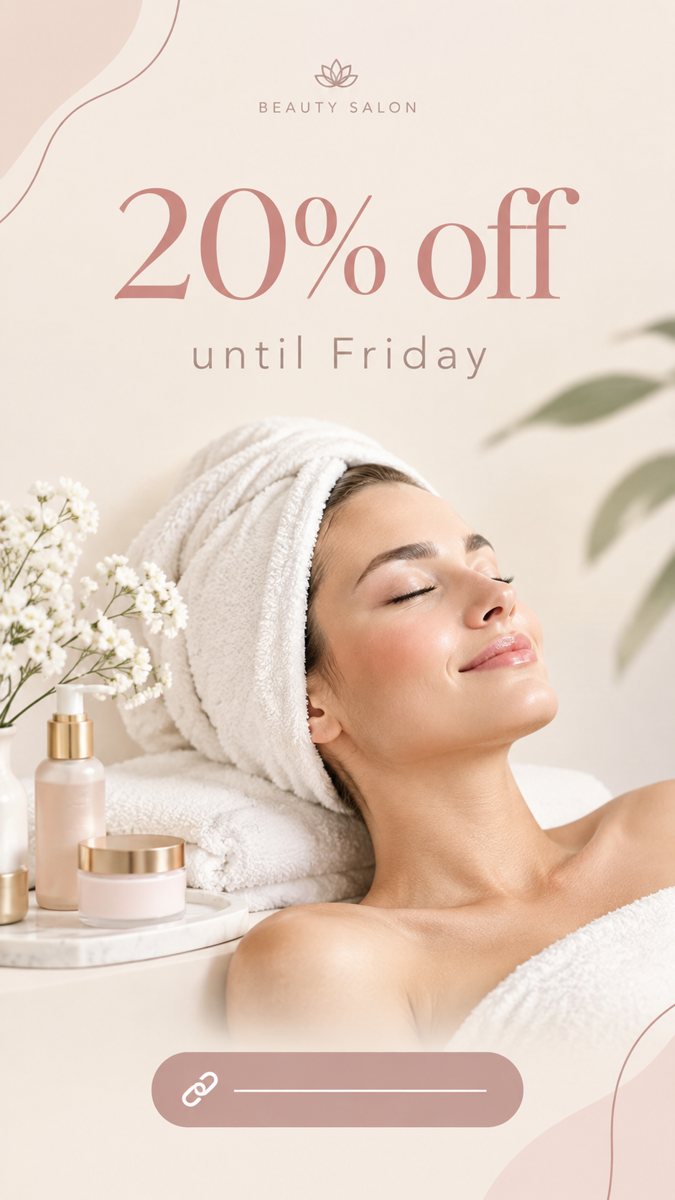 Made by the bot
In short: Make an Instagram story image from a text description in Telegram. Vertical 9:16, short text on the image, 2 credits per story, 15 free credits to start.
- Where: the VisuMate bot in Telegram, no app or sign-up.
- Cost: 2 credits per image, 7 images free, then packs from 49 Telegram Stars.
- Time: 1 to 2 minutes per image, rerun with a new instruction at the same price.
When you need this
- Your stories are phone photos with text added in an app and they look unplanned.
- You post daily and run out of ideas for backgrounds.
- Templates in popular editors are recognizable and followers scroll past them.
How to do it
- 1
Open the bot with the link on this page and press Start. You get the 9:16 story mode.
- 2
Describe the story: a yoga teacher announcing a Sunday class, soft sage green background with a rolled mat, calm light, text 'Sunday Flow 9 AM' in the upper third.
- 3
Wait 1–2 minutes for the vertical image. Read the text carefully, then download it or run again with a tweak.
Try it on your own photo: 7 images are free, no sign-up.
Make it in TelegramSafe zones in a story
Instagram overlays your profile name and the reply bar on a story. Anything in the top and bottom strips can be hidden. So ask the bot to keep the subject and words in the middle area. A phrase like 'text in the middle third, empty space at the top and bottom' usually helps. If a word lands near the edge, rerun and name the position again, or crop in the app.
Scene first, text second
A story works when the picture says what it is about before anyone reads. Choose one clear subject and one mood, then add the words. For event stories, the date and time are better as an Instagram sticker, because digits in generated images sometimes come out wrong. Use the generated words for the headline only and proofread them letter by letter before posting.
Tips
- Instagram stories are 1080×1920, which is 9:16, the ratio the bot returns.
- Leave the top and bottom edges free. The app puts your profile bar and reply field there.
- Keep text to a few words and put the details in a sticker or a caption.
- Ask for a calm area for the text so it stays readable on a phone.
Questions and answers
Can I animate the story?
No. The bot makes static images. You can add motion in the Instagram app.
Is the text always right?
Short lines usually are. Check each word and rerun if one is wrong.
What does a story cost?
2 credits. New users get 15 free credits, which is 7 stories.
Do I need to sign up?
No sign-up. Open Telegram, press Start and describe the story.
More in "Banners and stories"
- TikTok cover image makerCreate a TikTok video cover image from a text prompt in Telegram. Vertical 9:16 with big short text, 2...
- Pinterest pin image makerMake a Pinterest pin image from a description in Telegram. Tall vertical image with a short title, 2...
- Book launch storyMake a book launch story from a short brief in Telegram. Vertical 9:16 image with the title and a mood...
- Yoga studio class storyMake yoga studio class stories from a short description in Telegram. Calm vertical 9:16 images with short...
- Event announcement storyMake an event announcement story from a short brief in Telegram. Vertical 9:16 image with the event name,...