eBay listing photos on a white background
Send a photo of the item you want to sell. The bot returns it on a clean white background with a soft shadow, with no borders or text on the picture. It is a tidy first photo for an eBay listing.
- 2 credits per image
- Result in 1–2 minutes
- No sign-up
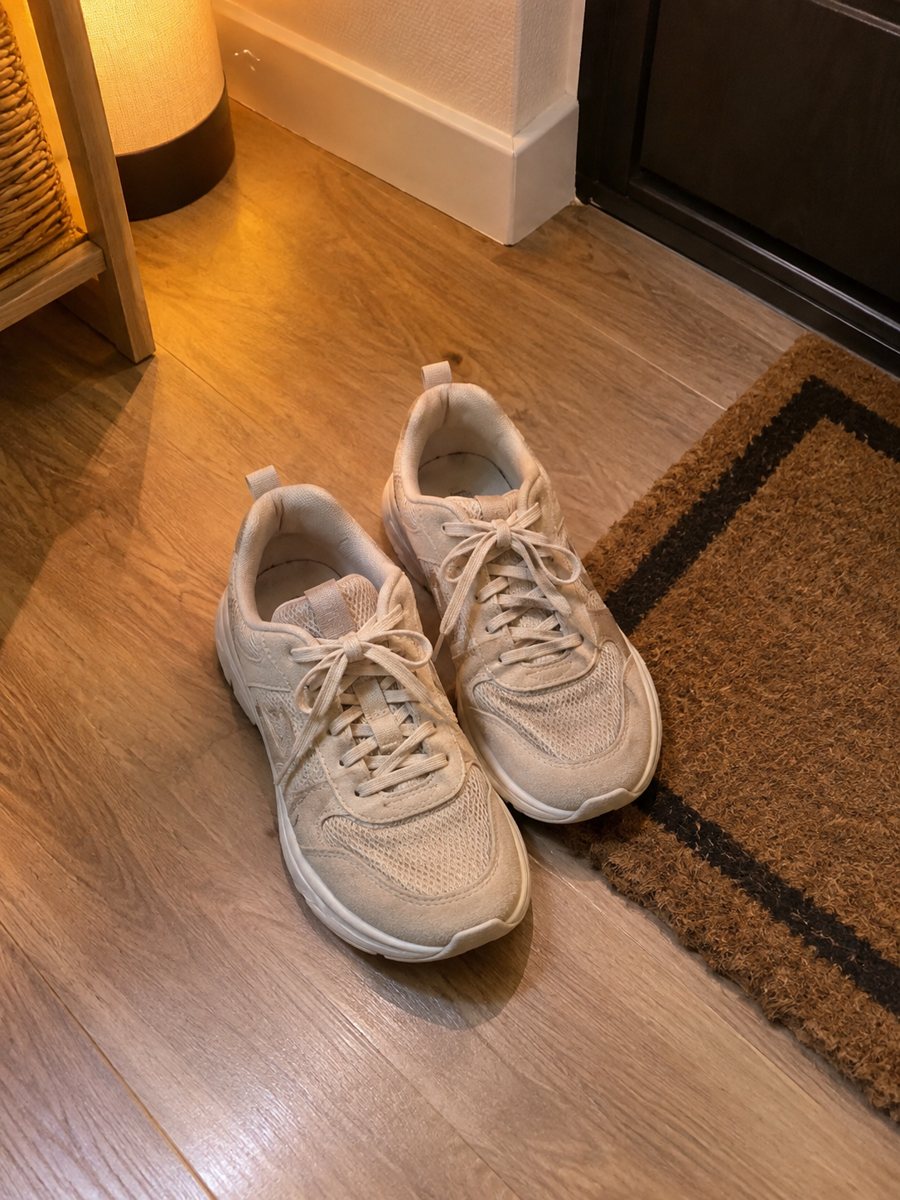
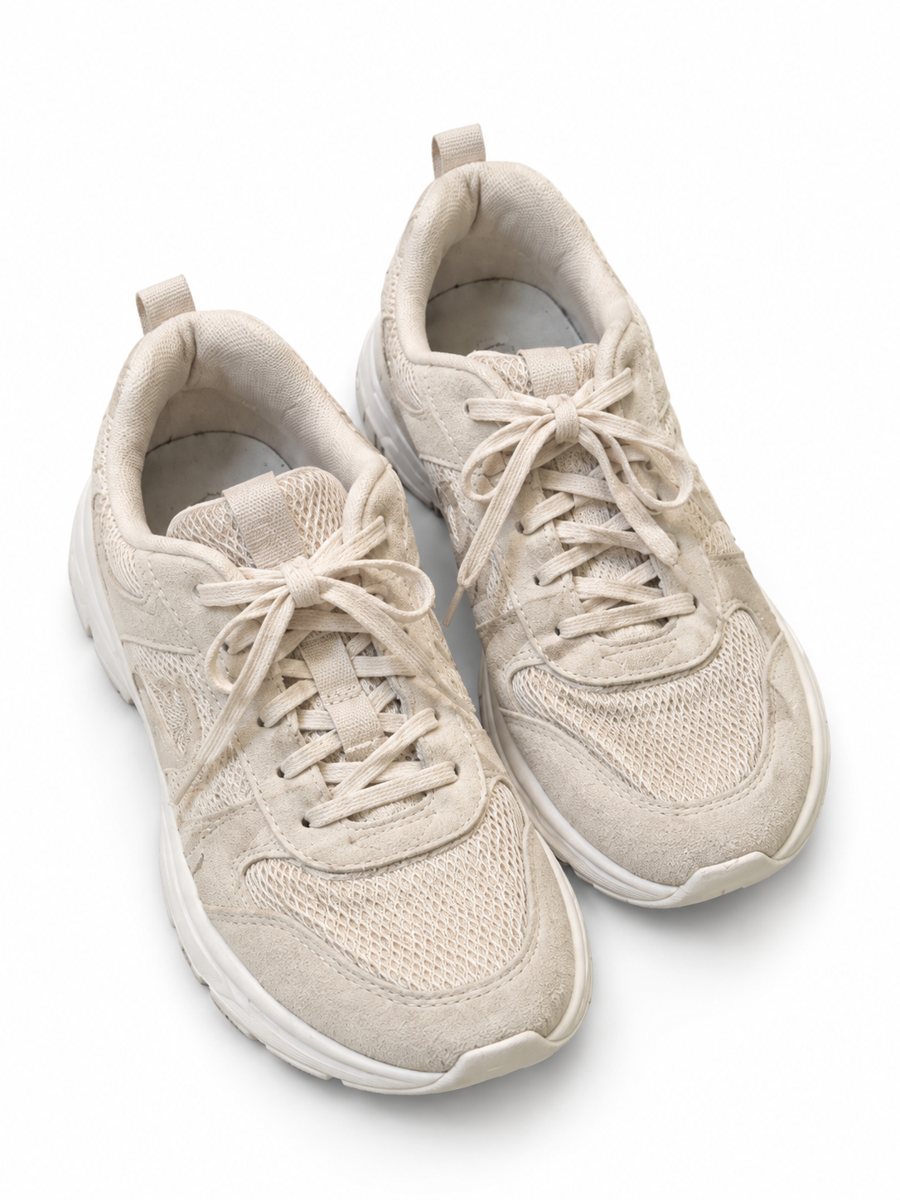 BeforeAfter
In short: Clean eBay listing photos on a white background with a soft shadow. Send a phone picture of the item, get a 3:4 image without text or borders. 7 images free.
- Where: the VisuMate bot in Telegram, no app or sign-up.
- Cost: 2 credits per image, 7 images free, then packs from 49 Telegram Stars.
- Time: 1 to 2 minutes per image, rerun with a new instruction at the same price.
When you need this
- Your item looks fine in person but the photo shows a messy shelf behind it.
- You list used goods in volume and every photo takes ten minutes of editing.
- Your first listing photo looks dull next to competing sellers.
How to do it
- 1
Open @visumate_ai_bot with the button on this page and press Start. The link opens the product-on-white mode.
- 2
Send the photo of the item as a file (document) so Telegram does not compress it. In the caption write: "white background, soft shadow, keep the item exactly as it is".
- 3
In 1–2 minutes the vertical 3:4 image arrives in the chat. Zoom in on the edges and the shadow of the item, then download it or run again.
Try it on your own photo: 7 images are free, no sign-up.
Make it in TelegramA clean first photo for used and new items
The first picture is what shoppers see in search results. A white background with a soft shadow keeps attention on the item. For used goods, do not hide wear with the AI: show scratches and marks in the extra photos, because an honest listing leads to fewer returns and disputes. Each run takes 1 to 2 minutes, so you can send the next product while you wait.
What to do with the extra photos
Keep the white image as picture one. Use ordinary phone shots for back, label, serial number and damage. If you want a styled picture in addition, use the studio mode for a gradient backdrop. Check the current picture count and size rules in your seller account, since they can change. If the result is close but not right, rerun with a clearer caption, which costs another 2 credits.
Tips
- eBay guidelines point to at least 500 px on the longest side, so any phone photo is large enough, but larger is better for zoom.
- Keep borders and text off the main picture.
- Use extra photos for flaws and labels: buyers of used items want to see them honestly.
- Photograph from several angles, then make the main image from the best one.
Questions and answers
Does eBay allow edited main photos?
Many sellers use clean backgrounds. The photo must still show the real item, so do not use AI to change what the product is or hide defects. Check eBay's current rules.
Can I make photos for several listings at once?
One photo per run, or up to 5 photos as an album merged into one image. For separate listings, run each item on its own.
Should I send the photo as a file?
Yes, send it as a document so Telegram does not compress it. A regular photo also works, but a file keeps more detail.
Do I need to register anywhere?
No sign-up. Open Telegram, press Start and send a photo. It works on a phone and on a desktop.
More in "Product photos"
- Shopify product images on a white backgroundMake Shopify product images on a pure white background so the whole catalog looks the same. Send phone...
- Etsy product photos on a white backgroundEtsy product photos on a white background: crisp thumbnails for search results, made from a phone picture...
- Remove the background from a product photoRemove the background from a product photo and place the item on pure white with a soft shadow. Send a...
- Etsy lifestyle product photosEtsy lifestyle product photos: describe a scene in the caption and the bot places your handmade item in...