Product photos with a phone
The better the source photo, the better the result. A few simple habits with a phone camera make a big difference.
- 2 credits per image
- Result in 1–2 minutes
- No sign-up
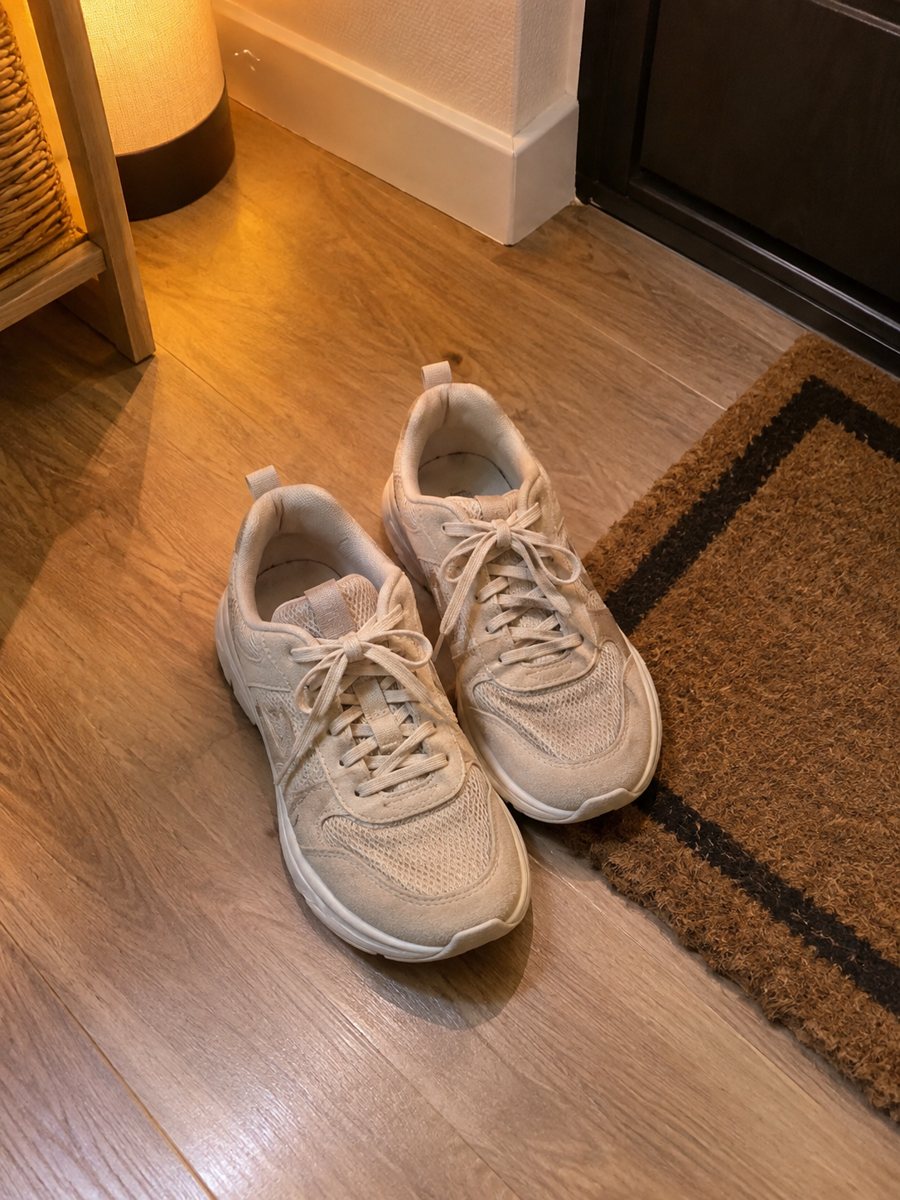
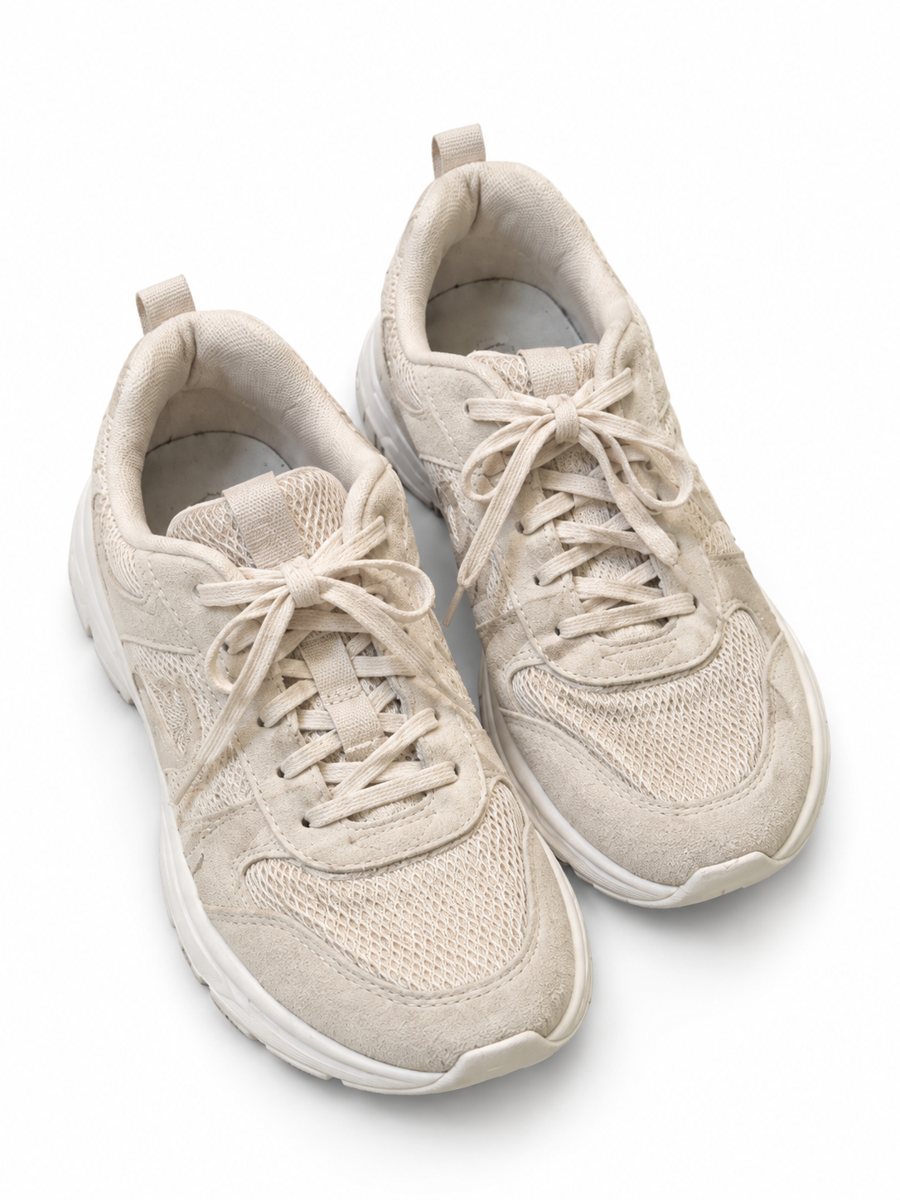 BeforeAfter
In short: Product photos with a phone: how to shoot a clean source photo, send it as a file and get a marketplace image from the bot in 1–2 minutes. 7 images free.
- Where: the VisuMate bot in Telegram, no app or sign-up.
- Cost: 2 credits per image, 7 images free, then packs from 49 Telegram Stars.
- Time: 1 to 2 minutes per image, rerun with a new instruction at the same price.
When you need this
- Your phone photos come out dark or tilted.
- Backgrounds are cluttered.
- Reflections ruin shiny products.
How to do it
- 1
Open @visumate_ai_bot with the button on this page and press Start. The link opens the product photo menu.
- 2
Pick the mode that fits and send the photo of the product as a file (document). In the caption write: "product on a clean white background".
- 3
In 1–2 minutes the vertical 3:4 image arrives in the chat. Check the details of the product, then download it or run again.
Try it on your own photo: 7 images are free, no sign-up.
Make it in TelegramBefore you shoot
Clean the product and wipe the lens. Choose a plain surface and shoot near a window. Turn off the flash and avoid mixed light from lamps. Hold the phone steady, or lean it against something, and take several frames. Compare every result with the real product on color, shape and text before you publish. If a result is close but not right, rerun with a clearer caption for another 2 credits.
What to send
Send the sharpest frame as a file, so Telegram does not compress it. For several parts of one product, you can send up to 5 photos as an album and the bot merges them into one image. Write a short caption describing what you want. New users get 15 free credits and one image costs 2 credits, so 7 images are free.
Tips
- Shoot near a window and avoid mixed lights.
- Keep the product sharp and fill most of the frame.
- Wipe the lens and the product.
- Send the photo as a file, not a regular photo.
Questions and answers
Which phone is needed?
Any modern phone camera works.
Should I edit the photo first?
No need. Send a clean, sharp original.
How long does one image take?
Usually 1–2 minutes. The result arrives in the chat, and you can download it or run the photo again.
What if the result is not right?
It is AI, so sometimes a rerun is needed. A second run costs the same 2 credits, and a clearer caption usually helps.
More in "Product photos"
- AI product photos vs a photoshootAI product photos vs a photoshoot: where AI saves time and money, where a real shoot still wins and how to...
- Seller photo workflowSeller photo workflow: take one phone shot and make a white main image, a scene, an infographic and a worn...
- Marketplace listing photo checklistMarketplace listing photo checklist: the pictures a gallery needs and what to check on each result. Make...
- Cosmetics product photographyCosmetics product photography from a phone picture: lipsticks, palettes and brushes with a gradient...