Product photography without a photographer
You can skip the photographer for many listings. Shoot your product with a phone near a window, send the file to the bot and receive a studio-style picture with a backdrop, highlights and a shadow.
- 2 credits per image
- Result in 1–2 minutes
- No sign-up
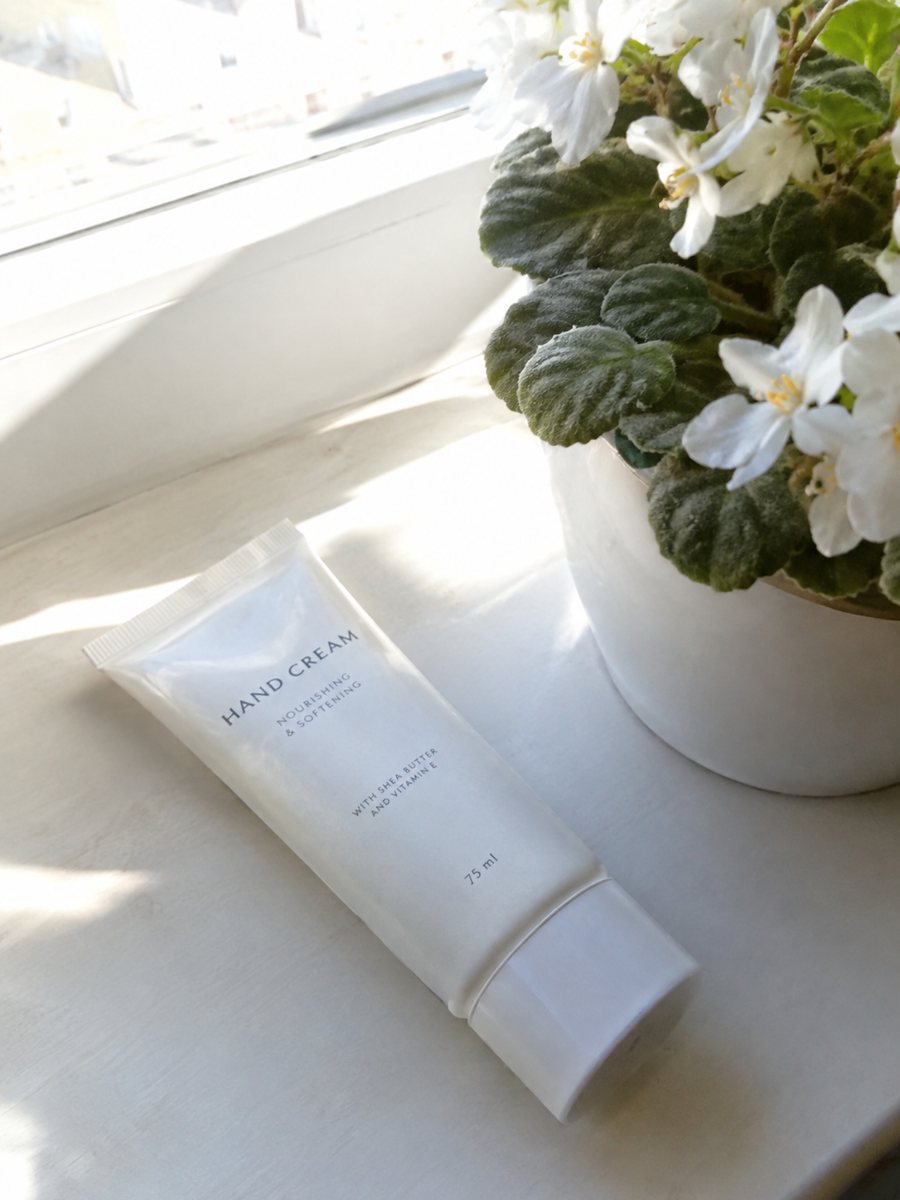
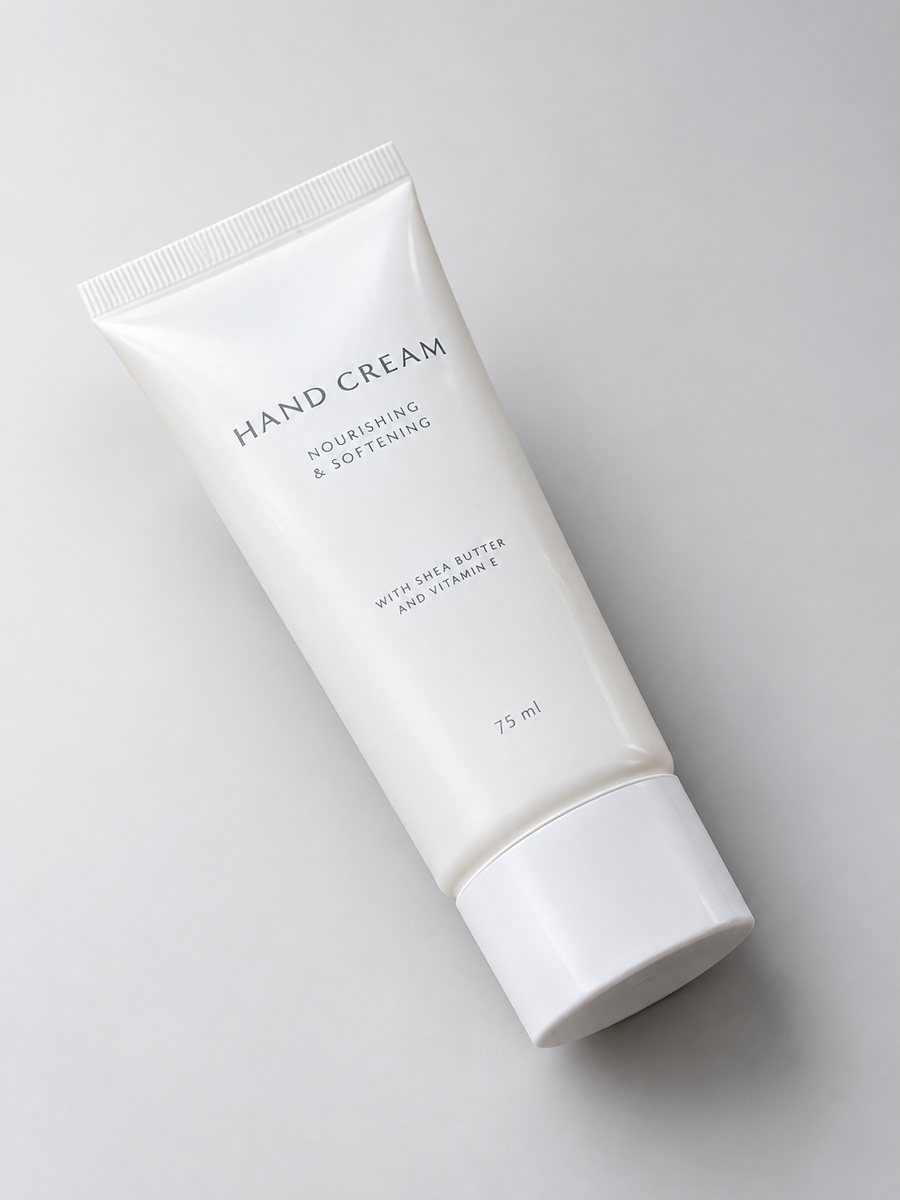 BeforeAfter
In short: Product photography without a photographer: shoot with your phone near a window and let the bot build the studio look. 7 images free. 7 images free.
- Where: the VisuMate bot in Telegram, no app or sign-up.
- Cost: 2 credits per image, 7 images free, then packs from 49 Telegram Stars.
- Time: 1 to 2 minutes per image, rerun with a new instruction at the same price.
When you need this
- You launched a shop and every product needs a picture this week.
- A photographer is booked for weeks and your stock is already here.
- Your product line changes monthly and studio days add up.
How to do it
- 1
Open @visumate_ai_bot with the button on this page and press Start. The link opens the studio shot mode.
- 2
Send the photo of the product as a file (document). In the caption describe the look: "studio look, light gradient background, soft highlights, realistic shadow".
- 3
In 1–2 minutes the vertical 3:4 image arrives in the chat. Check highlights and the shadow under the product, then download it or run again.
Try it on your own photo: 7 images are free, no sign-up.
Make it in TelegramA simple home setup
A table next to a window, a sheet of paper curved under the product and a phone are enough. Put the product on the paper, face the window from the side and shoot. The bot then converts that source into a clean studio shot. This does not replace a skilled photographer for hero campaigns, but it covers daily listing needs.
What to still do yourself
The AI does not know what your product should look like if your photo is unclear. Shoot sharp, include the whole object and check the result against the real item. It does not write listing copy and does not upload anything, so titles, prices and uploading stay with you. Each run takes 1 to 2 minutes, so several products can be queued one after another.
Tips
- Use a table by a window and a sheet of white paper as a backdrop.
- Clean the product and shoot at the same level as the item.
- Take three angles: front, three-quarter and detail.
- Keep a short shoot list so each product gets the same set of pictures.
Questions and answers
Is it a full replacement for a photographer?
For many listing photos, it can be enough. For complex campaigns or models with a precise brief, a photographer may still be a better choice.
What phone do I need?
Any modern phone camera. Send the original as a file for the most detail.
What if the result is not right?
It is AI, so sometimes a rerun is needed. A second run costs the same 2 credits, and a clearer caption usually helps.
Does the bot write the listing text?
No. It makes the image only. It does not write listing copy, calculate prices or upload to your seller account.
More in "Product photos"
- AI product photography for sellersAI product photography explained for sellers: what the studio mode builds from a phone picture, where it...
- Shopify hero product imageShopify hero product image from a phone photo: a gradient backdrop, highlights and a clean shadow in a...
- Fix the lighting of a product photoFix product photo lighting: a dim, yellow indoor shot becomes an evenly lit studio image with highlights...
- Electronics feature infographicElectronics feature infographic: a gadget close-up with 3 or 4 spec badges from your caption, like battery...