Restore an old photo online
You do not need an editor or a subscription to repair an old picture. Send the photo to the bot in Telegram and get a restored version back in a minute or two.
- 2 credits per image
- Result in 1–2 minutes
- No sign-up
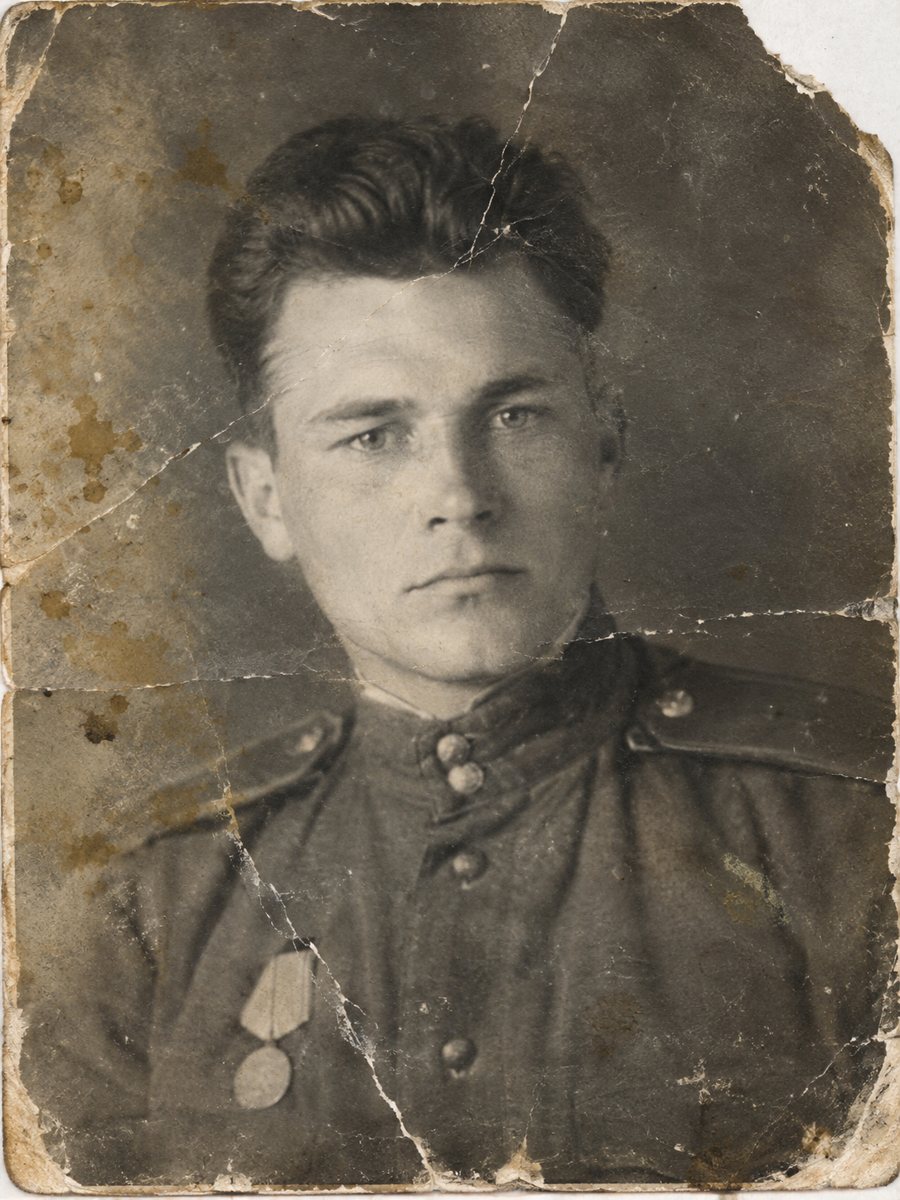
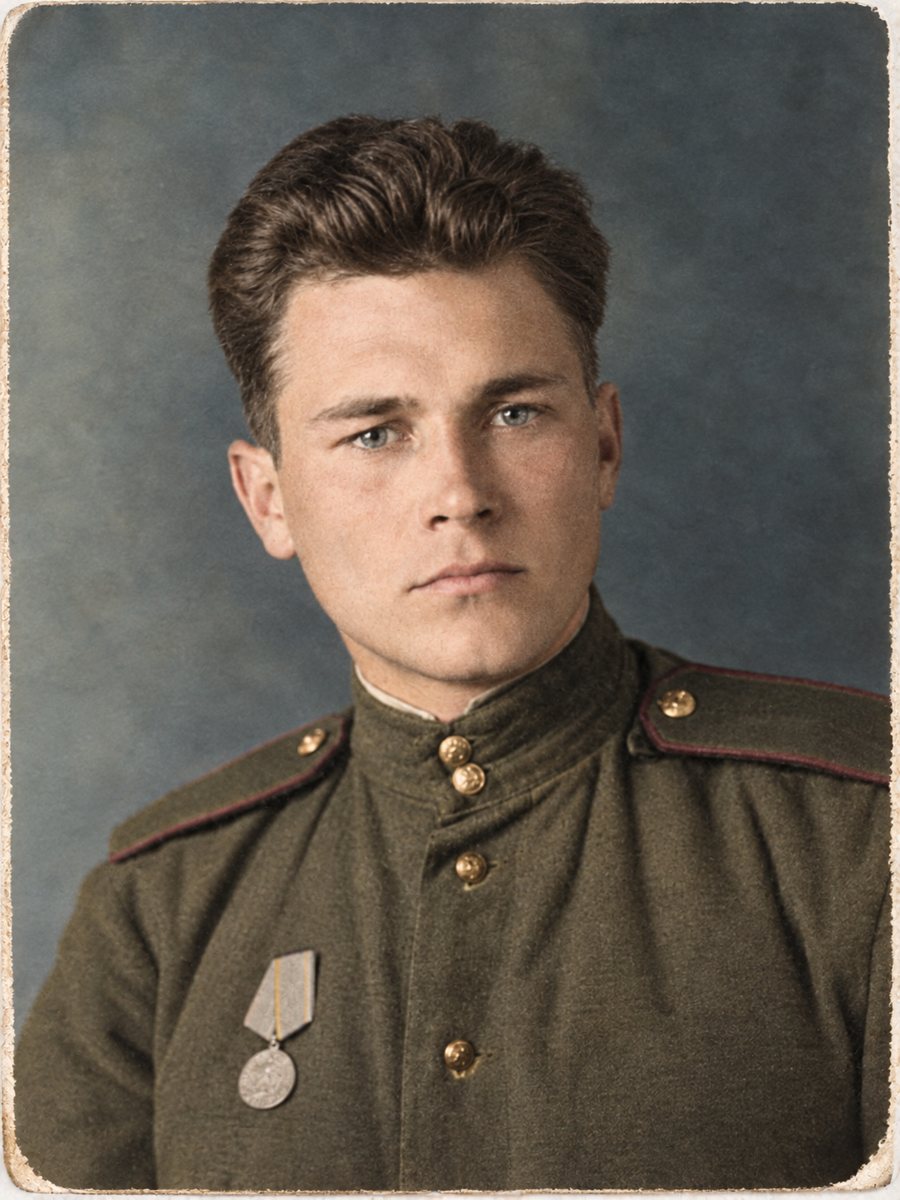 BeforeAfter
In short: Send an old photo to a Telegram bot and get a cleaner version back in 1-2 minutes. 15 free credits, no sign-up, and honest limits explained.
- Where: the VisuMate bot in Telegram, no app or sign-up.
- Cost: 2 credits per image, 7 images free, then packs from 49 Telegram Stars.
- Time: 1 to 2 minutes per image, rerun with a new instruction at the same price.
When you need this
- You have a damaged print and no editing skills.
- Desktop software feels too complicated.
- You want to try before paying.
How to do it
- 1
Tap the button on this page. Telegram opens the bot, press Start and the right mode is already selected.
- 2
Send the photo as a file (document) so Telegram does not compress it. In the caption write: restore this old photo, repair damage, keep faces unchanged.
- 3
In 1-2 minutes the result arrives in the chat. Download it or run again, the second run costs the same.
Try it on your own photo: 7 images are free, no sign-up.
Make it in TelegramWhat you need
A scan or a clear phone picture of the old photo and a Telegram account. The bot gives 15 free credits at the start, and each image costs 2 credits, so you can restore 7 images before paying. Paid credits start from 199 Stars. If the first result is close but not right, change the caption a little and send the picture again.
What to expect
The AI cleans scratches, stains and fading, and can add color or sharpen. It works from patterns, so it may not recover details that are gone. Faces that were badly damaged are reconstructed and may not match the person. Check the result against other photos. Send the scan as a file in Telegram so the picture is not compressed, and keep the untouched original in a separate folder for comparison.
Tips
- Scan the print at 600 dpi if you can, or photograph it flat in daylight.
- Send as a document to avoid compression.
- Pick the mode that matches the problem: repair, color or sharpen.
- Compare the result with the original.
Questions and answers
Is it free to try?
Yes, 15 credits at the start, 2 per image.
Do I need an account?
No sign-up, only Telegram.
How long does it take?
1-2 minutes.
Is the bot menu in English?
The bot replies in English. You can switch the language any time with /lang.
More in "Photo restoration"
- How to restore old family photos at homeA plain guide to restoring family photos: scanning, choosing a mode, checking faces and storing the...
- Old photo restoration for beginnersNo experience is needed. Learn what restoration means, which problems AI fixes well and how to try the...
- What AI photo restoration can and cannot doA plain list of strengths and limits: scratches, stains and fading are fixable, while lost faces and fine...
- Restore and colorize a family albumPlan a family album project: scan, sort, send the worst photos for repair and color, and keep a clear...