Restore and colorize a family album
A whole album is a long project, but a clear workflow makes it manageable. Scan each page, pick the photos that need work and send them one at a time.
- 2 credits per image
- Result in 1–2 minutes
- No sign-up
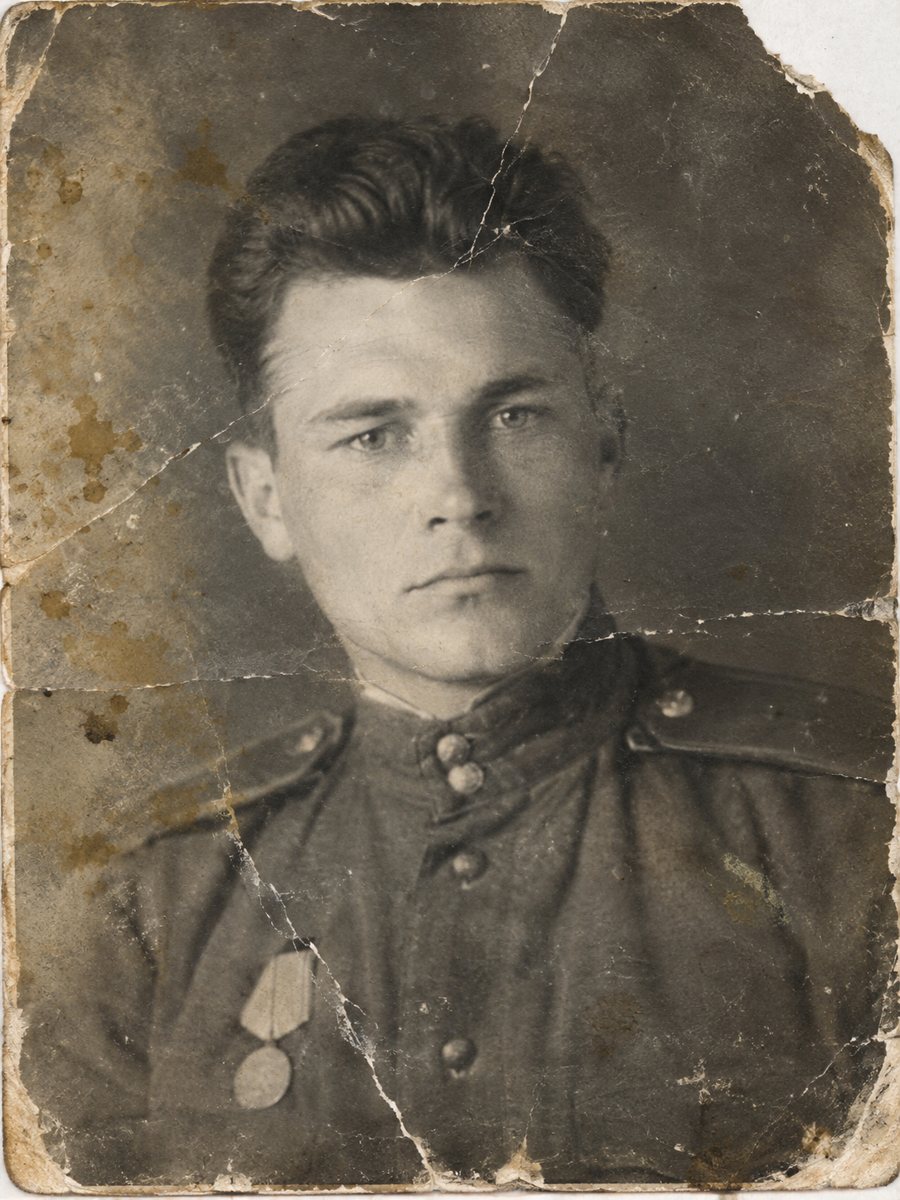
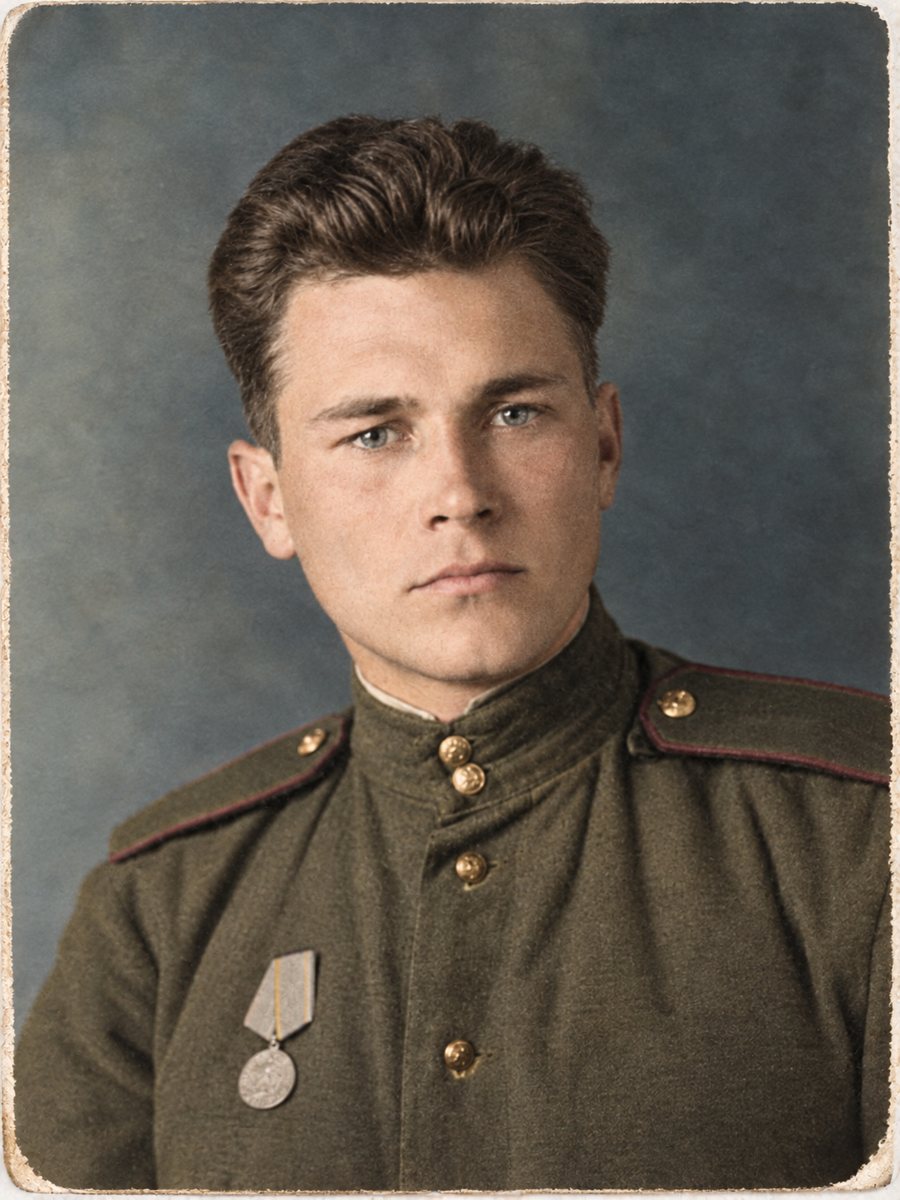 BeforeAfter
In short: Plan a family album project: scan, sort, send the worst photos for repair and color, and keep a clear folder structure with originals.
- Where: the VisuMate bot in Telegram, no app or sign-up.
- Cost: 2 credits per image, 7 images free, then packs from 49 Telegram Stars.
- Time: 1 to 2 minutes per image, rerun with a new instruction at the same price.
When you need this
- The album pages are crumbling and glue has dried.
- There are hundreds of photos and credits are limited.
- You want a family copy for each sibling.
How to do it
- 1
Tap the button on this page. Telegram opens the bot, press Start and the right mode is already selected.
- 2
Send the scan or phone picture as a file (document) so Telegram does not compress it. In the caption write what you remember for each photo, for example: summer 1962, blue dress, red car.
- 3
Wait 1-2 minutes. The bot cleans the damage first and adds color after that, so you get one finished image to check and save.
Try it on your own photo: 7 images are free, no sign-up.
Make it in TelegramChoose what to process
You do not have to restore every photo. Pick the ones with faces and stories. A group of 20 or 30 chosen moments often tells the family history. Others can stay as plain scans. Credits do not expire, so you can work in batches over weeks. Handle the original print by the edges and store it in an acid-free sleeve away from sunlight and damp.
Folders that hold up
Create three folders: scans, restored and color. Use a consistent file name that includes the year and place. Write the names of people in a text file, and note which photos were restored or colorized. This avoids confusion when you share the album with relatives. The bot replies in English. You can switch the language any time with /lang.
Tips
- Scan the page, then crop each photo, or scan loose photos individually.
- Start with the best 10 photos, the ones family members will want first.
- Use free credits for a trial of different modes.
- Keep a spreadsheet of file names, years and people.
Questions and answers
Can I send a whole page?
It works better to crop each photo.
Is there a bulk mode?
No. Send images one by one, or up to 5 as an album for specific modes.
How many credits for an album?
2 per image.
What if the album pages are brittle?
Photograph them gently, do not force them flat.
More in "Photo restoration"
- Restore and colorize a military photographOld soldier portraits often have creases and fading. Repair the print and colorize the uniform in one run,...
- Restore and colorize a 1960s wedding photoA wedding picture from the 1960s with creases or fading can be repaired and colorized in one run. Hint the...
- Restore a damaged black and white photoHeavy damage plus no color: scratches, stains, tears and gray tones. One combined run repairs the print...
- Colorize an old school photographColorize a black-and-white school picture, from a single portrait to a whole class. Hint the uniform and...