Old photo restoration for beginners
Photo restoration sounds technical, but with a Telegram bot it is a simple routine: send a scan, add a short note, check the result.
- 2 credits per image
- Result in 1–2 minutes
- No sign-up
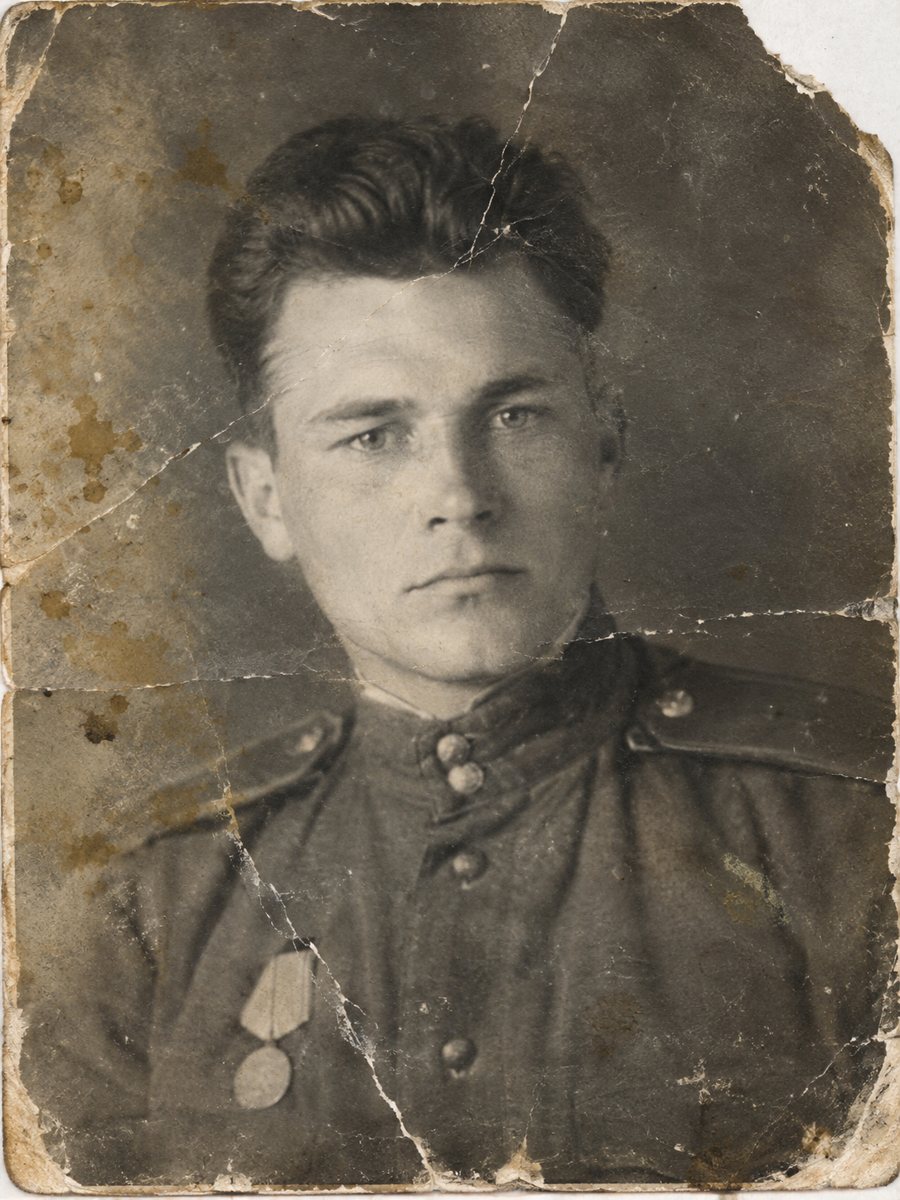
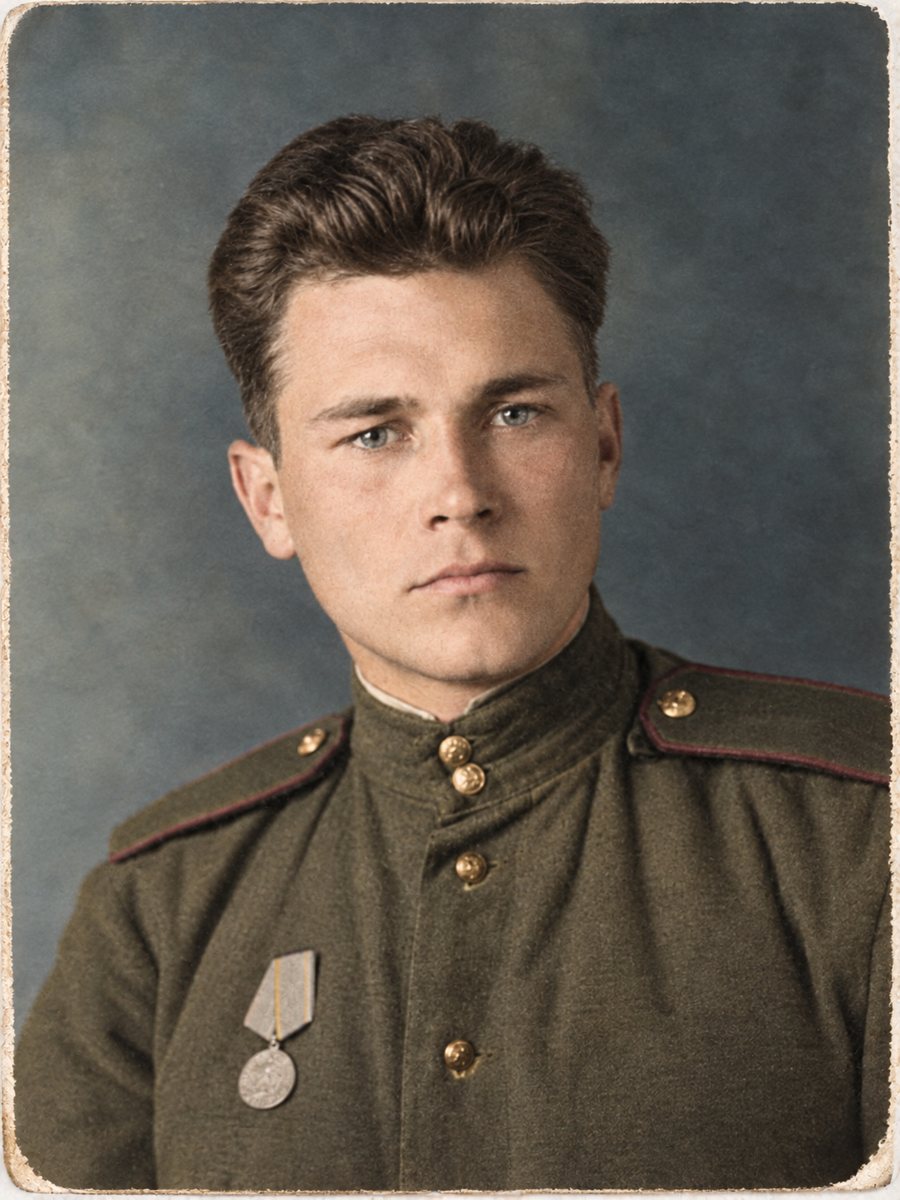 BeforeAfter
In short: No experience is needed. Learn what restoration means, which problems AI fixes well and how to try the process with 15 free credits.
- Where: the VisuMate bot in Telegram, no app or sign-up.
- Cost: 2 credits per image, 7 images free, then packs from 49 Telegram Stars.
- Time: 1 to 2 minutes per image, rerun with a new instruction at the same price.
When you need this
- You have never edited a photo.
- Software looks intimidating.
- You do not know what is possible.
How to do it
- 1
Open @visumate_ai_bot in Telegram with the button on this page and press Start. No sign-up is needed.
- 2
Send the photo as a file (document) so Telegram does not compress it. In the caption write: restore this old photo, repair damage, keep faces unchanged.
- 3
In 1-2 minutes the result arrives in the chat. Download it or run again, the second run costs the same.
Try it on your own photo: 7 images are free, no sign-up.
Make it in TelegramThree common jobs
Most requests fall into three groups. Repair removes scratches, stains and creases. Color adds natural tones to black and white. Sharpen clears soft photos. You can combine them, but doing one at a time is easier to judge. Treat the result as a careful interpretation of the original and share it together with the untouched scan. Compare faces with other photos of the same person, since the AI works from patterns and a rebuilt face may not match exactly.
Know the limits
The AI works from patterns. Fine detail lost long ago cannot be recovered, and badly damaged faces are rebuilt and may not match the person. The bot is not for printing or for passport and ID photos. Treat results as a good copy for memory, not as a document. Take your time with the result and look at it at full size on a computer, because small details are easy to miss on a phone screen.
Tips
- Start with one photo that matters less, to learn the process.
- Read the result at full size on a computer.
- Keep all versions in one folder.
- Take small steps and compare.
Questions and answers
Do I need software?
No, only Telegram.
What does it cost?
15 free credits, then from 49 Stars.
Is it hard?
No, send a file and a caption.
What if I make a mistake?
Run again, 2 credits.
More in "Photo restoration"
- Restore an old photo with a Telegram botSee how a Telegram bot restores old photos: start, send a file, add a caption and receive the result in...
- Restore an old photo for freeTry the bot with 15 free credits, enough for 7 images. See what the free start covers, what costs extra...
- How to restore old family photos at homeA plain guide to restoring family photos: scanning, choosing a mode, checking faces and storing the...
- Restore a damaged black and white photoHeavy damage plus no color: scratches, stains, tears and gray tones. One combined run repairs the print...