Restore and colorize a wedding photo
An old wedding photo often has creases and a faded veil. The combined mode repairs the damage and then colorizes, so you get a clean picture of the couple in natural tones.
- 2 credits per image
- Result in 1–2 minutes
- No sign-up
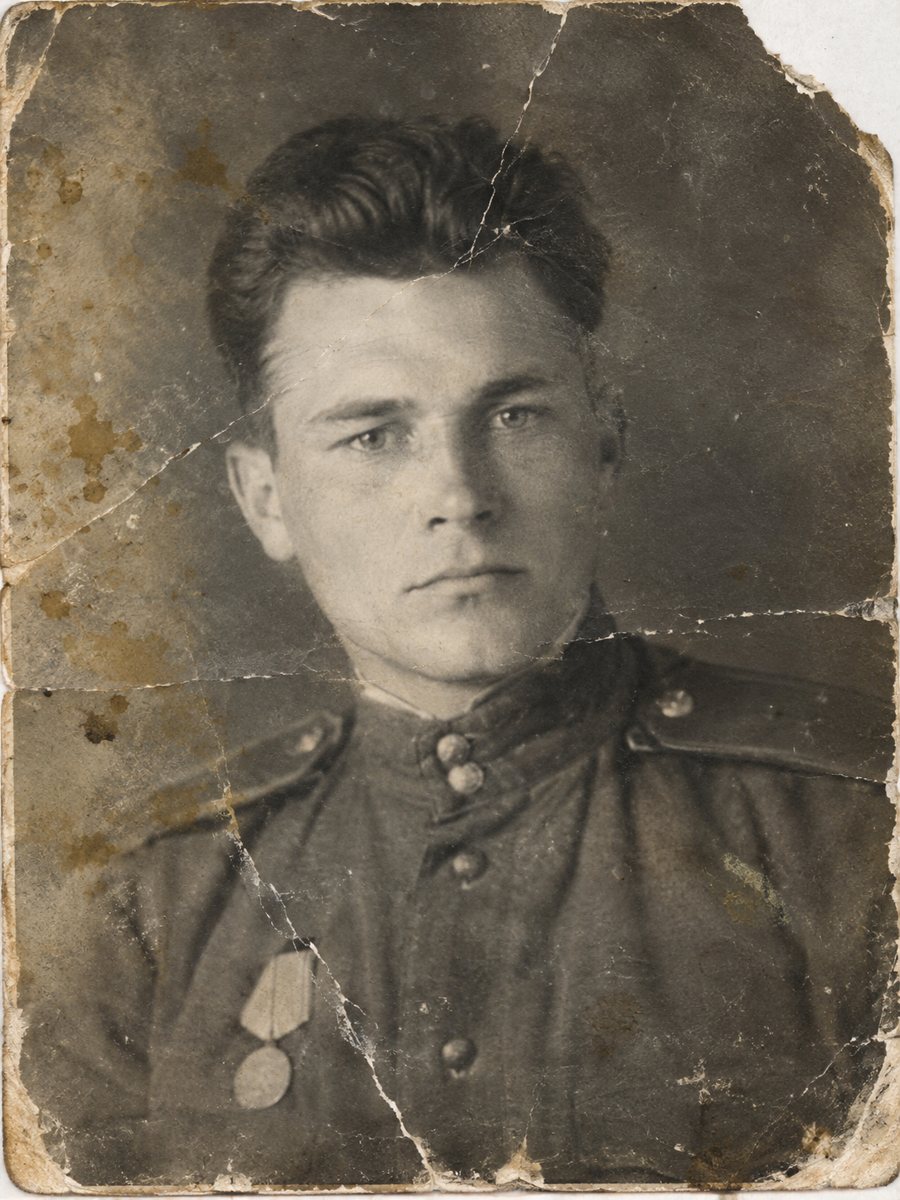
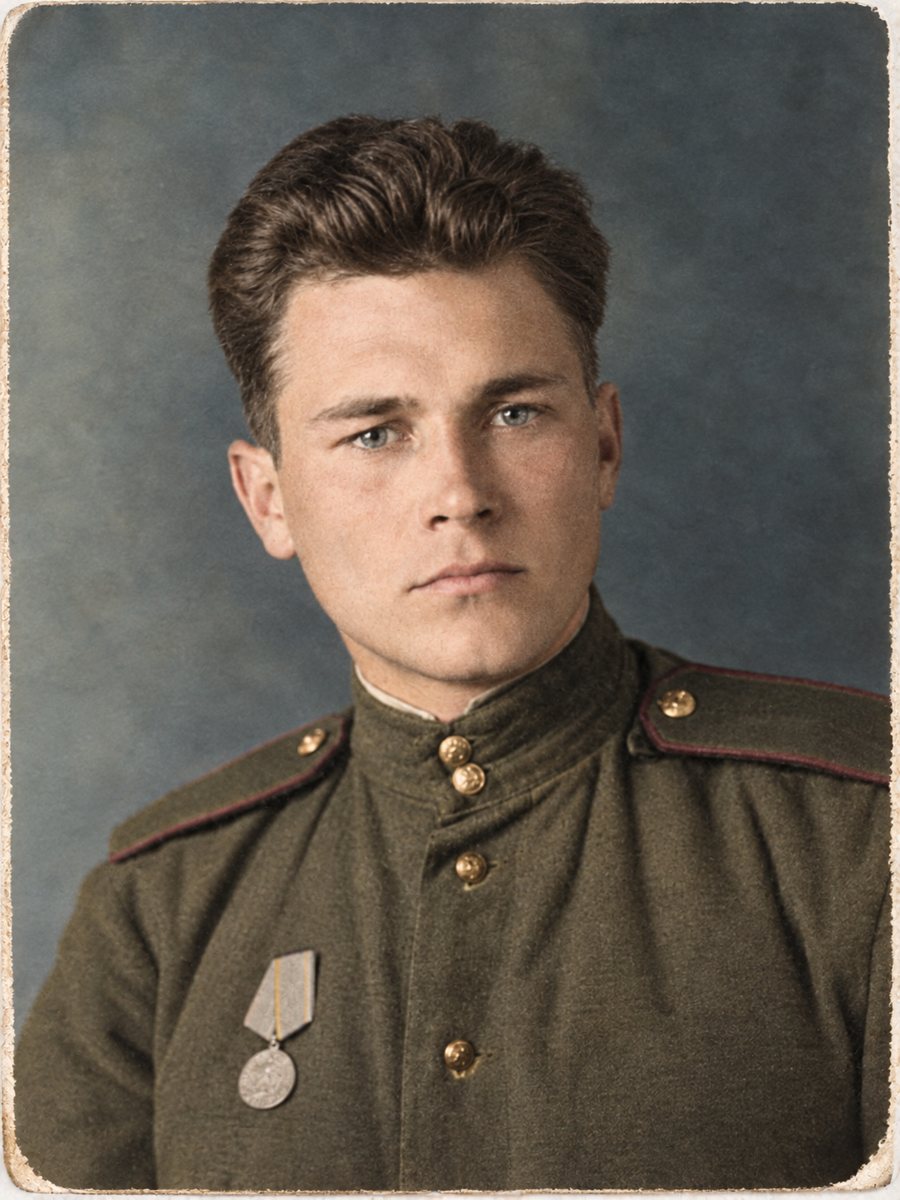 BeforeAfter
In short: Fix the creases and fading of an old wedding picture and add color in the same run. Describe the dress and flowers in the caption.
- Where: the VisuMate bot in Telegram, no app or sign-up.
- Cost: 2 credits per image, 7 images free, then packs from 49 Telegram Stars.
- Time: 1 to 2 minutes per image, rerun with a new instruction at the same price.
When you need this
- Fold lines run through the bride's dress.
- The picture is faded and the colors are unknown.
- You want a print for a parents' anniversary.
How to do it
- 1
Open @visumate_ai_bot in Telegram with the button on this page and press Start. No sign-up is needed.
- 2
Send the scan or phone picture as a file (document) so Telegram does not compress it. In the caption write: wedding portrait, repair damage, cream dress, dark suit, white and pink flowers.
- 3
Wait 1-2 minutes. The bot cleans the damage first and adds color after that, so you get one finished image to check and save.
Try it on your own photo: 7 images are free, no sign-up.
Make it in TelegramTwo steps in sequence
First the AI removes scratches, folds and stains. Then it adds color based on the cleaned picture. This order reduces odd color patches that appear when colorizing a damaged print. You will see one final image. The first launch gives 15 free credits, which is enough for 7 images, so you can test the result on your own picture before buying anything.
Faces and fabrics
Look at faces first. Then check lace, buttons and veil patterns. Damage over the dress can leave small changes in the texture. If any part looks wrong, rerun with a hint or choose the repair mode only, then colorize it separately. Send the scan as a file in Telegram so the picture is not compressed, and keep the untouched original in a separate folder for comparison.
Tips
- Ask the couple about the dress and flowers, even a general idea helps.
- Check the veil and lace for pattern changes.
- Compare faces with the original scan before printing.
- Make a black-and-white restored copy as well.
Questions and answers
Can I set the dress color?
Yes, in the caption.
What if the faces change?
Rerun or use repair-only mode.
Is the border preserved?
Mention it in the caption.
Can I print the result?
Download it and take it to a print service.
More in "Photo restoration"
- Restore a damaged black and white photoHeavy damage plus no color: scratches, stains, tears and gray tones. One combined run repairs the print...
- Restore and colorize a family albumPlan a family album project: scan, sort, send the worst photos for repair and color, and keep a clear...
- Restore and colorize an old photo in one runRepair scratches, creases and fading and then add color, all in one image. Send the scan and get one...
- Restore an old school class photoGroup class pictures have many small faces and a lot of damage. Scan the print large, clean it and check...