Restore a damaged black and white photo
When a black-and-white print has several kinds of damage, a single run can handle the repair and the color. Send a scan and review the result in 1-2 minutes.
- 2 credits per image
- Result in 1–2 minutes
- No sign-up
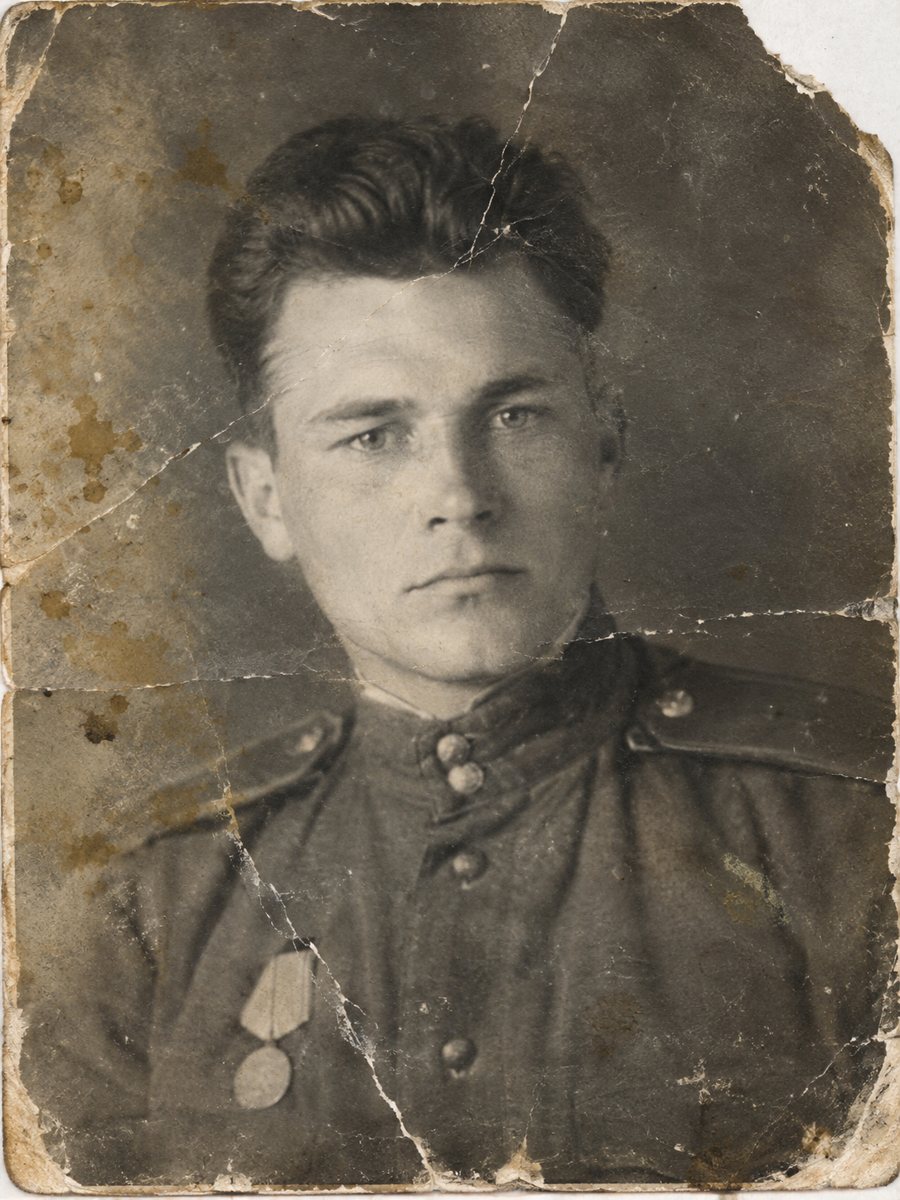
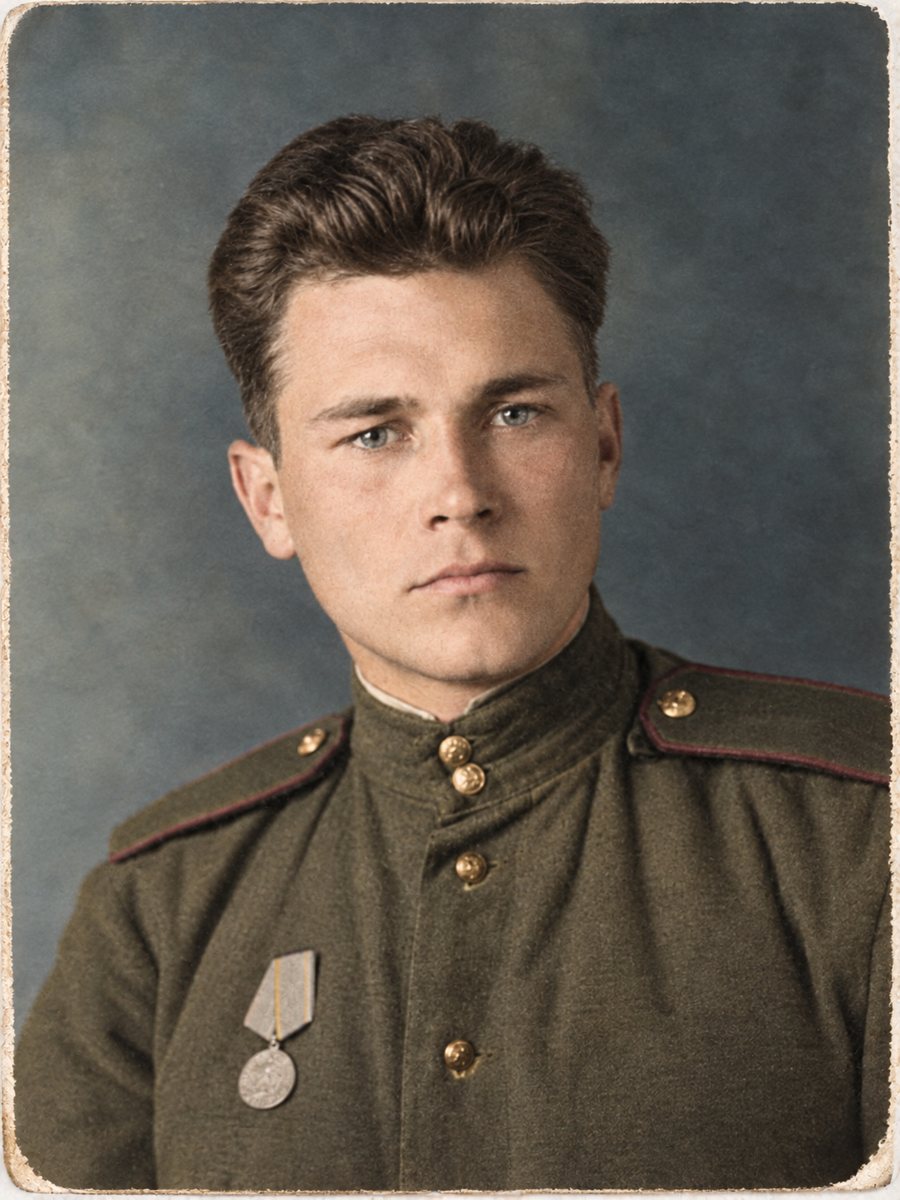 BeforeAfter
In short: Heavy damage plus no color: scratches, stains, tears and gray tones. One combined run repairs the print and colorizes it.
- Where: the VisuMate bot in Telegram, no app or sign-up.
- Cost: 2 credits per image, 7 images free, then packs from 49 Telegram Stars.
- Time: 1 to 2 minutes per image, rerun with a new instruction at the same price.
When you need this
- The photo has scratches, stains and a torn corner at once.
- You do not have time to fix each problem separately.
- The print is too damaged to use as is.
How to do it
- 1
Open @visumate_ai_bot in Telegram with the button on this page and press Start. No sign-up is needed.
- 2
Send the scan or phone picture as a file (document) so Telegram does not compress it. In the caption list the main damage and colors, for example: scratches and stains, torn corner, brown coat, green field.
- 3
In 1-2 minutes you get the repaired and colorized picture in one image. Download it, and rerun if something needs a closer look.
Try it on your own photo: 7 images are free, no sign-up.
Make it in TelegramMultiple problems
A badly damaged photo often has several overlapping issues: fading, stains, folds, missing pieces. The AI reads the picture as a whole and works on all of them. When the damage is heavy, parts of the image are rebuilt from clues, and details may differ from the original. Handle the original print by the edges and store it in an acid-free sleeve away from sunlight and damp.
Realistic expectations
Heavy damage means more guessing. Faces damaged beyond recognition will be reconstructed and may not look like the person. Use the result as a clean image of the scene, and compare faces with other photos. If it is for a memorial, review it carefully with someone who knew the person. Treat the result as a careful interpretation of the original and share it together with the untouched scan.
Tips
- List the main damage so the AI looks for it.
- The heavier the damage, the more the AI guesses. Compare faces.
- If the first run is not good, rerun with a clearer scan.
- Keep the original scan and a note about the repair.
Questions and answers
Can the bot rescue any photo?
No. If the image is mostly gone, the result is invented.
Will the faces be right?
Not guaranteed on heavily damaged faces.
Should I try repair-only first?
It is a good idea if you want to keep black and white.
Is a second run costly?
Same 2 credits.
More in "Photo restoration"
- Restore and colorize a family albumPlan a family album project: scan, sort, send the worst photos for repair and color, and keep a clear...
- Restore and colorize a military photographOld soldier portraits often have creases and fading. Repair the print and colorize the uniform in one run,...
- Restore and colorize a wedding photoFix the creases and fading of an old wedding picture and add color in the same run. Describe the dress and...
- Colorize a vintage car photographColorize a black-and-white photo of a family car or a classic model. Name the paint color in the caption...