Restore and colorize an old photo in one run
The combined mode cleans damage first and colorizes second. You send one picture and receive one result. It costs 2 credits, the same as the single steps.
- 2 credits per image
- Result in 1–2 minutes
- No sign-up
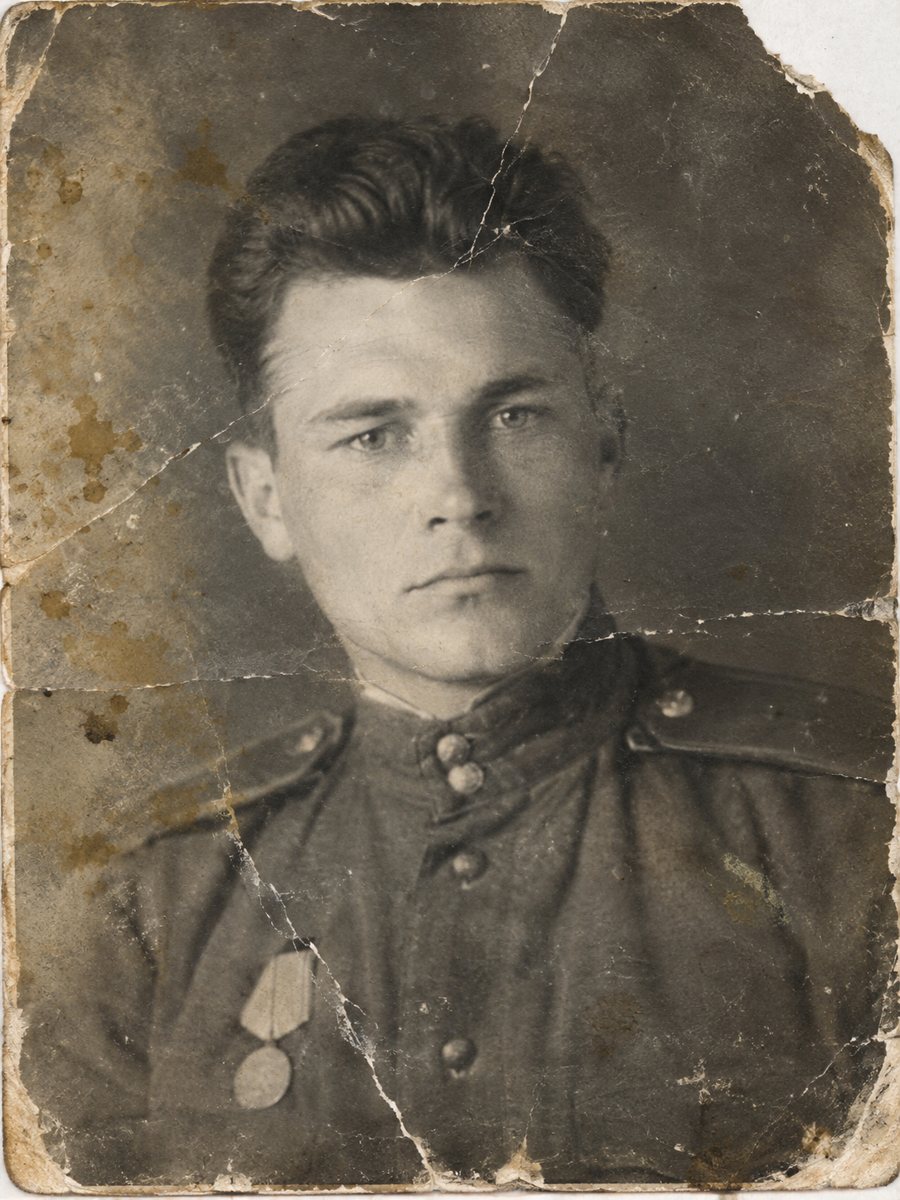
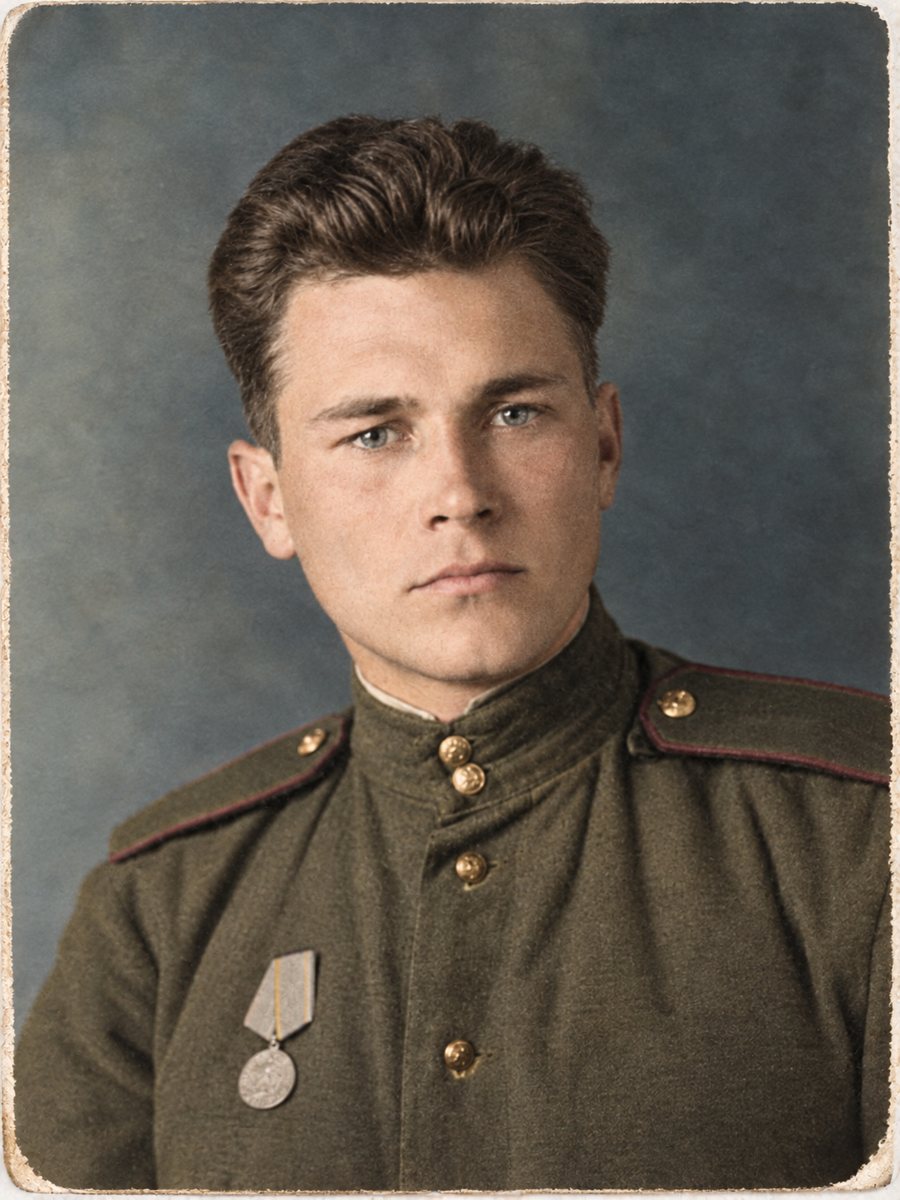 BeforeAfter
In short: Repair scratches, creases and fading and then add color, all in one image. Send the scan and get one finished picture in 1-2 minutes.
- Where: the VisuMate bot in Telegram, no app or sign-up.
- Cost: 2 credits per image, 7 images free, then packs from 49 Telegram Stars.
- Time: 1 to 2 minutes per image, rerun with a new instruction at the same price.
When you need this
- The photo is scratched and in black and white, and you want both fixed.
- Running two separate tools loses quality.
- You have a lot of damaged prints and need a quick workflow.
How to do it
- 1
Tap the button on this page. Telegram opens the bot, press Start and the right mode is already selected.
- 2
Send the scan or phone picture as a file (document) so Telegram does not compress it. In the caption write what you remember about colors, for example: blue dress, brown hair, green wall.
- 3
In 1-2 minutes you get the repaired and colorized picture in one image. Download it, and rerun if something needs a closer look.
Try it on your own photo: 7 images are free, no sign-up.
Make it in TelegramWhy one run
Restoring first and colorizing second makes sense, because scratches and stains confuse color decisions. The combined mode does both in sequence, so you do not need to download and resend a file. The cost is 2 credits, like a single operation. The first launch gives 15 free credits, which is enough for 7 images, so you can test the result on your own picture before buying anything.
Checking what changed
Compare the final picture with your scan. Look at faces first, then damaged areas, then colors. If a face changed, rerun or try the repair mode without color. If colors look off, add a hint and run again. Keep the original scan in your archive. Compare faces with other photos of the same person, since the AI works from patterns and a rebuilt face may not match exactly.
Tips
- Start with the combined mode if the print is both damaged and black-and-white.
- If you want a black-and-white restoration, use the repair mode instead.
- Check both repaired areas and colors at full size.
- Add color hints only for large objects.
Questions and answers
Is the combined mode more expensive?
No, it is 2 credits, one image.
Can I get only a repaired black-and-white image?
Yes, use the repair mode.
What if the face looks different?
Rerun or use the repair mode only.
Do I need to describe the damage?
Not required, but captions help.
More in "Photo restoration"
- Restore and colorize a wedding photoFix the creases and fading of an old wedding picture and add color in the same run. Describe the dress and...
- Restore a damaged black and white photoHeavy damage plus no color: scratches, stains, tears and gray tones. One combined run repairs the print...
- Restore and colorize an old couple portraitAn old portrait of a couple, repaired and colorized, makes a quiet anniversary present. Add the colors of...
- Repair a photo with tape marksYellowed tape strips, glue stains and shiny residue on old prints can be removed from a scan so the...