Turn a black-and-white photo into color
Send a black-and-white print or scan and the bot adds natural color without oversaturating it. Grain stays, faces and clothes keep their shape.
- 2 credits per image
- Result in 1–2 minutes
- No sign-up
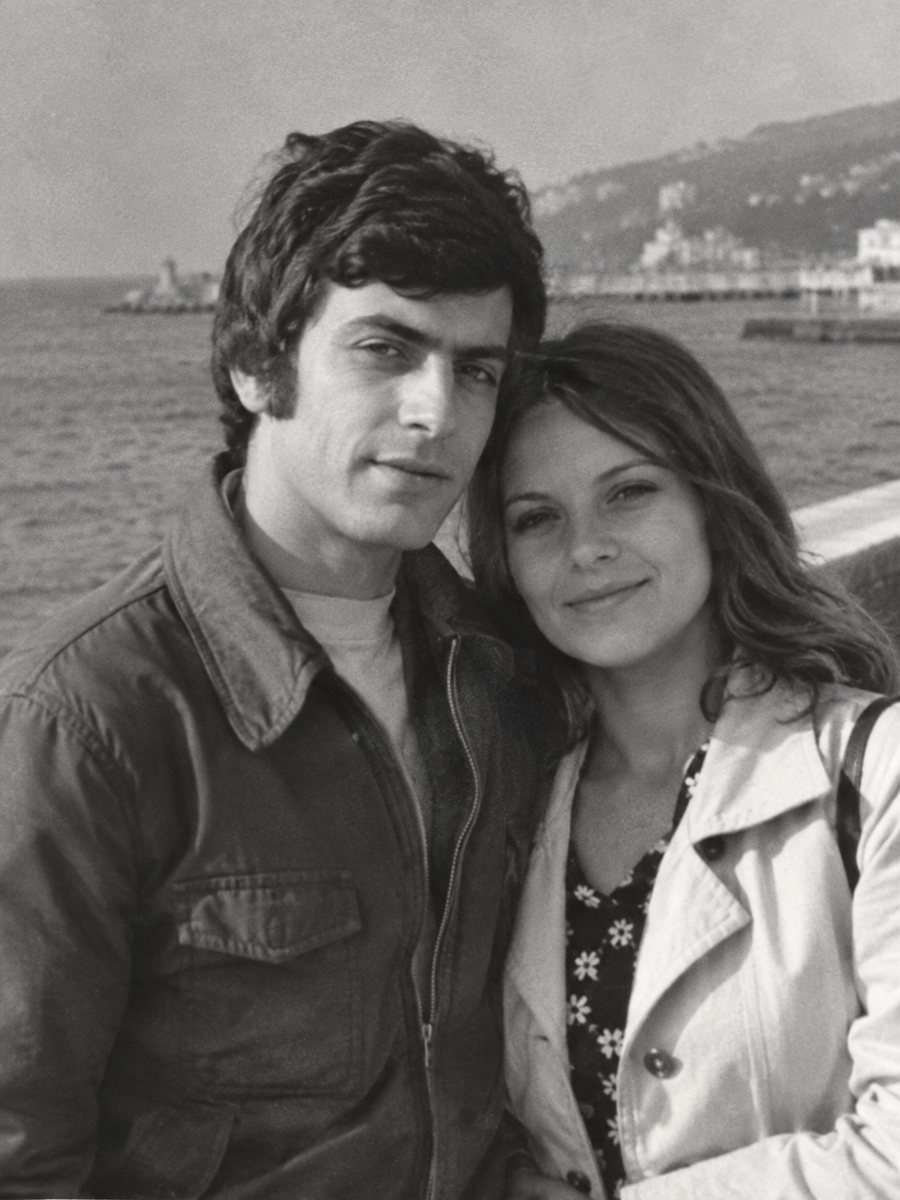
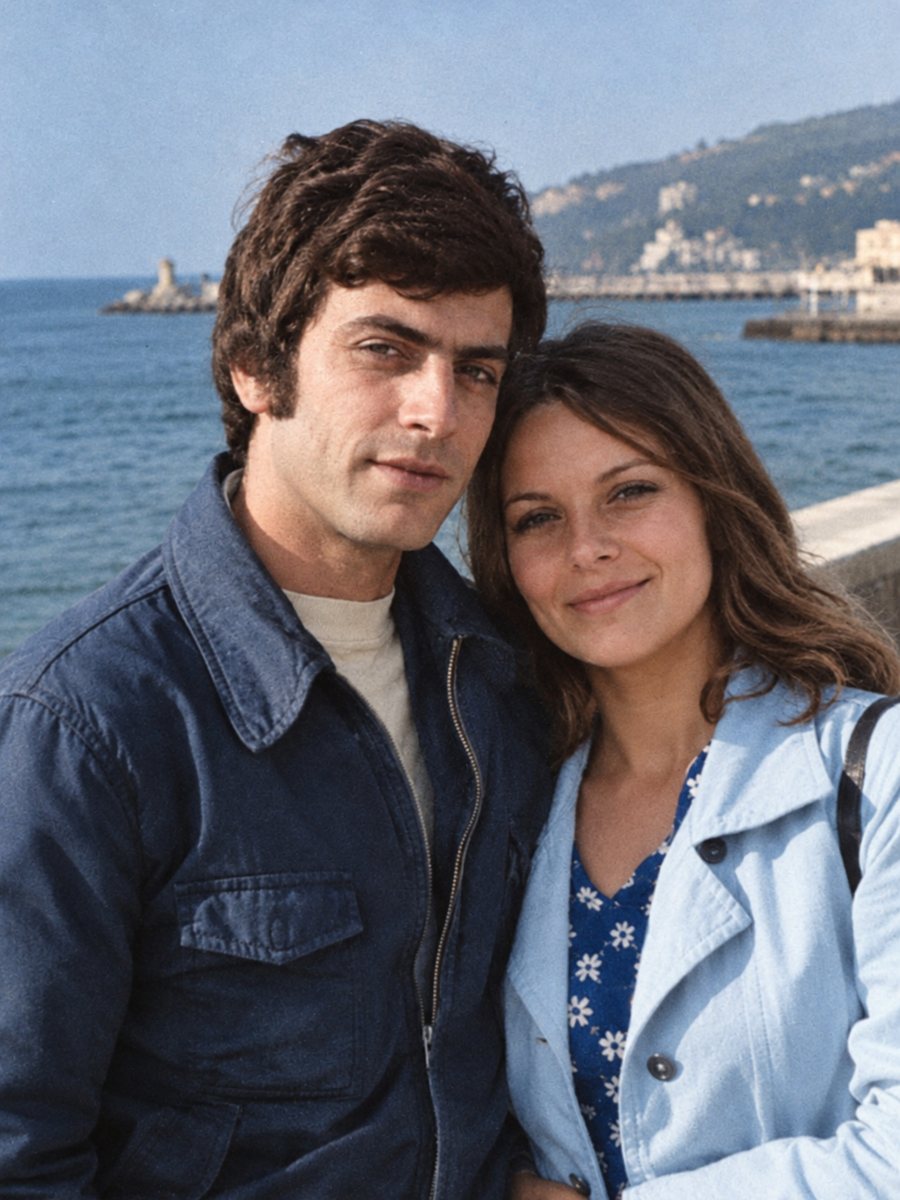 BeforeAfter
In short: Send a black-and-white photo and get a colorized version in natural tones, with film grain kept. About 1-2 minutes, 7 images free.
- Where: the VisuMate bot in Telegram, no app or sign-up.
- Cost: 2 credits per image, 7 images free, then packs from 49 Telegram Stars.
- Time: 1 to 2 minutes per image, rerun with a new instruction at the same price.
When you need this
- You have an old portrait and want to see what it might have looked like in color.
- Relatives remember the color of a dress or a car and want it shown.
- A frame at home looks flat next to modern photos.
How to do it
- 1
Use the button on this page to open the bot in Telegram, then press Start. Your 15 free credits appear on first launch.
- 2
Send the black-and-white photo as a file (document) so Telegram does not compress it. In the caption you can hint colors in plain words, for example: blue dress, brown eyes, green car.
- 3
Wait 1-2 minutes for the colorized version. Check skin, clothes and sky, then rerun with a corrected caption if needed.
Try it on your own photo: 7 images are free, no sign-up.
Make it in TelegramHow the colors are chosen
The AI looks at brightness and the type of objects: skin, grass, sky, clothing. It picks common, believable colors and keeps them moderate. That makes the picture feel natural, but the result is a suggestion, not a record of the real colors. If you know the color of something, say it in the caption and the bot will follow it.
Before you send
A clean, sharp scan gives more reliable colors. If the print has scratches or fading, use the combined mode that repairs first and colorizes second. For small pictures that are blurry, try the sharpen mode first. Send the file as a document so Telegram keeps full resolution. Paid credits start from 199 Stars if you want to continue after the free start.
Tips
- Hints work best for large objects like clothes, cars and walls.
- If you do not remember colors, leave the caption empty and let the AI choose.
- Skin, sky, grass and wood are usually natural. Uniforms and patterned fabric are guesses.
- Keep a black-and-white copy of the original next to the colorized one.
Questions and answers
Will the colors be historically accurate?
No promise of that. They are believable guesses unless you give hints.
Does the photo keep its grain?
Yes, grain is kept.
Can I choose the colors?
You can hint in the caption.
Is the bot in English?
The bot replies in English, and the link from this page opens the right mode.
More in "Photo restoration"
- Colorize an old wedding photoAdd natural color to a black-and-white wedding photograph. Hint the dress, suit and bouquet colors in the...
- Colorize a military photographColorize an old soldier portrait while keeping the face and uniform shape. Add known uniform colors in the...
- Colorize a tintype photographTintypes are dark and reflective, which makes scanning tricky. Photograph the plate at an angle without...
- Remove dust and specks from a scanWhite flecks, hairs and tiny dark dots left by a dirty scanner glass or an old print can be cleaned in one...
- Colorize black and white photos free onlineColorize black and white photos online with AI. Natural colors, grain kept, no sign-up. New users get 15...