Facebook ad image without a designer
Tell the bot the offer, the headline and the look you want, and it returns a wide ad image. You can make several versions and compare them before you spend on ads.
- 2 credits per image
- Result in 1–2 minutes
- No sign-up
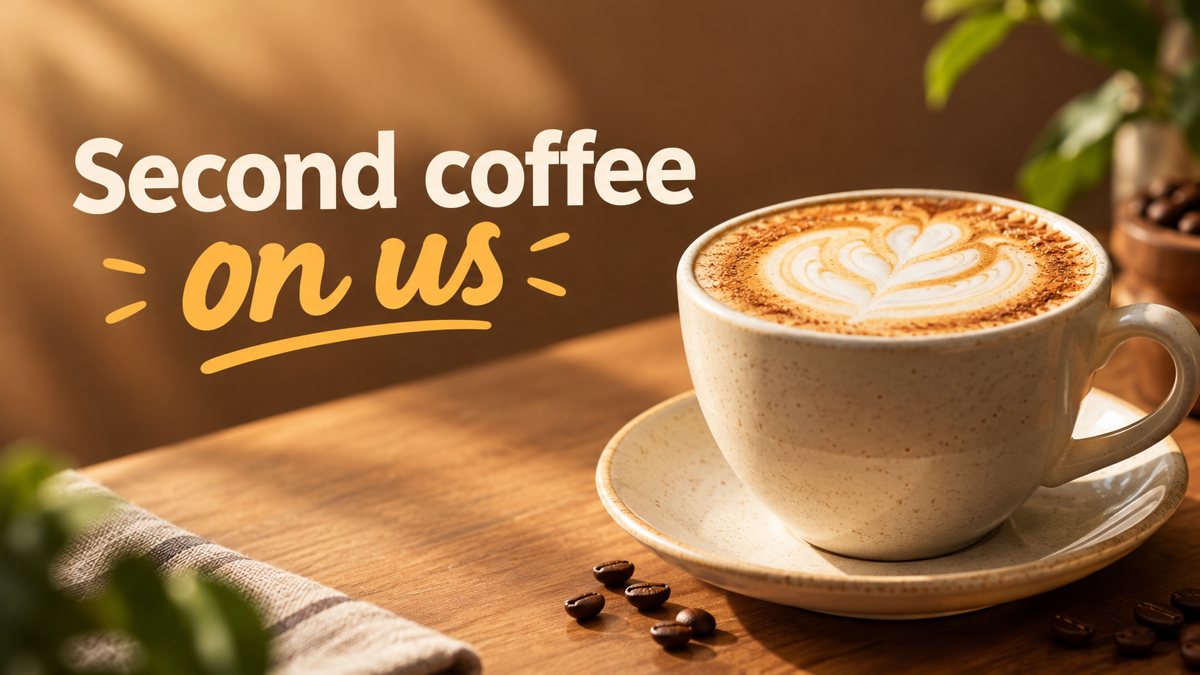 Made by the bot
In short: Create a Facebook ad image from a plain-English brief in Telegram. Wide 16:9 banner with your headline, 3 credits each, 15 free credits for new users.
- Where: the VisuMate bot in Telegram, no app or sign-up.
- Cost: 2 credits per image, 7 images free, then packs from 49 Telegram Stars.
- Time: 1 to 2 minutes per image, rerun with a new instruction at the same price.
When you need this
- You want to test two or three ad visuals but a designer charges per variant.
- Stock photos with text overlays make every ad look like everyone else's.
- You need a fresh image before the weekend and an editor with templates takes an hour.
How to do it
- 1
Tap the link on this page to open @visumate_ai_bot in Telegram, then press Start.
- 2
Send the offer and the look in one message: a candle shop ad, three amber jars on a wooden shelf, soft evening light, headline 'Buy 2 Get 1 Free'.
- 3
In 1–2 minutes the 16:9 banner arrives in the chat for 3 credits. Proofread every word on it, then download it or run again.
Try it on your own photo: 7 images are free, no sign-up.
Make it in TelegramVariants for testing
A test needs at least two images that differ in one thing. Keep the offer text identical and change the scene, or keep the scene and change the color mood. Each run costs 3 credits, so three variants use 9. Name the variants in your files so you can match them to results later. The bot does not run or track ads, it only produces the image that you upload in your own ad account.
What a good brief contains
A strong brief has four parts: the product or service, the scene, the mood and the exact words to print. Example: a cleaning service, a bright living room with a vacuum on a clean rug, fresh morning light, text 'Spring Clean Special'. Leave out claims you cannot back up. The image is generated, so avoid prompts that imply a real before-and-after result or a real customer.
Tips
- Run the same offer in two styles, for example a bright flat look and a dark moody one, and compare them in your ad test.
- Keep the headline to a few words. Facebook ads are read in a scroll.
- Put the product or scene in the picture and keep the price in the ad copy field, where it is easy to edit.
- Check the ad policy rules for your category before you publish. The bot does not review them.
Questions and answers
Does the bot create the ad itself?
No. It makes the image. You upload it in your Facebook ads account and write the ad copy there.
What size does the image have?
The result is a 16:9 banner. Resize or crop it in the ad tool if a placement needs a different ratio.
Can I use the images commercially?
Check the terms of the bot and of the ad platform for your case. This page does not give legal advice.
What if the headline has a typo?
Rerun with a shorter headline or spell it out in the prompt. A second run costs the same 3 credits.
More in "Banners and stories"
- YouTube thumbnail from a text promptMake a YouTube thumbnail from a description in Telegram. 16:9 image with a short bold title, 3 credits per...
- LinkedIn banner image generatorCreate a LinkedIn profile or company banner from a text description in Telegram. Wide image, clean style,...
- Facebook cover photo maker from a text promptMake a Facebook cover photo from a text description in Telegram. Wide 16:9 image with your short text, 3...
- Google Display banner sizes and how to create the imageCommon Google Display ad sizes as guidelines, and how to get a wide banner image from a text prompt in...
- Summer sale bannerCreate a summer sale banner from a short brief in Telegram. Wide 16:9 image with a seasonal offer, 3...