Blog featured image generator
Describe the topic of your post, and the bot draws a featured image that fits it. No more hunting through stock sites for a picture that almost matches.
- 2 credits per image
- Result in 1–2 minutes
- No sign-up
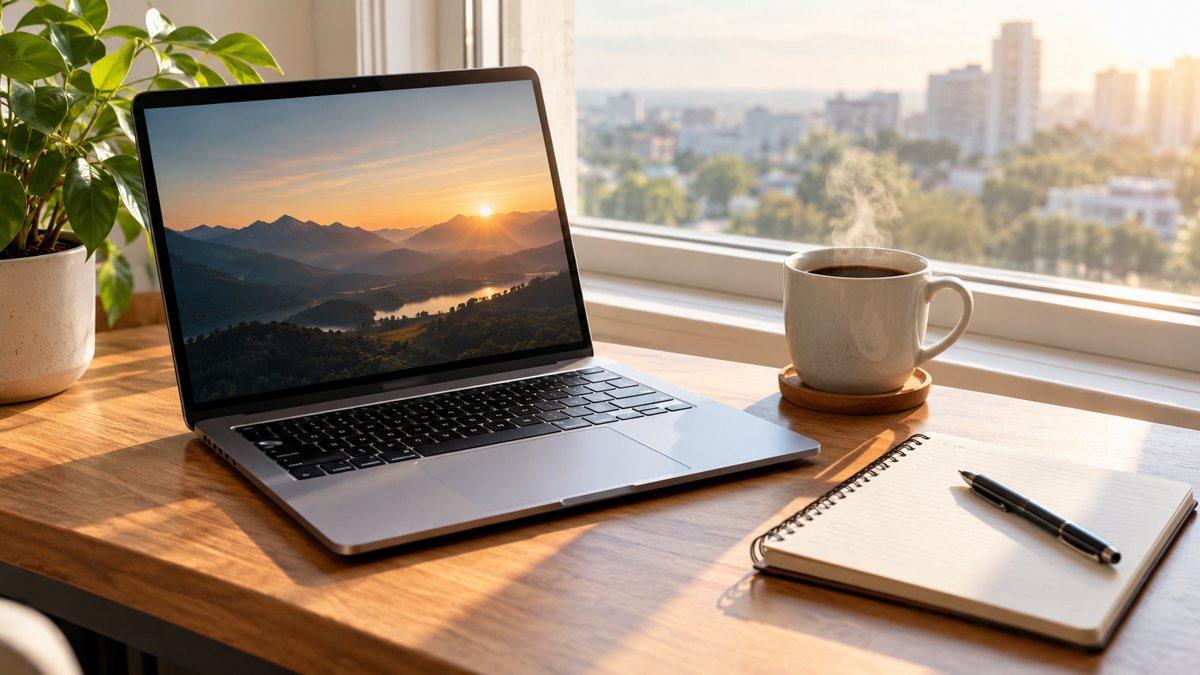 Made by the bot
In short: Make blog featured images from a text prompt in Telegram. Wide images that fit your topic, 2 credits each, 15 free credits for new users to try.
- Where: the VisuMate bot in Telegram, no app or sign-up.
- Cost: 2 credits per image, 7 images free, then packs from 49 Telegram Stars.
- Time: 1 to 2 minutes per image, rerun with a new instruction at the same price.
When you need this
- Stock photos look the same on every blog.
- Each post needs a cover and you lose time.
- Your site needs a consistent look.
How to do it
- 1
Tap the link on this page to open @visumate_ai_bot in Telegram, then press Start.
- 2
Describe the post: a featured image for an article on remote work habits, a laptop on a kitchen table with a mug and a plant, soft morning light, wide framing.
- 3
Wait 1–2 minutes for the result. Check the details, then download the file or run again with a tweak.
Try it on your own photo: 7 images are free, no sign-up.
Make it in TelegramA look for the whole blog
Readers recognize a blog by its images. Pick a style sentence such as flat illustration with warm colors, or soft photographic scenes, and use it for every post. The topic changes, the look stays. Keep the main subject in the center so social previews crop well. Add a short alt text describing the image. Name the main object of the article in the prompt, so readers connect the picture with the topic at a glance.
Layout and sizes
Most blogs show featured images at about 16:9. Ask for a wide scene, and keep the subject away from the edges. If your theme places the title over the image, ask for a calm area or a darker side. Check text on the image letter by letter, or leave it out and let your theme handle the title. Generate images for several upcoming posts in one sitting, so your content calendar always has covers ready.
Tips
- Show the topic as a scene, not a pile of icons.
- Use the same style sentence for every post.
- Leave calm space if you overlay the title.
- Add alt text on your site.
Questions and answers
Can I get the same style each time?
Reuse a style sentence.
Does it resize?
Request a wide framing.
Is the image unique?
Each generation is new.
Cost?
2 credits.
More in "Banners and stories"
- YouTube thumbnail backgroundMake a YouTube thumbnail background from a text prompt in Telegram. Bold scenes with room for your face...
- Law firm blog image ideasMake neutral blog images for a law firm from a text prompt in Telegram. Calm office scenes with no legal...
- Book cover concept imageMake book cover concept images from a text prompt in Telegram. Test moods and palettes before you brief a...
- Image for an ad without a designerMake an ad image without a designer. Describe the scene in Telegram, get an image in 1–2 minutes, 2...
- Shopify hero banner generatorMake a Shopify home page hero banner from a text brief in Telegram. 16:9 image with your headline, 3...