Create a warm, approachable teacher headshot
The bot restyles your photo into an approachable educator portrait: a smart casual shirt, a friendly smile, a blurred classroom or library behind you, soft daylight and natural colors. Your face stays recognizable. Use the button and send one photo.
- 2 credits per image
- Result in 1–2 minutes
- No sign-up
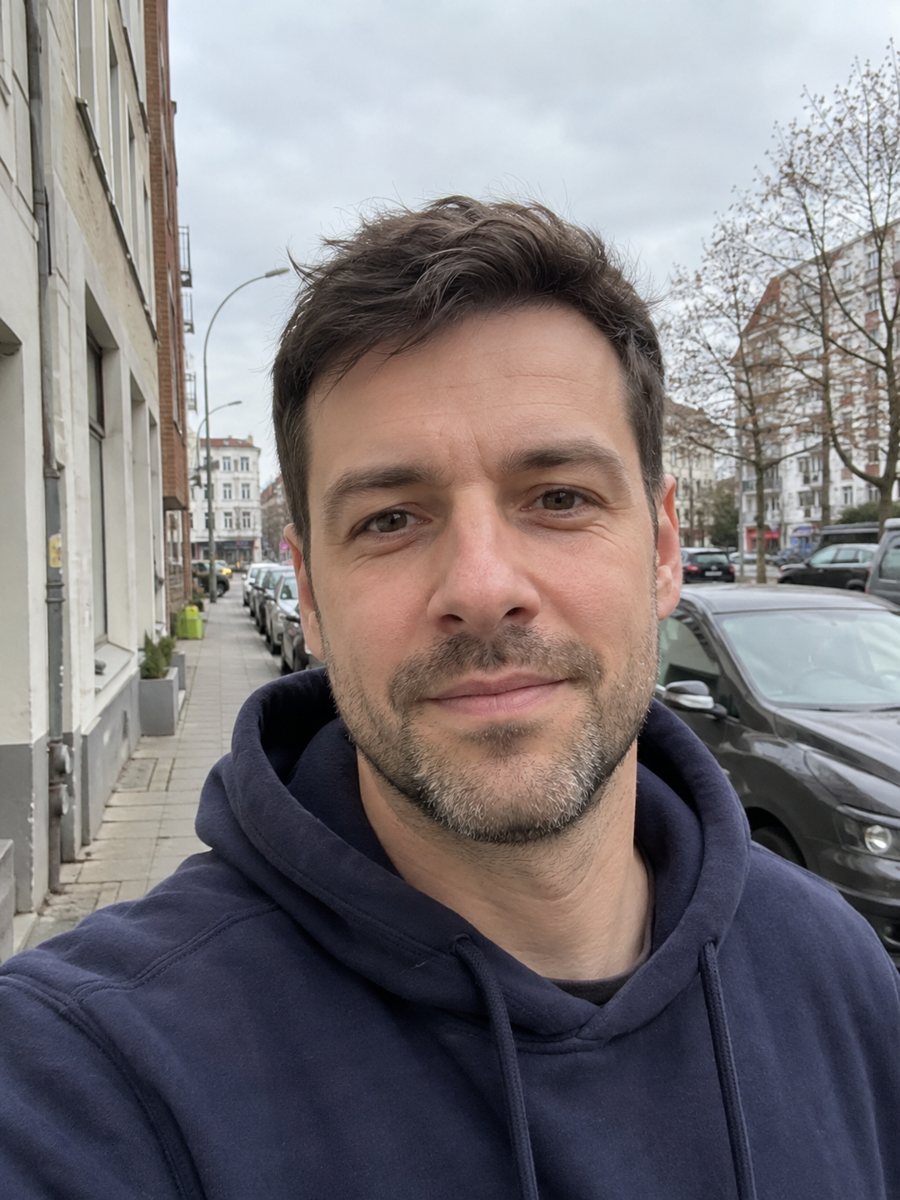
 BeforeAfter
In short: Turn a photo into a warm educator headshot with a smart casual shirt and a blurred classroom or library. Copy the prompt or open the Telegram bot.
- Where: the VisuMate bot in Telegram, no app or sign-up.
- Cost: 2 credits per image, 7 images free, then packs from 49 Telegram Stars.
- Time: 1 to 2 minutes per image, rerun with a new instruction at the same price.
When you need this
- The school website or class page needs a staff portrait and picture day was missed.
- You are applying for a teaching post and want a neat photo for the application page.
- Your course platform asks for a profile image that looks friendly and professional.
How to do it
- 1
Tap the button on this page. Telegram opens the bot with the teacher headshot style chosen, press Start if asked.
- 2
Send one photo as a file. Add a caption like: cardigan, glasses, library with wooden shelves.
- 3
Wait 1-2 minutes, 2 credits are used. Check that the face, glasses and hairstyle match your photo, then rerun if not.
Try it on your own photo: 7 images are free, no sign-up.
Make it in TelegramThe prompt behind this style
Turn this photo into a warm, approachable educator headshot. Keep the face fully recognizable. Smart casual shirt, friendly smile, blurred classroom or library background with soft daylight, natural colors. Vertical 3:4, no text.
A friendly classroom feel
The prompt asks for a warm educator look: a smart casual shirt, a friendly smile, a blurred classroom or library with soft daylight and natural colors. The portrait is vertical 3:4 and has no text, so there are no invented school names or posters you would need to remove. The background stays out of focus, so attention remains on your face, and the colors are gentle rather than harsh studio tones.
Using it responsibly
Parents and students look at a teacher's picture to know who stands in the classroom, so the portrait should still look like you today. Compare your hairstyle, age and features with the original photo and rerun if they drifted. A school may have rules about staff photos or about edited and AI-generated images. If disclosure is required, add a short note near the picture. For identity badges and official records, schools normally want a plain, unedited photograph instead of a styled one.
Tips
- A photo taken in daylight near a window keeps skin tones natural.
- Choose classroom or library in the caption to match your subject.
- Name a clothing color that fits your school's style, such as soft green or navy.
- Glasses carry over best when the frames are clearly visible.
- Check your school's policy on staff photos and edited images before posting.
Questions and answers
Is the classroom real?
No. The AI invents a generic classroom or library in soft blur.
Can I use it on a school website?
Check your school's policy on staff photos and AI editing, and disclose where required.
Will it keep my glasses and hairstyle?
It aims to, especially when they are clear in the source photo. Rerun if something changed.
Can I change the clothes?
Yes. Describe a different shirt, cardigan or blazer in the caption.
How much does one image cost?
2 credits, and the first 15 credits are free.
Does the bot work in English?
The bot replies in English. English captions work and the button on this page opens the right mode.
More in "Photo styles"
 Create a professional headshot from your photoMake a polished headshot with a light gray backdrop, soft studio light and natural retouching. Ready...
 Create a doctor headshot from a regular photoTurn a photo into a medical headshot with a white coat, stethoscope and a blurred clinic. Copy the ready...
 Make a LinkedIn headshot from a selfieTurn a casual selfie into a professional LinkedIn headshot with a blazer and a soft studio backdrop. Ready...
 Upgrade your profile photo without changing youImprove a social media profile picture: fix exposure and white balance, blur a messy background to a warm...