Studio product photography with your phone
A product studio gives you a smooth backdrop, controlled light and a believable shadow. Send a phone picture and the bot builds that look: light gradient background, highlights, realistic shadows and a little depth of field.
- 2 credits per image
- Result in 1–2 minutes
- No sign-up
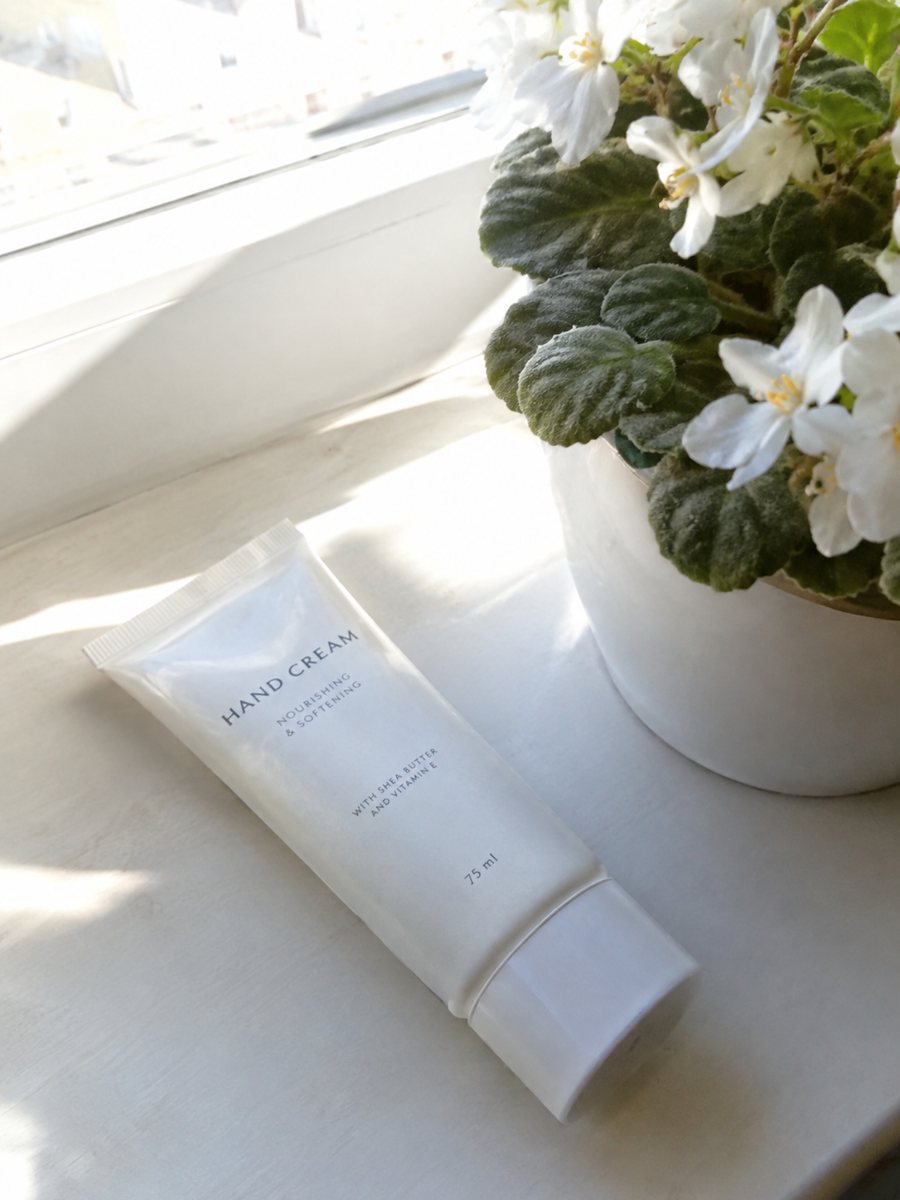
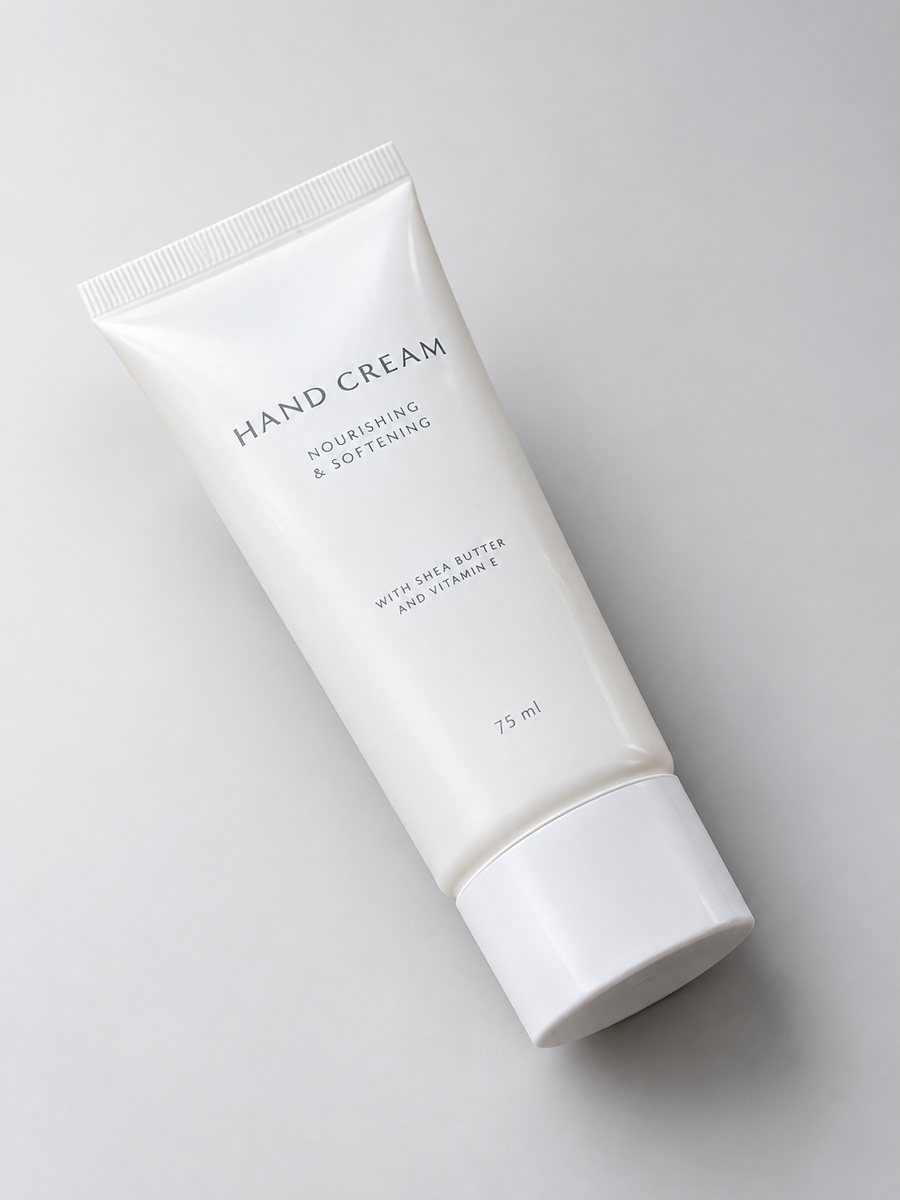 BeforeAfter
In short: Studio product photography with just a phone: send a picture and get a gradient backdrop, highlights and realistic shadows in a 3:4 frame. 7 images free.
- Where: the VisuMate bot in Telegram, no app or sign-up.
- Cost: 2 credits per image, 7 images free, then packs from 49 Telegram Stars.
- Time: 1 to 2 minutes per image, rerun with a new instruction at the same price.
When you need this
- Your product sits well but the photo looks flat and amateur next to brand pages.
- You do not have lights, a backdrop or the space for a studio.
- Hiring a photographer for each new product does not fit your margins.
How to do it
- 1
Open @visumate_ai_bot with the button on this page and press Start. The link opens the studio shot mode.
- 2
Send the photo of the product as a file (document). In the caption describe the look: "light warm gray gradient background, soft highlights, realistic shadow".
- 3
In 1–2 minutes the vertical 3:4 image arrives in the chat. Check highlights and the shadow under the product, then download it or run again.
Try it on your own photo: 7 images are free, no sign-up.
Make it in TelegramWhat the studio mode adds
Compared with a plain white image, the studio look has a light gradient, highlights on edges and a shadow that follows the surface. A slight depth of field draws attention to the product. You describe the background color in the caption, and the bot keeps the object itself as it is in your photo. If the result is close but not right, change one word in the caption and run again for another 2 credits.
What to prepare at home
Clean the product, choose a plain surface and use window light from the side. Take the picture straight on or at three quarters. The AI builds the studio around your product, so the sharper and better lit the source is, the more realistic the result looks. Reruns cost 2 credits each. Send the photo as a file so Telegram keeps the full detail of your product.
Tips
- Shoot in soft window light and keep the product sharp.
- Choose the backdrop color in the caption: warm beige, soft gray, pale blue.
- Use one backdrop color per collection so the shop looks consistent.
- Compare the highlights with the real product so the finish is not changed.
Questions and answers
How is it different from the white background mode?
White mode makes a flat, neutral picture for main images. Studio mode adds a gradient backdrop, highlights and depth, good for store pages and ads.
Can I choose the background color?
Yes, in the caption. Write something like warm beige gradient or soft gray.
How long does one image take?
Usually 1–2 minutes. The result arrives in the chat, and you can download it or run the photo again.
What if the result is not right?
It is AI, so sometimes a rerun is needed. A second run costs the same 2 credits, and a clearer caption usually helps.
More in "Product photos"
- Product photo with a gradient backgroundProduct photo with a gradient background: pick the color in the caption and get highlights and a realistic...
- Fix the lighting of a product photoFix product photo lighting: a dim, yellow indoor shot becomes an evenly lit studio image with highlights...
- Art print product photosArt print product photos: send a picture of a print or a poster and get a studio look with a gradient...
- Supplement infographic imagesSupplement infographic images: a bottle close-up with 3 or 4 short factual badges from your caption. Check...