Shopify product images on a white background
A store looks professional when every product sits on the same background in the same light. Send each phone photo to the bot and get a white background, soft shadow and even light, in a vertical 3:4 frame.
- 2 credits per image
- Result in 1–2 minutes
- No sign-up
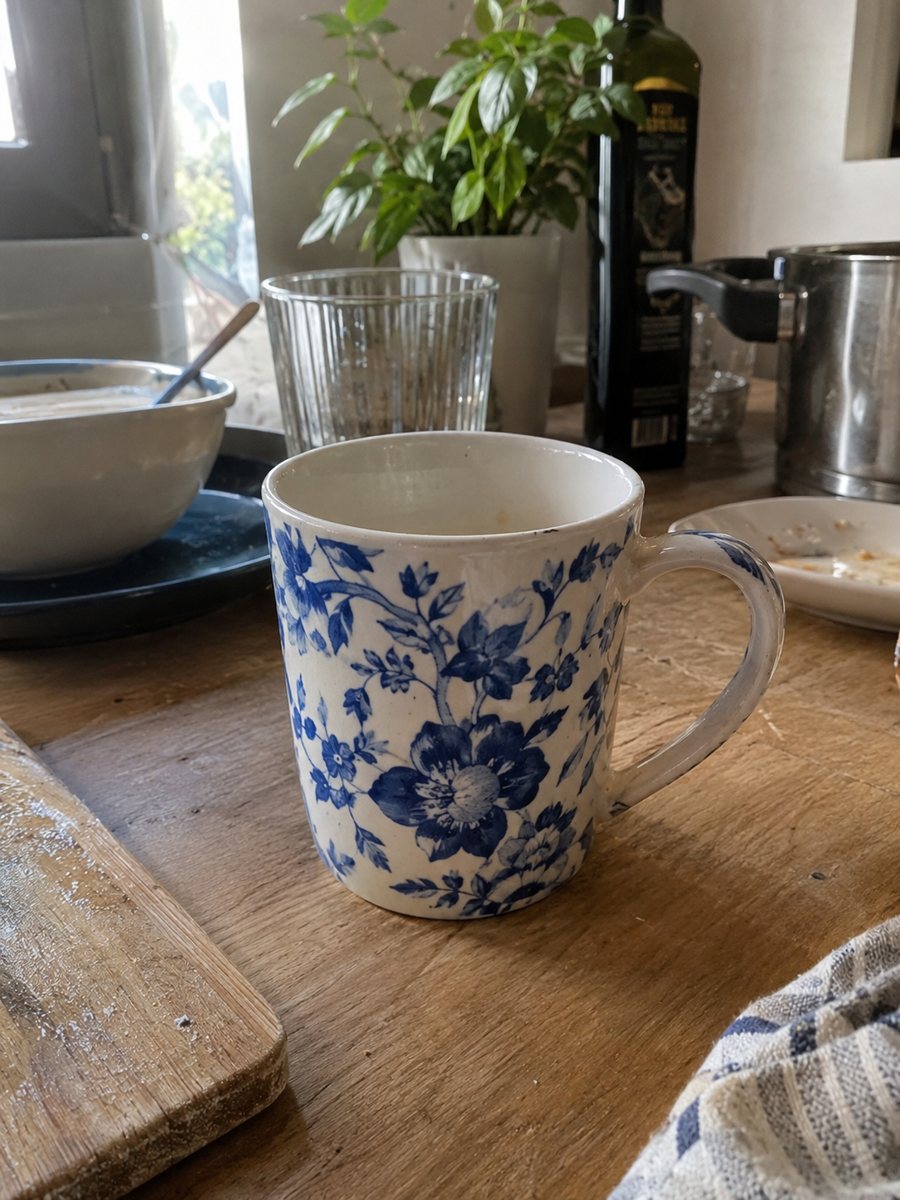
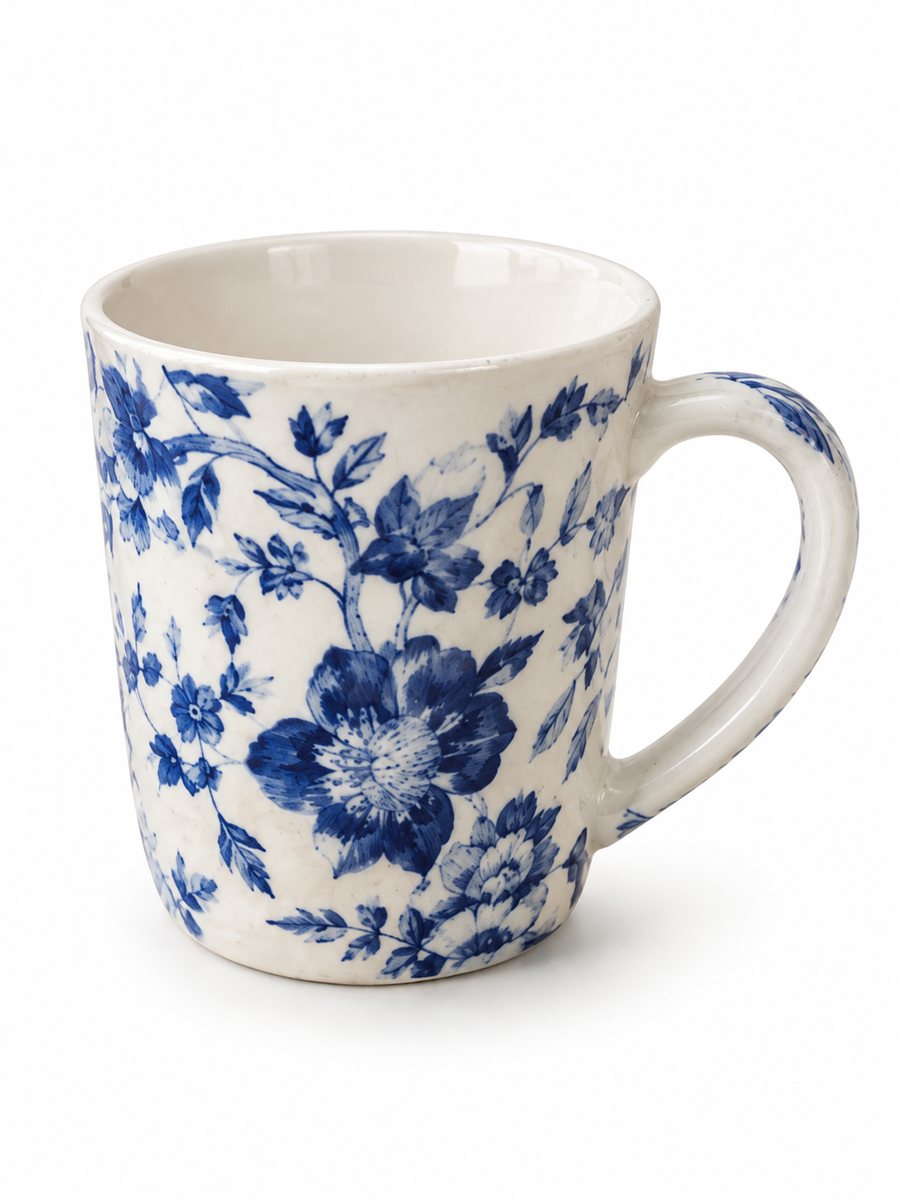 BeforeAfter
In short: Make Shopify product images on a pure white background so the whole catalog looks the same. Send phone pictures and get 3:4 images in minutes. 7 images free.
- Where: the VisuMate bot in Telegram, no app or sign-up.
- Cost: 2 credits per image, 7 images free, then packs from 49 Telegram Stars.
- Time: 1 to 2 minutes per image, rerun with a new instruction at the same price.
When you need this
- Photos taken over several weeks have different backgrounds and the collection page looks patchy.
- Your supplier images are low quality and you have the physical product at hand.
- A theme update crops your pictures and the product gets cut off.
How to do it
- 1
Open @visumate_ai_bot with the button on this page and press Start. The link opens the product-on-white mode.
- 2
Send the photo of the product as a file (document) so Telegram does not compress it. In the caption write: "pure white background, soft shadow, same style for the whole catalog".
- 3
In 1–2 minutes the vertical 3:4 image arrives in the chat. Zoom in on the edges and the shadow of the product, then download it or run again.
Try it on your own photo: 7 images are free, no sign-up.
Make it in TelegramConsistency across a collection
Shoppers read a catalog as a whole. When backgrounds, shadow strength and product size vary, the store feels unfinished. Using one mode with the same caption for every item gives the closest match. Shoot all items on one afternoon in the same window light to reduce the differences the AI has to cover. A sharp, evenly lit source photo gives the cleanest result, so wipe the product and shoot near a window.
From phone photo to product page
Upload the 3:4 results as the first image of each product, then add lifestyle and detail images after it. Name files with the product name for tidy handling. Shopify themes show images in their own aspect ratio, so preview a product page on phone and desktop after the first upload. Keep the same photo angle across similar products, since a uniform gallery looks more professional.
Tips
- Use the same wording in every caption so results match across products.
- Keep the same distance and angle when you shoot, so products come out the same scale.
- Test one product on your theme before you process the whole catalog.
- Vertical 3:4 suits many themes, but check how your theme crops product cards.
Questions and answers
Does the bot upload to Shopify?
No. It only creates images. You download them and add them to your store yourself.
Will every product get the same shadow?
The look is similar but each run is separate AI work. Keep captions identical, and rerun an image if its shadow stands out.
What if the result is not right?
It is AI, so sometimes a rerun is needed. A second run costs the same 2 credits, and a clearer caption usually helps.
Does the bot write the listing text?
No. It makes the image only. It does not write listing copy, calculate prices or upload to your seller account.
More in "Product photos"
- Etsy product photos on a white backgroundEtsy product photos on a white background: crisp thumbnails for search results, made from a phone picture...
- Jewelry photography on a white backgroundJewelry photography on a white background without a light box. Send a phone picture of a ring, necklace or...
- eBay listing photos on a white backgroundClean eBay listing photos on a white background with a soft shadow. Send a phone picture of the item, get...
- Lifestyle product photography with AILifestyle product photography with AI: send a phone picture, describe the scene and get your product in a...
- Shopify product image size and aspect ratioShopify product image size and aspect ratio: maximum dimensions, file size, formats, one ratio across the...