Second-hand clothes photos with AI
Resale clothes look better on a person than on a bed. Send a photo of the garment and say in the caption who should wear it. The bot places the garment on a generated model and keeps the cut, the color and the print.
- 2 credits per image
- Result in 1–2 minutes
- No sign-up
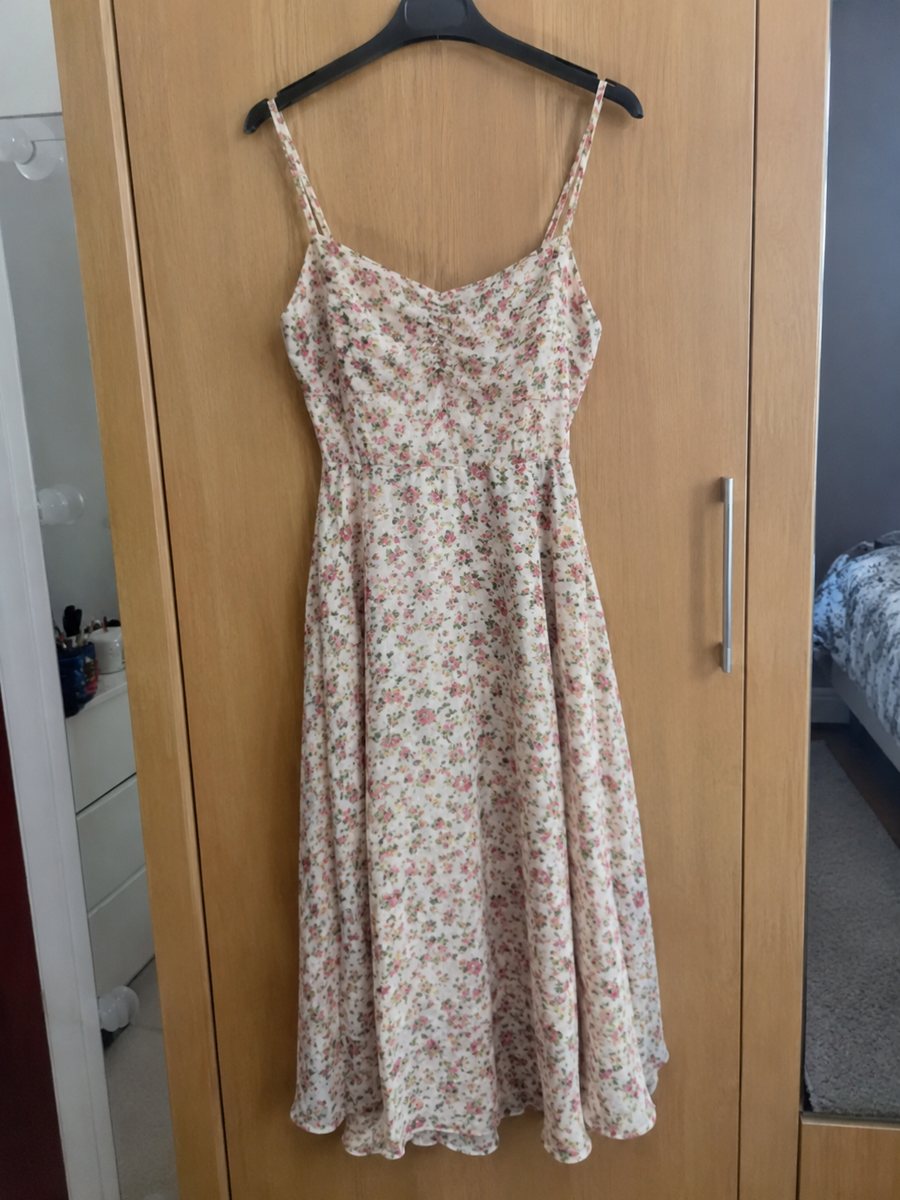
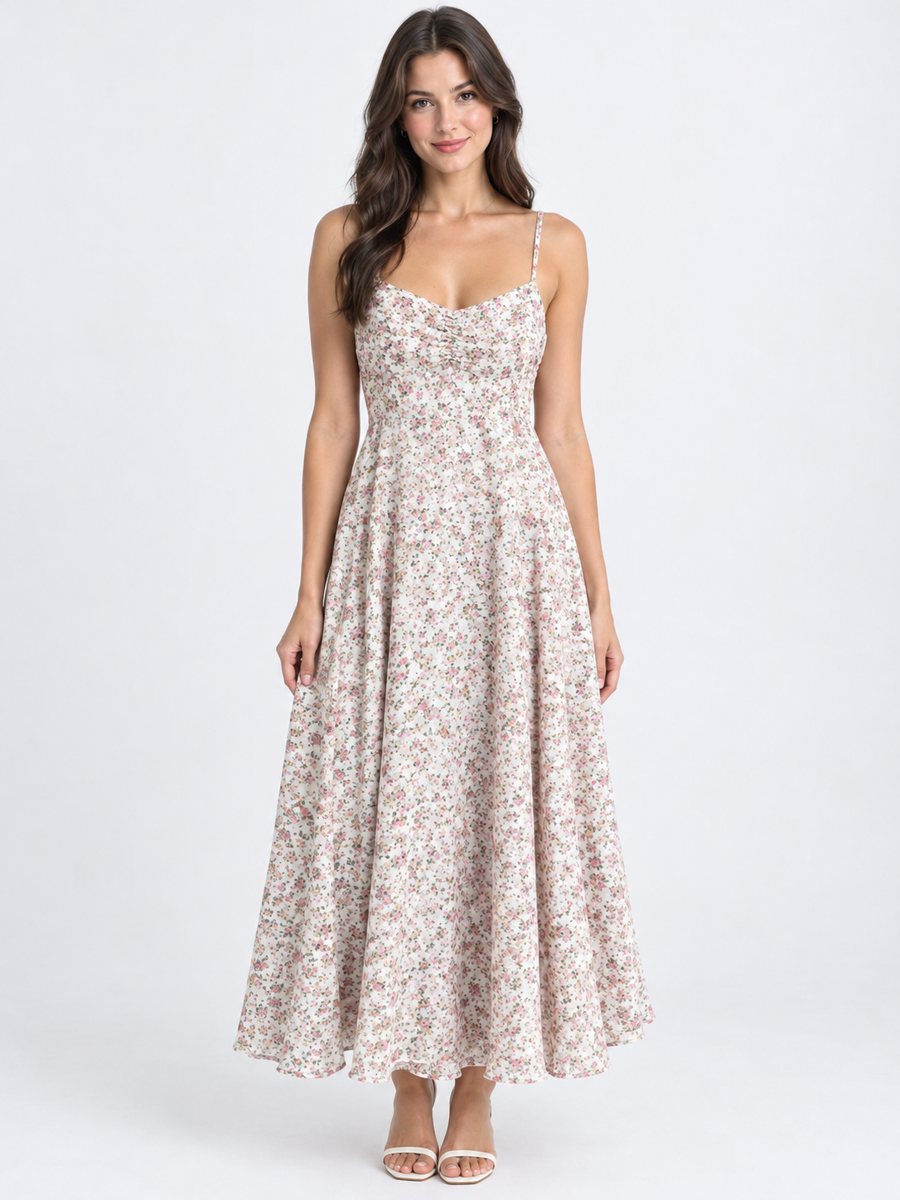 BeforeAfter
In short: Second-hand clothes photos with AI: put a flat-lay garment on a generated model and keep its color, print and wear. Resale listings, 7 images free to try.
- Where: the VisuMate bot in Telegram, no app or sign-up.
- Cost: 2 credits per image, 7 images free, then packs from 49 Telegram Stars.
- Time: 1 to 2 minutes per image, rerun with a new instruction at the same price.
- Credits never expire, there is no subscription and no auto-renew. You pay once for a pack inside Telegram with Stars.
When you need this
- Clothes lying flat look shapeless in the listing.
- You have no one to model the items.
- Photos with a mirror show your room and your face.
How to do it
- 1
Open @visumate_ai_bot with the button on this page and press Start. The link opens the clothing model menu.
- 2
Send the photo of the garment as a file (document). In the caption write, for example: "woman, about 30, standing, studio light, plain background".
- 3
In 1–2 minutes the vertical 3:4 image arrives. Check the garment against the real one, and rerun if the cut or print changed.
Try it on your own photo: 7 images are free, no sign-up.
Make it in TelegramModel shots and honesty
A model picture shows how the cut falls, which flat photos cannot. The bot keeps the garment's cut, color and print, but AI can smooth a wrinkle or alter a small detail. For used clothes this matters: a stain, a hole or a faded spot must not vanish from the listing. Show wear in extra phone photos and mention it in the description, so the buyer knows what arrives.
Describing the model
Write the person in a few words: man or woman, approximate age, pose, plain background. The bot generates the model and the person is not real. Some marketplaces have rules about generated images, so read the current rules of your platform before you upload. Keep the background simple so the garment is the focus. Mention the setting in the same line, such as a plain wall or a light studio, and avoid props that hide the garment, like a large bag.
Which clothes work
T-shirts, shirts, dresses, jackets and jeans work well when the whole garment is visible in the original. Layered or very loose items may drape differently. Shoes and bags are not worn on a model in this preset, so use the white or scene presets for those. The result is a 3:4 vertical image, which fits clothing listings and crops to a square easily.
Tips
- Lay the garment flat or hang it straight and take the photo in daylight.
- Photograph the front clearly and show the whole garment.
- Keep real flaws in extra photos, because the buyer deserves an honest picture.
- Compare the print, buttons and collar in the result with the item.
- Use the generated model picture as the cover and the plain photos as the proof.
Questions and answers
Will the garment look the same?
The cut, color and print are kept, but check small details and rerun if needed.
Can I show flaws?
Use plain phone photos for flaws. The model picture is a presentation shot.
Is the model a real person?
No, it is generated. Check your marketplace's rules about generated images.
Does it work for shoes?
Use the white or scene presets for shoes.
What do I get for free?
New users get 15 credits and 2 credits per image, so 7 tries.
What the bot does not do
- Does not output a transparent PNG. The result is a finished 3:4 image with a background.
- Does not write listing copy, set prices or upload anything to your seller account.
- Does not guarantee exact marketplace pixel sizes: crop or resize the 3:4 image in any editor.
- Text on infographics is drawn by AI and can have letter errors in long phrases. Keep badges short and proofread.
More in "Product photos"
- Depop and Vinted clothing photosDepop and Vinted clothing photos: turn a flat lay of a secondhand piece into a worn studio picture. Show...
- Poshmark closet photosPoshmark closet photos: send a flat lay of an item and get it worn by a studio model. Cut, color and print...
- Clothing on model AI photosClothing on model AI photos: send a flat lay or hanger photo, describe the model in the caption and get...
- Vinted photo requirementsVinted photo requirements in plain words: a clear first picture, good light, plain background. Clean up a...