Clothing on model AI photos
Hiring a model, a photographer and a studio for every new item is hard on a small budget. Send a photo of the garment laid flat or on a hanger, describe the model in the caption and the bot shows the garment worn in a studio.
- 2 credits per image
- Result in 1–2 minutes
- No sign-up
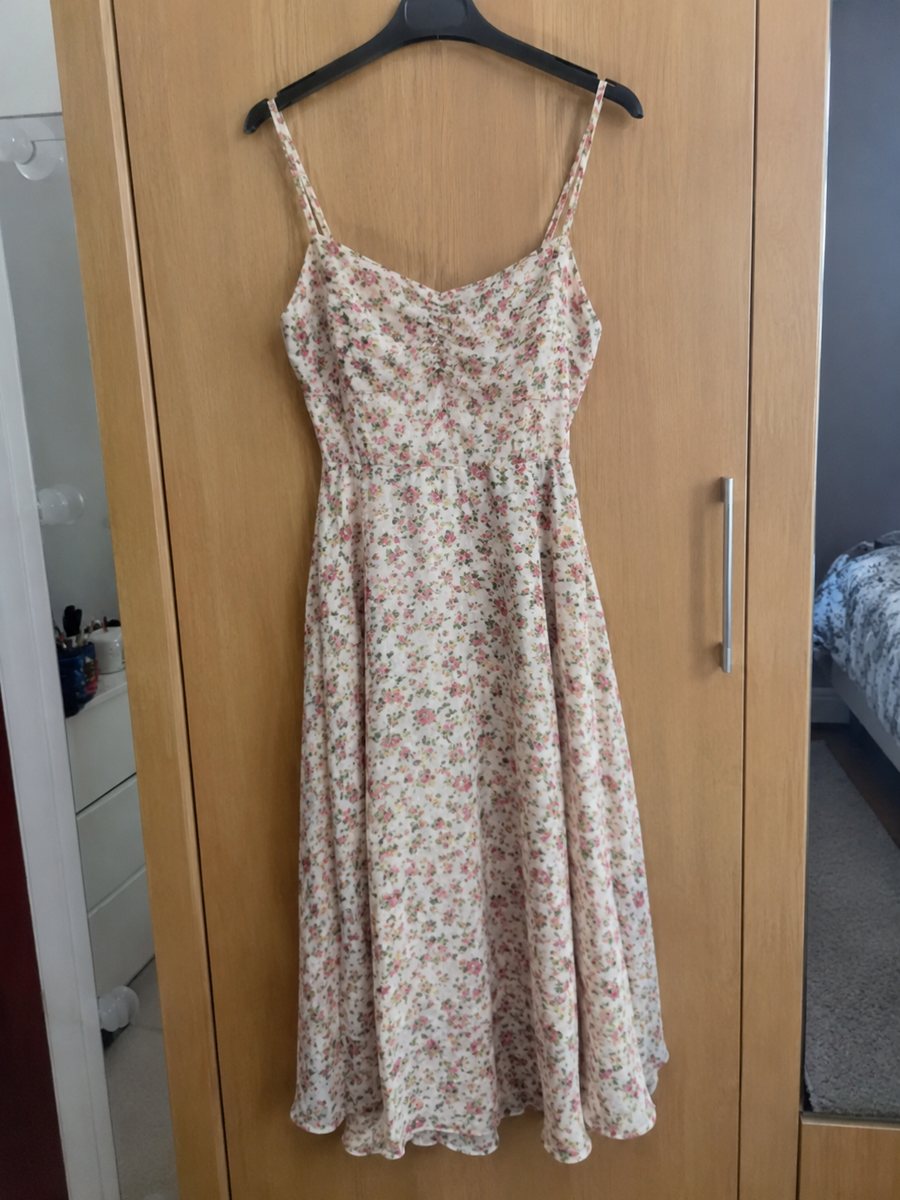
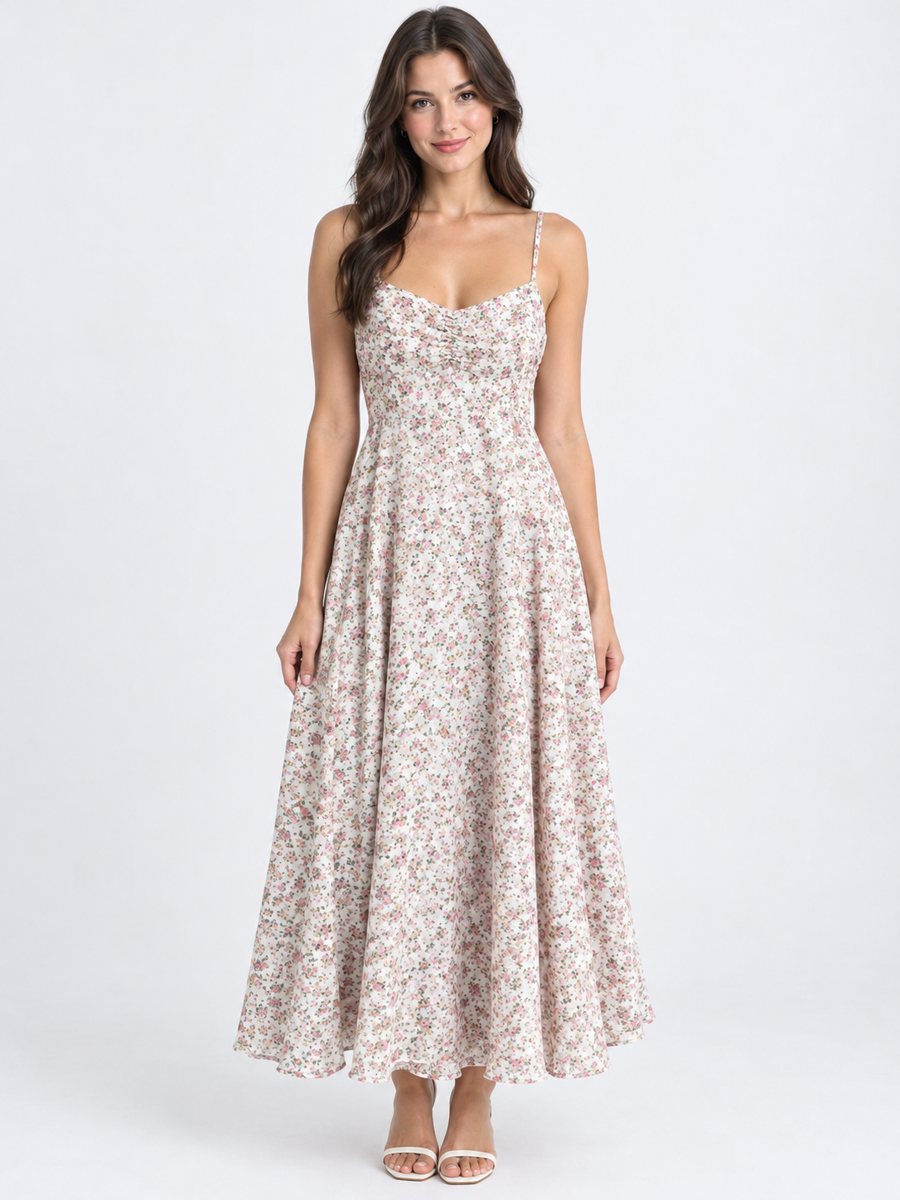 BeforeAfter
In short: Clothing on model AI photos: send a flat lay or hanger photo, describe the model in the caption and get the garment worn in a studio. 3:4. 7 images free.
- Where: the VisuMate bot in Telegram, no app or sign-up.
- Cost: 2 credits per image, 7 images free, then packs from 49 Telegram Stars.
- Time: 1 to 2 minutes per image, rerun with a new instruction at the same price.
When you need this
- Flat lay photos do not show how the garment fits a body.
- A photoshoot for every drop is too expensive for a small shop.
- Competitors show their clothes on people and you do not.
How to do it
- 1
Open @visumate_ai_bot with the button on this page and press Start. The link opens the clothing-on-model mode.
- 2
Send the photo of the garment as a file (document), laid flat or on a hanger. In the caption describe the model: "woman, 28, standing, hands by her sides".
- 3
In 1–2 minutes the vertical 3:4 image arrives in the chat. Compare cut, color and print of the garment with the original, then download it or run again.
Try it on your own photo: 7 images are free, no sign-up.
Make it in TelegramWhat the bot keeps and what it adds
The bot adds a realistic model and a studio setting. The cut, color and print of the garment are meant to stay as in your photo, but this is AI, so always compare the result with the original. Zoom in on collars, hems and prints, since those are the places where small changes show first. Each run takes 1 to 2 minutes, so you can build a collection one item after another.
What to put in the caption
Keep it simple: gender, age range and pose. For example woman, 28, standing, hands by her sides. Calm poses suit catalog pages. Avoid dramatic moves, because they can bend the fabric in odd ways. If the first result is off, change one word in the caption and run again. If the result is close but not right, change one word in the caption and run again for another 2 credits.
Tips
- Smooth the garment and shoot in even daylight.
- Describe the model in the caption: woman, 30, standing, relaxed arms.
- Compare cut, color and print with the original.
- Rerun if a seam or print looks off.
Questions and answers
Does the garment stay the same?
The cut, color and print are meant to stay the same. Always compare with the original, since AI can change details.
Can I choose the model?
You describe gender, age and pose in the caption. You cannot upload a specific person.
How long does one image take?
Usually 1–2 minutes. The result arrives in the chat, and you can download it or run the photo again.
What if the result is not right?
It is AI, so sometimes a rerun is needed. A second run costs the same 2 credits, and a clearer caption usually helps.
More in "Product photos"
- AI model for a clothing storeAI model for a clothing store: turn flat lay photos into worn catalog images with a realistic studio...
- Dress on model photoDress on model photo: send a dress on a hanger or laid flat and get it worn by a studio model. Describe...
- Kids clothing on model photosKids clothing on model photos: send a flat lay of children's wear and get it worn in a studio. Describe...
- Shoe photos on a white backgroundShoe photos on a white background for listings: send a phone picture of sneakers, boots or heels and get a...