Product infographic maker
Infographics explain a product in one glance. The bot takes your photo and the benefits you write and draws a close-up with the benefits on badges. No design software needed.
- 2 credits per image
- Result in 1–2 minutes
- No sign-up
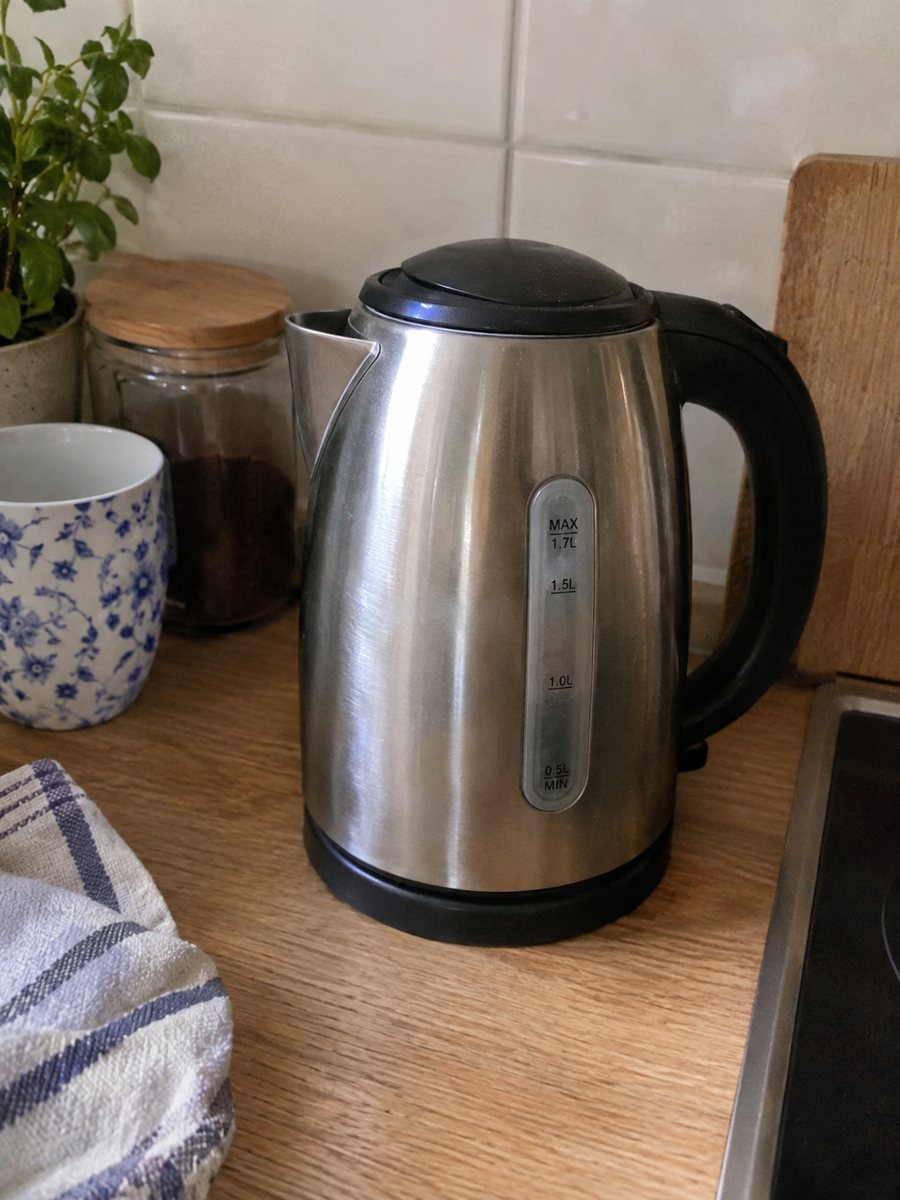
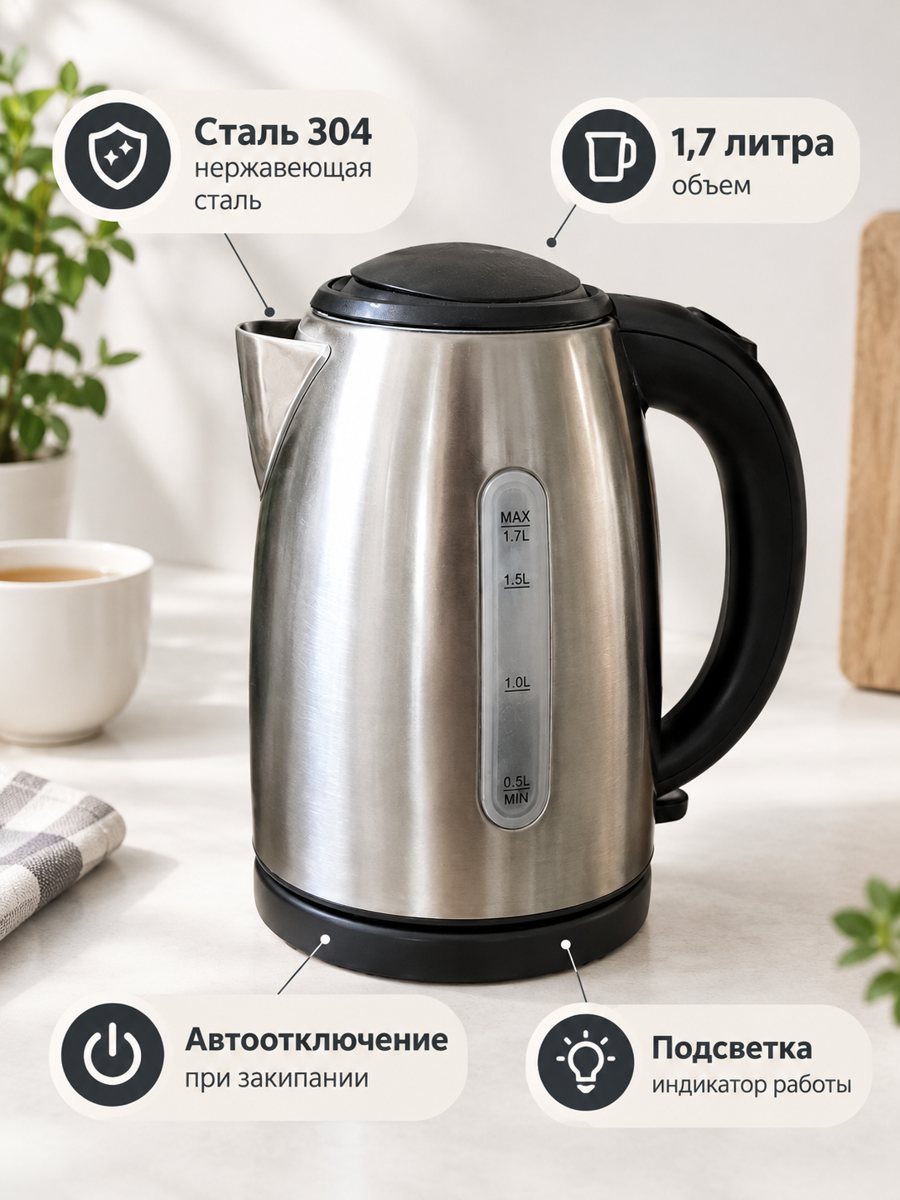 BeforeAfter
In short: Product infographic maker in Telegram: send a photo, write 3 or 4 benefits in the caption and get a close-up with badges. Vertical 3:4. 7 images free.
- Where: the VisuMate bot in Telegram, no app or sign-up.
- Cost: 2 credits per image, 7 images free, then packs from 49 Telegram Stars.
- Time: 1 to 2 minutes per image, rerun with a new instruction at the same price.
When you need this
- Design tools are slow when you have fifty items.
- Your product has strong features that the main image does not show.
- A listing without feature pictures converts worse than your competitors.
How to do it
- 1
Open @visumate_ai_bot with the button on this page and press Start. The link opens the infographic mode.
- 2
Send a close photo of the product as a file (document). In the caption list the benefits, separated by commas: "Stainless steel, Dishwasher safe, 500 ml".
- 3
In 1–2 minutes the vertical 3:4 image arrives in the chat. Read every badge letter by letter, then download it or run again.
Try it on your own photo: 7 images are free, no sign-up.
Make it in TelegramHow it takes your text
The caption becomes the text on the badges word for word. If you send no text, the bot asks for it. This keeps control with you: no invented claims. Because the AI draws the letters, short phrases look cleaner than long ones, and you should read the result before using it. If you send no text, the bot asks you for it, so prepare the benefits in advance.
Choosing good benefits
Choose the three or four facts a shopper compares first: material, size, battery, warranty, capacity. Avoid vague words like premium or best quality. A number or a clear feature is more useful than an adjective. Only list what you can confirm, since marketplaces can remove misleading listings. The AI draws the letters, so read every badge letter by letter before you publish.
Tips
- Write benefits in the caption separated by commas.
- Keep each benefit to a few words.
- Use nouns and numbers, not slogans.
- Send a close, sharp photo as a file.
Questions and answers
How many benefits can I put?
3 or 4 work best, written in the caption and separated by commas.
Does it write benefits for me?
No. It does not write listing copy. You supply the words.
Should I send the photo as a file?
Yes, send it as a document so Telegram does not compress it. A regular photo also works, but a file keeps more detail.
Do I need to register anywhere?
No sign-up. Open Telegram, press Start and send a photo. It works on a phone and on a desktop.
More in "Product photos"
- Size chart infographic style imageSize chart infographic style image: put 3 or 4 short size facts on badges around a product close-up....
- Product image with benefit badgesProduct image with benefit badges: send a photo and the benefits in the caption, get a close-up with the...
- Amazon infographic imagesAmazon infographic images for secondary slots: a product close-up with 3 or 4 benefit badges taken word...
- Marketplace listing photo checklistMarketplace listing photo checklist: the pictures a gallery needs and what to check on each result. Make...