AI model for a clothing store
A clothing store needs lots of pictures and new ones every season. The bot puts your garment on a realistic model in a studio, starting from a simple photo you take at home.
- 2 credits per image
- Result in 1–2 minutes
- No sign-up
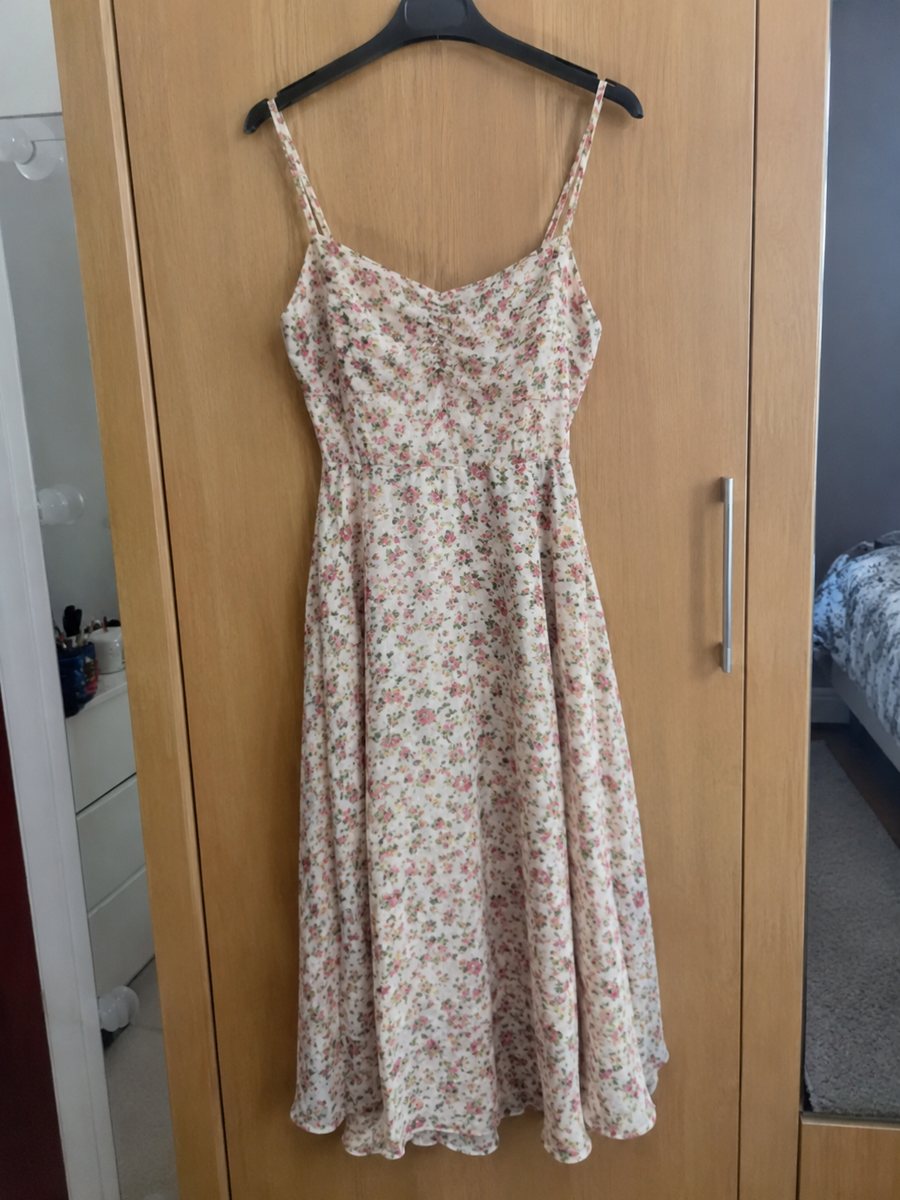
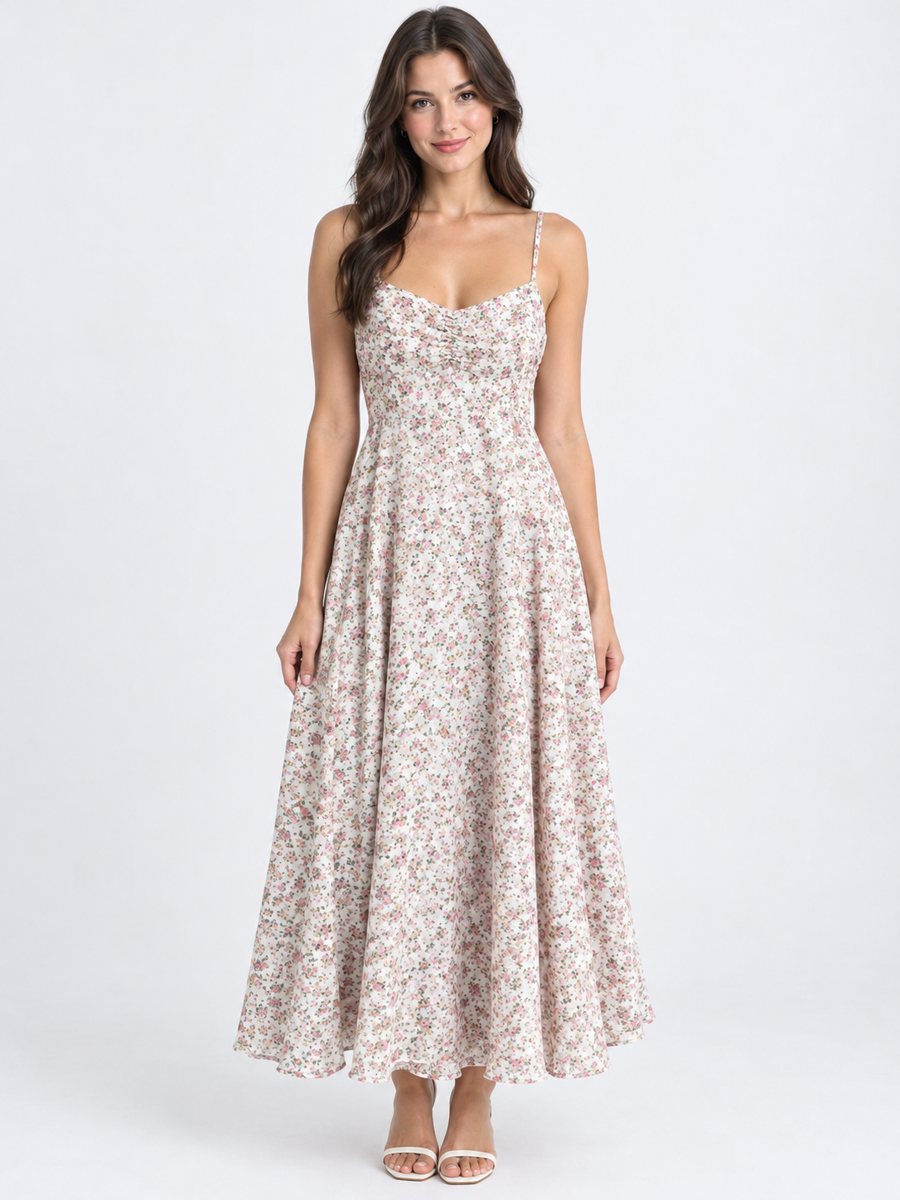 BeforeAfter
In short: AI model for a clothing store: turn flat lay photos into worn catalog images with a realistic studio model. Describe the model in the caption. 7 images free.
- Where: the VisuMate bot in Telegram, no app or sign-up.
- Cost: 2 credits per image, 7 images free, then packs from 49 Telegram Stars.
- Time: 1 to 2 minutes per image, rerun with a new instruction at the same price.
When you need this
- Every new collection means a new shoot and new costs.
- Pictures of the same garment on hangers look the same in every shop.
- Small stock runs do not justify a studio day.
How to do it
- 1
Open @visumate_ai_bot with the button on this page and press Start. The link opens the clothing-on-model mode.
- 2
Send the photo of the garment as a file (document), laid flat or on a hanger. In the caption describe the model: "woman, 30, standing, relaxed".
- 3
In 1–2 minutes the vertical 3:4 image arrives in the chat. Compare cut, color and print of the garment with the original, then download it or run again.
Try it on your own photo: 7 images are free, no sign-up.
Make it in TelegramBuilding a consistent catalog
Consistency makes a catalog look professional. Use the same caption style for each item, such as woman, 30, standing, relaxed. Results will vary a bit because each run is separate AI work, so rerun any image whose model looks very different from the rest. Compare cut, color and print with the original, since AI can change small details. Zoom in on collars, hems, seams and prints, which are the first places where changes show.
Mixing with other modes
Put the on-model image first, add a flat lay on white as the second picture and a close-up on fabric as the third. The white background mode can make the flat lay clean, and the infographic mode can add material and care facts. Shoppers then see fit and details. Add real measurements to the listing, because a model picture shows style but not your sizing.
Tips
- Use the same model description for the whole collection.
- Keep the pose calm for a clean catalog look.
- Take source photos in the same light.
- Check each item against the original.
Questions and answers
Can I get the same model in every photo?
Not exactly. Each run is a new generation, so a similar description gives a similar look, not an identical person.
Is the result a real person?
No. It is an AI generated model.
Is the bot menu in English?
The bot replies in English, and the link from this page opens the right mode.
How do I pay after the free images?
Inside Telegram with Stars, by card, Apple Pay or Google Pay. Packs start from 199 Stars and credits never expire.
More in "Product photos"
- Dress on model photoDress on model photo: send a dress on a hanger or laid flat and get it worn by a studio model. Describe...
- T-shirt on model photoT-shirt on model photo: send a flat lay and describe the model to get the tee worn in a studio. Print and...
- Clothing on model AI photosClothing on model AI photos: send a flat lay or hanger photo, describe the model in the caption and get...
- Handbag photo on a white backgroundHandbag photo on a white background: send a phone picture of a bag and get a clean listing image with a...