Restore and colorize a 1950s family photo
Snapshots of the 1950s were small and handled a lot. The combined mode cleans damage and adds natural color, and your caption can add hints for the cars, kitchens and clothes.
- 2 credits per image
- Result in 1–2 minutes
- No sign-up
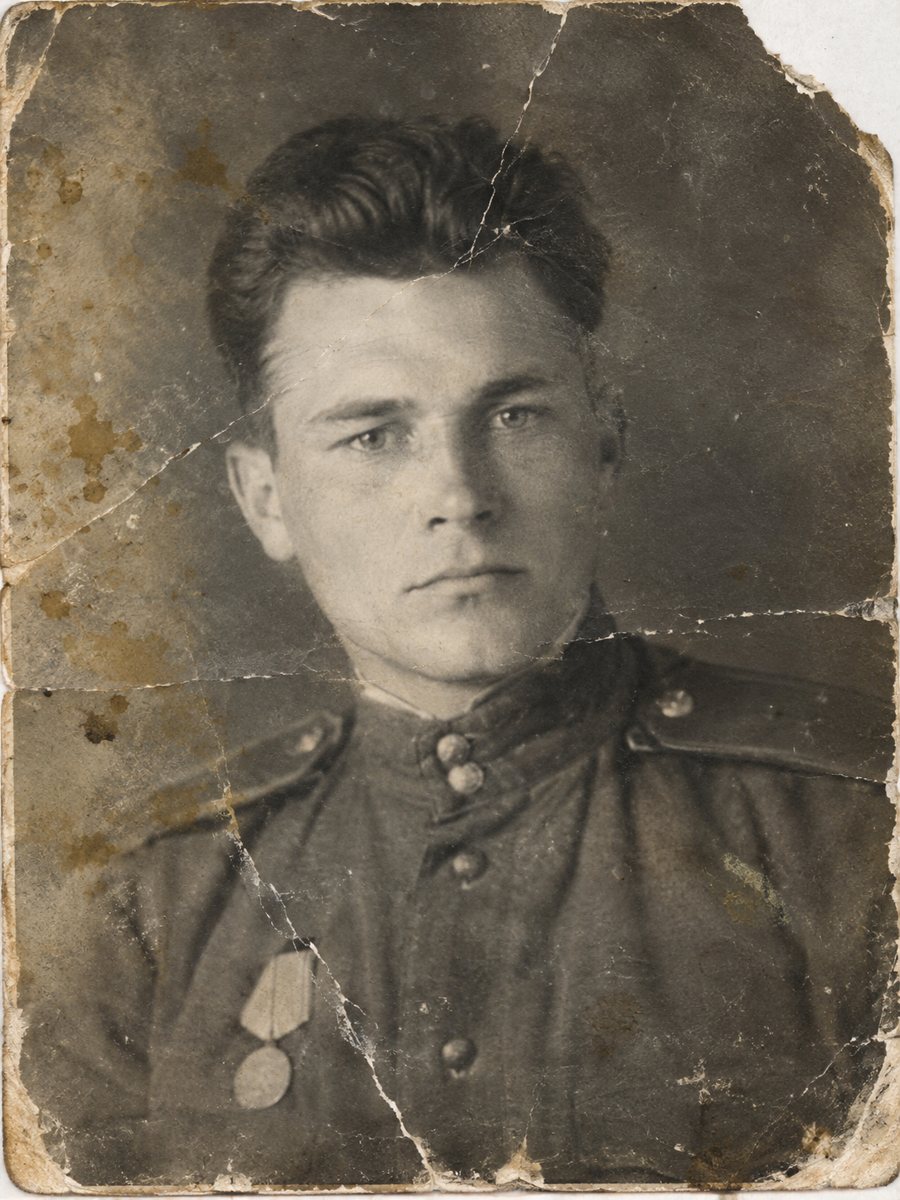
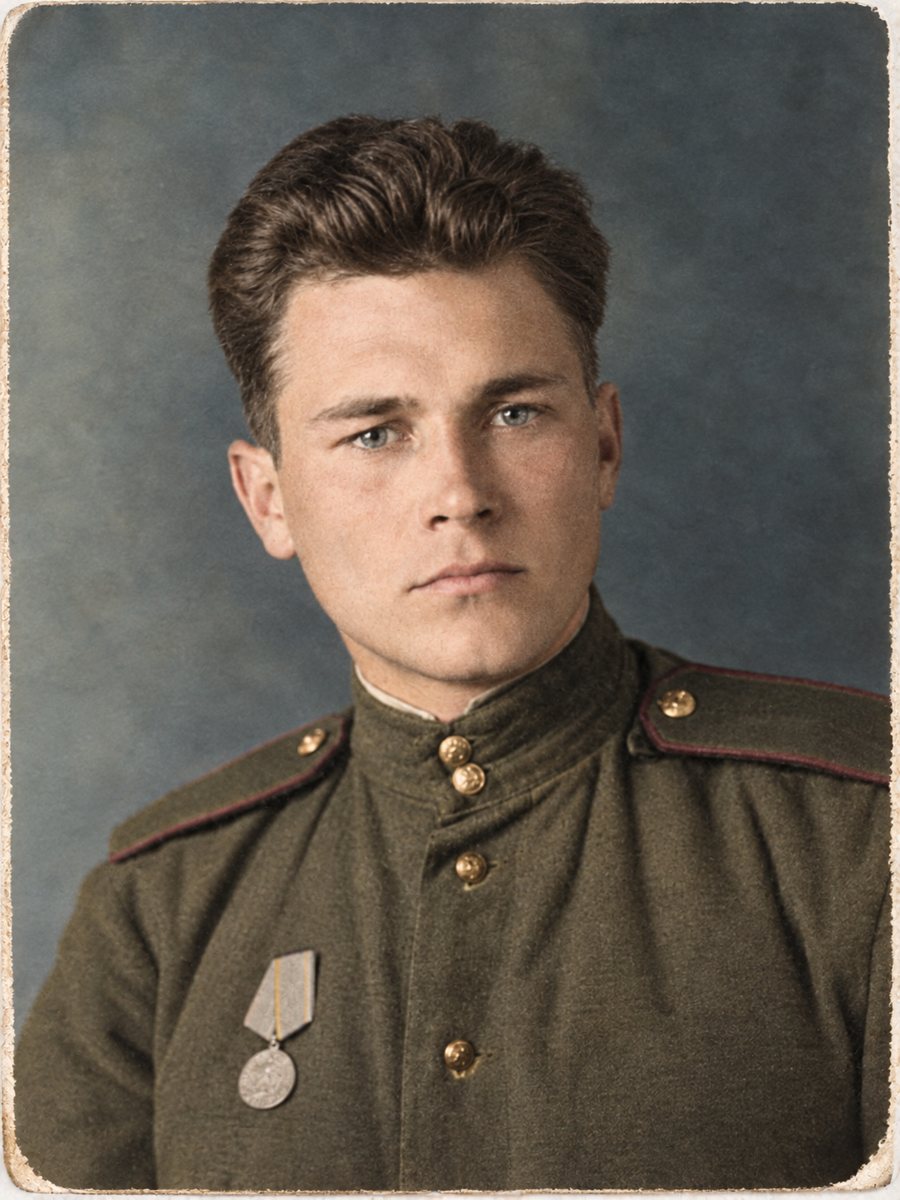 BeforeAfter
In short: A 1950s snapshot with scratches, cracks and no color becomes a clean color image in one run. Add the colors of the car or the kitchen in the caption.
- Where: the VisuMate bot in Telegram, no app or sign-up.
- Cost: 2 credits per image, 7 images free, then packs from 49 Telegram Stars.
- Time: 1 to 2 minutes per image, rerun with a new instruction at the same price.
When you need this
- A small snapshot has a white border, cracks and scuffs.
- Group pictures at holidays show family members from several generations.
- The color of the family car is part of the story.
How to do it
- 1
Open @visumate_ai_bot in Telegram with the button on this page and press Start. No sign-up is needed.
- 2
Send the scan or phone picture as a file (document) so Telegram does not compress it. In the caption write: 1950s family snapshot, repair cracks, pale green car, red dress, white house.
- 3
Wait 1-2 minutes. The bot cleans the damage first and adds color after that, so you get one finished image to check and save.
Try it on your own photo: 7 images are free, no sign-up.
Make it in TelegramSmall prints, big expectations
A small snapshot holds limited detail. The bot cleans damage and colorizes, but it cannot invent real information that the camera did not capture. Scan at 1200 dpi when possible, and if the faces are soft after the run, apply the sharpen mode. A better scan helps more than any setting, so rescan the print at 600 dpi or higher if you still have it.
Scenes with story
A family gathering photo from the 1950s often has a car, a house and a garden. These objects are big enough to hint colors. Mention them in the caption. A short line such as pale green car, white house is enough to anchor the palette. Take your time with the result and look at it at full size on a computer, because small details are easy to miss on a phone screen.
Tips
- Scan the border too, it is part of the style.
- Small snapshots need a high-resolution scan.
- Colors of the decade are often pastel, hint them if the AI picks darker ones.
- If the faces are soft, add the sharpen mode afterwards.
Questions and answers
Should I keep the white border?
Say so in the caption.
Can I use the sharpen mode after?
Yes, send the result again.
Is damage repaired before color?
Yes.
What if the snapshot is color but faded?
Try the repair mode and mention the original colors.
More in "Photo restoration"
- Restore and colorize a photo for Mother's DayTurn a worn family picture into a Mother's Day present: repaired, colorized and ready for a frame. Plan...
- Restore and colorize a photo for ChristmasGive a repaired and colorized family photo for the holidays. Start in November, check the faces and order...
- Restore and colorize your grandmother's photoA worn picture of your grandmother as a young woman, repaired and colorized in one run. Add hair, dress...
- Colorize 1940s photographsColorize 1940s family pictures with natural tones. Hints about clothing, uniforms and rooms in the caption...