Restore and colorize your grandmother's photo
A photo of a grandmother in her youth is a treasure. If it is worn, the combined mode repairs it and colors it, and your caption can add details the family remembers.
- 2 credits per image
- Result in 1–2 minutes
- No sign-up
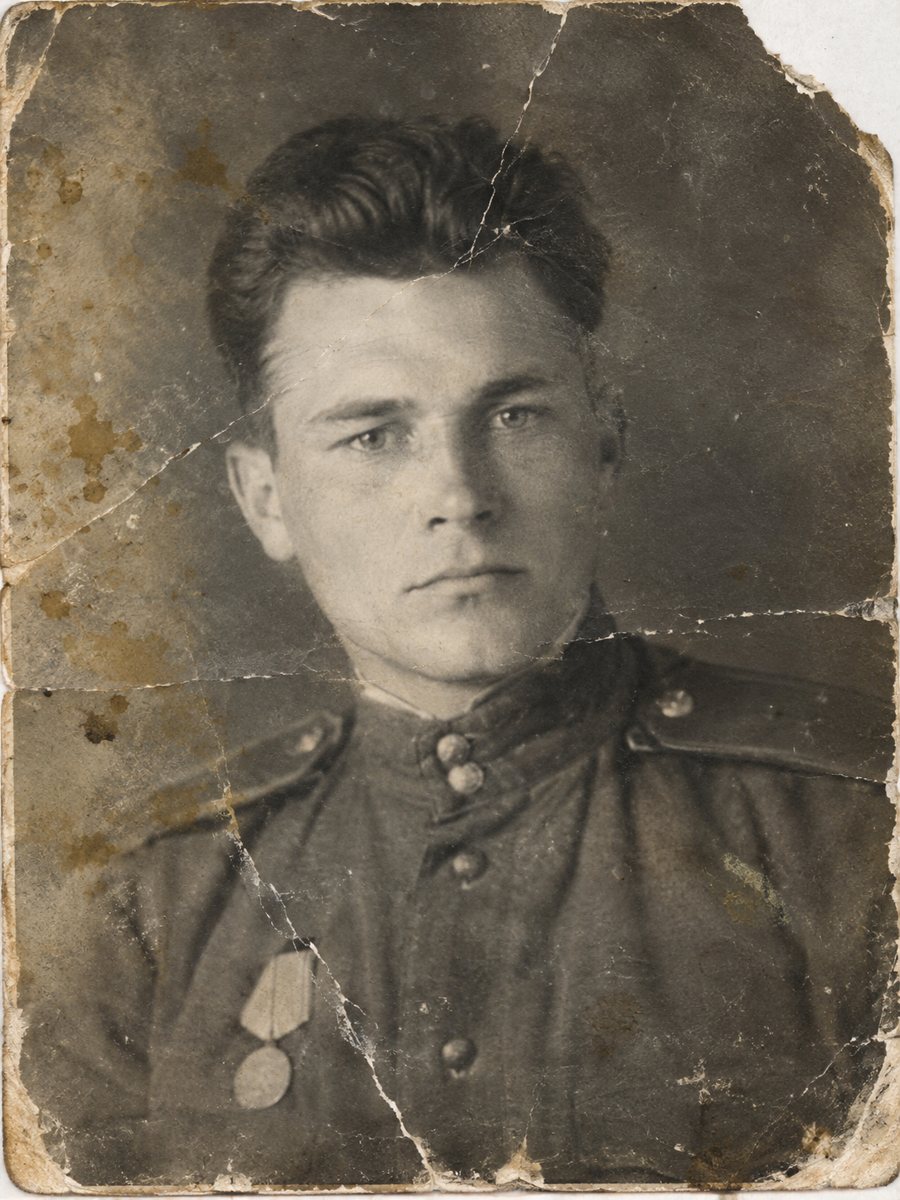
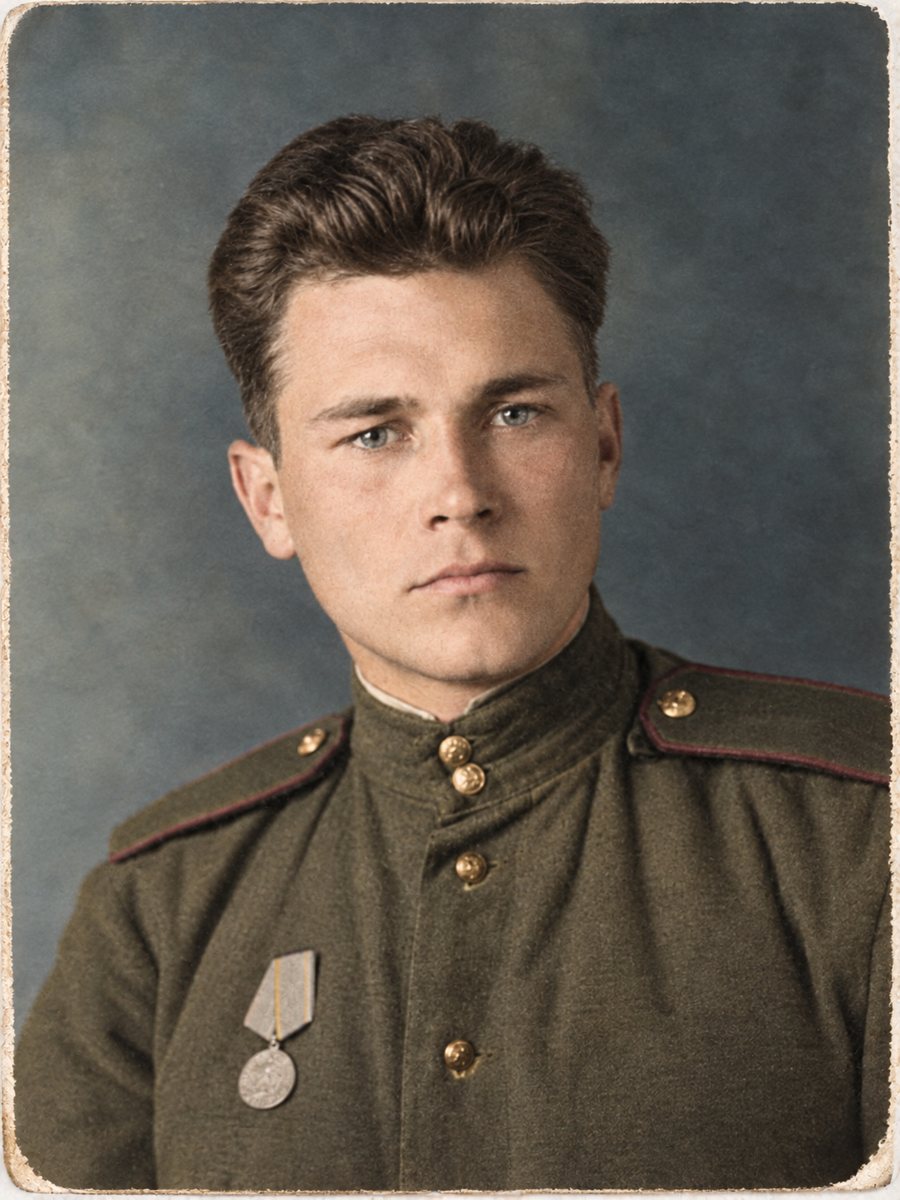 BeforeAfter
In short: A worn picture of your grandmother as a young woman, repaired and colorized in one run. Add hair, dress and eye colors from family memory.
- Where: the VisuMate bot in Telegram, no app or sign-up.
- Cost: 2 credits per image, 7 images free, then packs from 49 Telegram Stars.
- Time: 1 to 2 minutes per image, rerun with a new instruction at the same price.
When you need this
- The only photo of her as a young woman is creased.
- Nobody agrees on the color of her dress.
- You want to show your children how she looked.
How to do it
- 1
Use the button on this page to open the bot in Telegram, then press Start. Your 15 free credits appear on first launch.
- 2
Send the scan or phone picture as a file (document) so Telegram does not compress it. In the caption write: young woman, repair damage, brown hair, dark blue dress, light eyes.
- 3
Wait 1-2 minutes. The bot cleans the damage first and adds color after that, so you get one finished image to check and save.
Try it on your own photo: 7 images are free, no sign-up.
Make it in TelegramFamily memory fills the gaps
The AI cannot know the color of her favorite dress, but you or a relative might. Even a single detail like green eyes or a red scarf makes the picture feel right. When relatives disagree, run two versions and show both. Paid credits start from 199 Stars if you want to continue after the free start. A run takes 1-2 minutes and uses 2 credits, so trying a second version with a clearer caption is an easy step.
Handling the original
Handle the print by the edges, store it in an acid-free sleeve and keep it away from direct light. The restored file is a copy for sharing. If you gift it, mention how it was made so that everyone knows the colors are interpretations. Save every version in the same folder and add the year and the names to the file name so nothing gets mixed up later.
Tips
- Ask aunts and uncles about her dress and hair color.
- If there are two or three photos, restore the clearest first.
- Compare the face with later photos of her.
- Save the original with her name and the year.
Questions and answers
Will it look like her?
The AI aims to keep her appearance. Compare with other photos.
Can I run two versions?
Yes, each run costs 2 credits.
What if she wore a uniform?
Add the color in the caption.
Is the file good enough to print?
Check its pixel size.
More in "Photo restoration"
- Restore and colorize a 1950s family photoA 1950s snapshot with scratches, cracks and no color becomes a clean color image in one run. Add the...
- Restore and colorize a photo for Mother's DayTurn a worn family picture into a Mother's Day present: repaired, colorized and ready for a frame. Plan...
- Restore and colorize a tintype portraitRepair rust spots, scratches and darkening on a tintype photo and add soft color. Photograph the plate...
- Restore an old baby photoEarly baby pictures from a hospital or a studio often have creases and spots. Clean them from a scan while...