Restore old photos and share them with family
Restoring photos is more fun when the family joins in. Collect scans from relatives, restore the best and share them back with names and dates.
- 2 credits per image
- Result in 1–2 minutes
- No sign-up
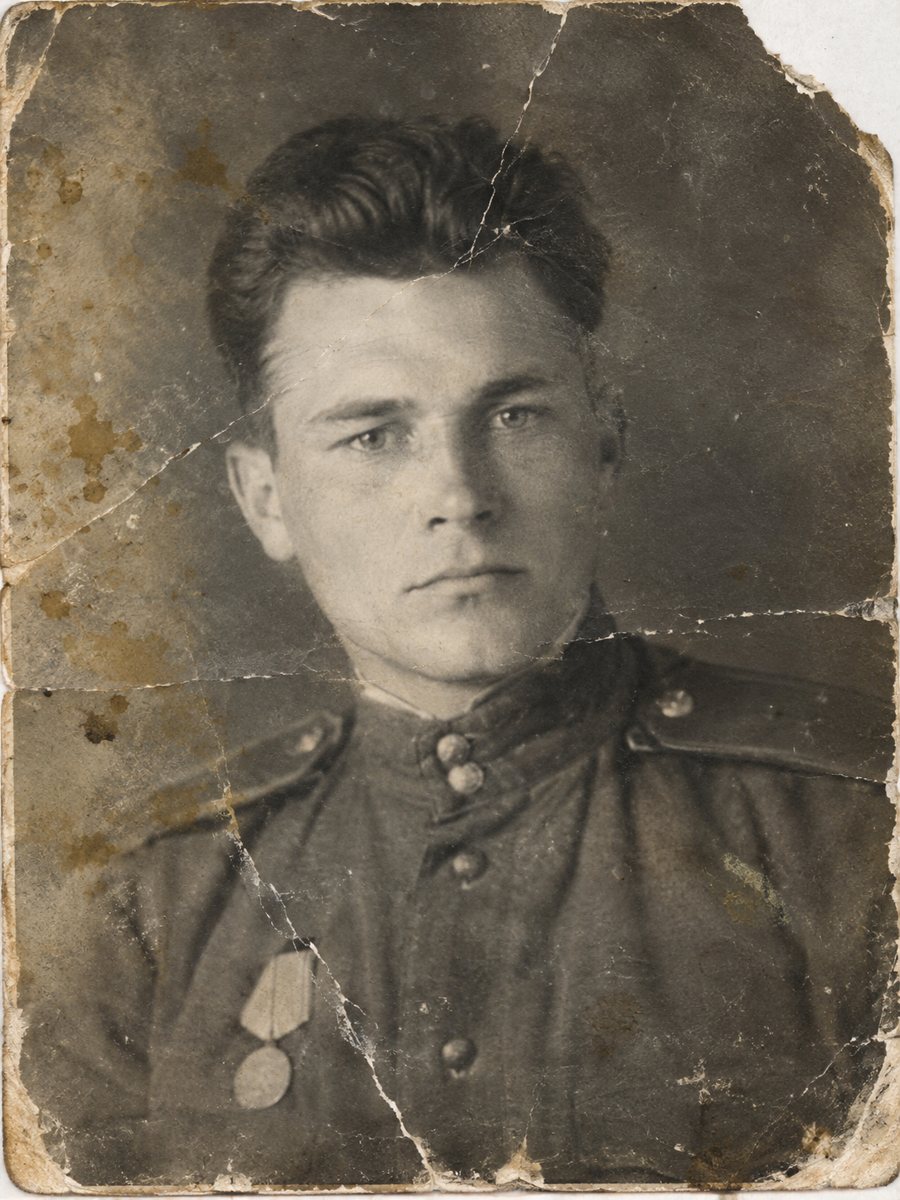
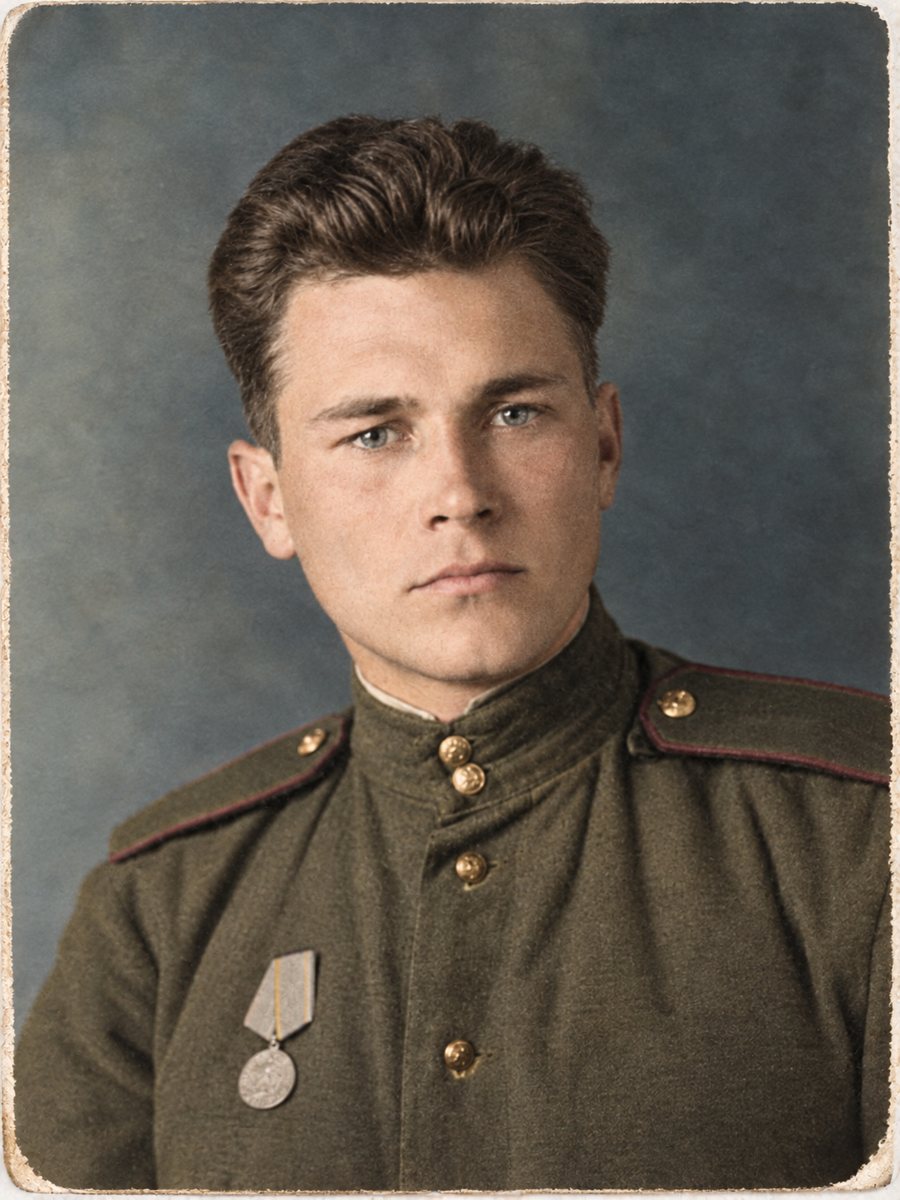 BeforeAfter
In short: A restored photo is easy to share. Collect scans, fix the best ones, label them and send results in a family chat or a shared folder.
- Where: the VisuMate bot in Telegram, no app or sign-up.
- Cost: 2 credits per image, 7 images free, then packs from 49 Telegram Stars.
- Time: 1 to 2 minutes per image, rerun with a new instruction at the same price.
When you need this
- Photos are scattered between relatives.
- Nobody remembers who is who.
- Copies are low quality.
How to do it
- 1
Use the button on this page to open the bot in Telegram, then press Start. Your 15 free credits appear on first launch.
- 2
Send the photo as a file (document) so Telegram does not compress it. In the caption write: restore this family photo, repair damage, keep faces unchanged.
- 3
Wait 1-2 minutes for the image, then save it or try again with a different caption.
Try it on your own photo: 7 images are free, no sign-up.
Make it in TelegramCollect and label
Start a shared folder and ask relatives to add scans of their best prints. Agree on a file naming rule, for example year, place and names. Labels now save a lot of confusion later, and older relatives may still remember who is in each picture. Paid credits start from 199 Stars if you want to continue after the free start.
Share responsibly
When you send restored photos, say they were repaired by AI and the colors, if any, are interpretations. Keep the untouched scans in a separate folder. People will compare, and being open about the changes keeps trust in the family archive. Save every version in the same folder and add the year and the names to the file name so nothing gets mixed up later.
Tips
- Ask each relative for scans, not photos of screens.
- Add names and years in the file names.
- Share originals and restored versions separately.
- Ask older relatives to confirm identities.
Questions and answers
Can relatives use the bot too?
Yes, each gets 15 free credits.
Should I share the originals?
Yes, in a separate folder.
Which format is best?
High-quality JPEG or PNG.
Do I need to say it was AI?
It is a good habit.
More in "Photo restoration"
- What AI photo restoration can and cannot doA plain list of strengths and limits: scratches, stains and fading are fixable, while lost faces and fine...
- Restore an old photo onlineSend an old photo to a Telegram bot and get a cleaner version back in 1-2 minutes. 15 free credits, no...
- Old photo restoration without a studioCompare a Telegram bot with a manual studio: speed, price, control and limits. Try 7 images free and...
- Restore an old photo as an anniversary giftTurn a worn wedding picture into a clean print for a golden or silver anniversary. Plan the scan, check...