Turn your photo into a Polaroid-style instant print
You get a square instant photo with a white frame and a thicker bottom border, washed colors, soft focus and a gentle blue-green cast in the shadows. It lies on a plain light surface, photographed from slightly above. The scene inside stays the same as your original.
- 2 credits per image
- Result in 1–2 minutes
- No sign-up
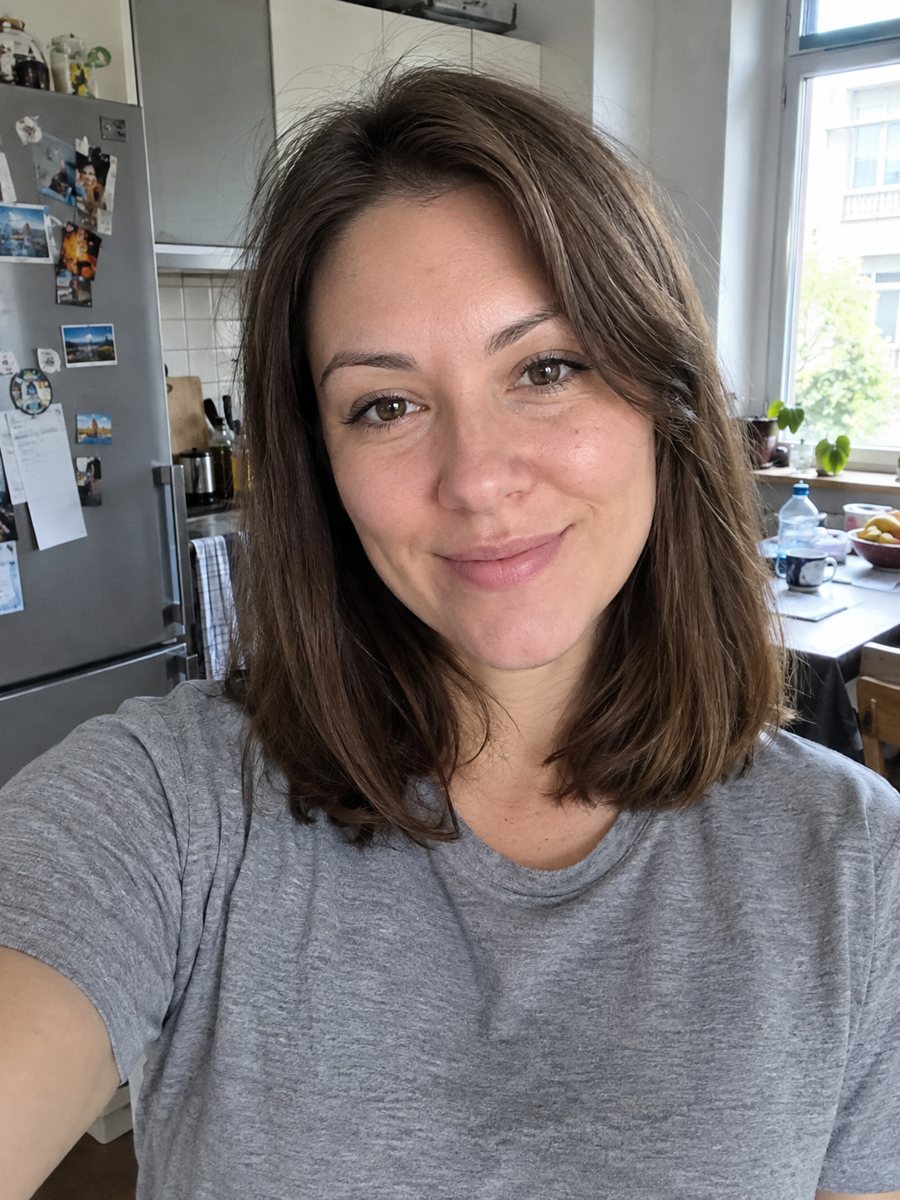
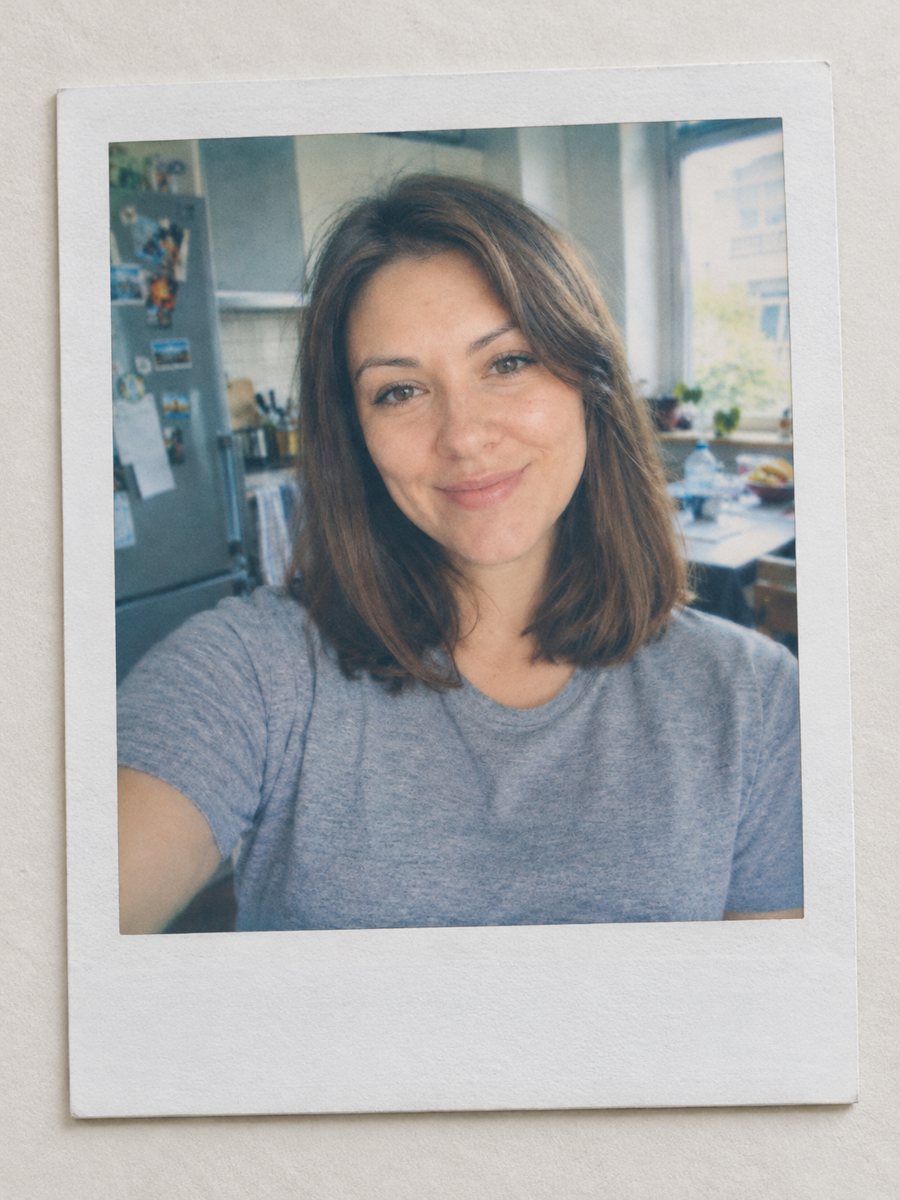 BeforeAfter
In short: Turn any photo into an instant film print with a white frame, soft colors and a plain surface. Ready prompt, 2 credits per image, 7 images free.
- Where: the VisuMate bot in Telegram, no app or sign-up.
- Cost: 2 credits per image, 7 images free, then packs from 49 Telegram Stars.
- Time: 1 to 2 minutes per image, rerun with a new instruction at the same price.
When you need this
- You want a nostalgic image for a scrapbook or a social post.
- A photo wall idea needs prints that look like instant film.
- A wedding or trip recap deserves a softer look than a sharp phone shot.
- Frame apps give flat borders and you want a realistic print on a table.
How to do it
- 1
Press the button to launch the bot. It opens with this style applied, you only need to add a photo.
- 2
Send one photo as a file (document) so Telegram does not compress it. Caption is optional, for example: warm highlights, wooden table instead of a plain surface.
- 3
The result arrives in the chat in 1-2 minutes for 2 credits. Look at the frame proportions, the faded colors and the surface. A second run costs the same 2 credits if you want another take.
Try it on your own photo: 7 images are free, no sign-up.
Make it in TelegramThe prompt behind this style
Turn this photo into an instant film print. Keep the person, pose and background as they are. Square instant photo with a white frame and a thicker bottom border, slightly washed colors, soft focus, a mild blue-green cast in the shadows and warm highlights, placed on a plain light surface and photographed slightly from above. Vertical 3:4 composition, no handwriting, no text.
What the instant print look includes
Instant film has slightly faded color, a soft focus and a thick white border at the bottom. The prompt adds a blue-green tone in shadows, warm highlights and a plain light surface from above. Your scene, pose and background are not redrawn, so faces keep their shape. The effect lies in tone, softness and the print object around the picture.
Pick a photo that suits it
Outdoor daylight, cozy interiors and travel scenes are the usual match. Very high contrast shots with deep black shadows lose punch when faded. Photos with the subject near the edges may be cropped by the square window, so keep your subject centered. Group photos work well, as instant prints were often shared at parties.
Using the result
Post it on social media, add it to a digital scrapbook, use it in a newsletter or print a small copy for a gift tag. It is a generated imitation, so the border and shadows differ between runs. Run twice if the first frame looks off. The vertical 3:4 composition leaves room around the print.
Tips
- Photos with soft daylight look the most convincing.
- Ask for a surface in the caption: linen, wooden table, gray concrete.
- Square-friendly compositions with the subject centered fit the instant frame well.
- Keep the caption short; the prompt asks for no handwriting, so write if you want a note added yourself.
- If the frame looks too thin, rerun and add: thick white bottom border.
Questions and answers
Is it a real Polaroid?
No. It is an AI imitation of an instant film print. The prompt names the style generally and is not tied to any brand product.
Can I add a handwritten note?
The prompt asks for no handwriting or text. Add notes yourself in an editor.
Does it change the people?
No, the person, pose and background stay as they are.
Can I get several prints on a table?
The prompt makes one print. Run several photos separately.
What does it cost?
2 credits per image, with 7 images free.
More in "Photo styles"
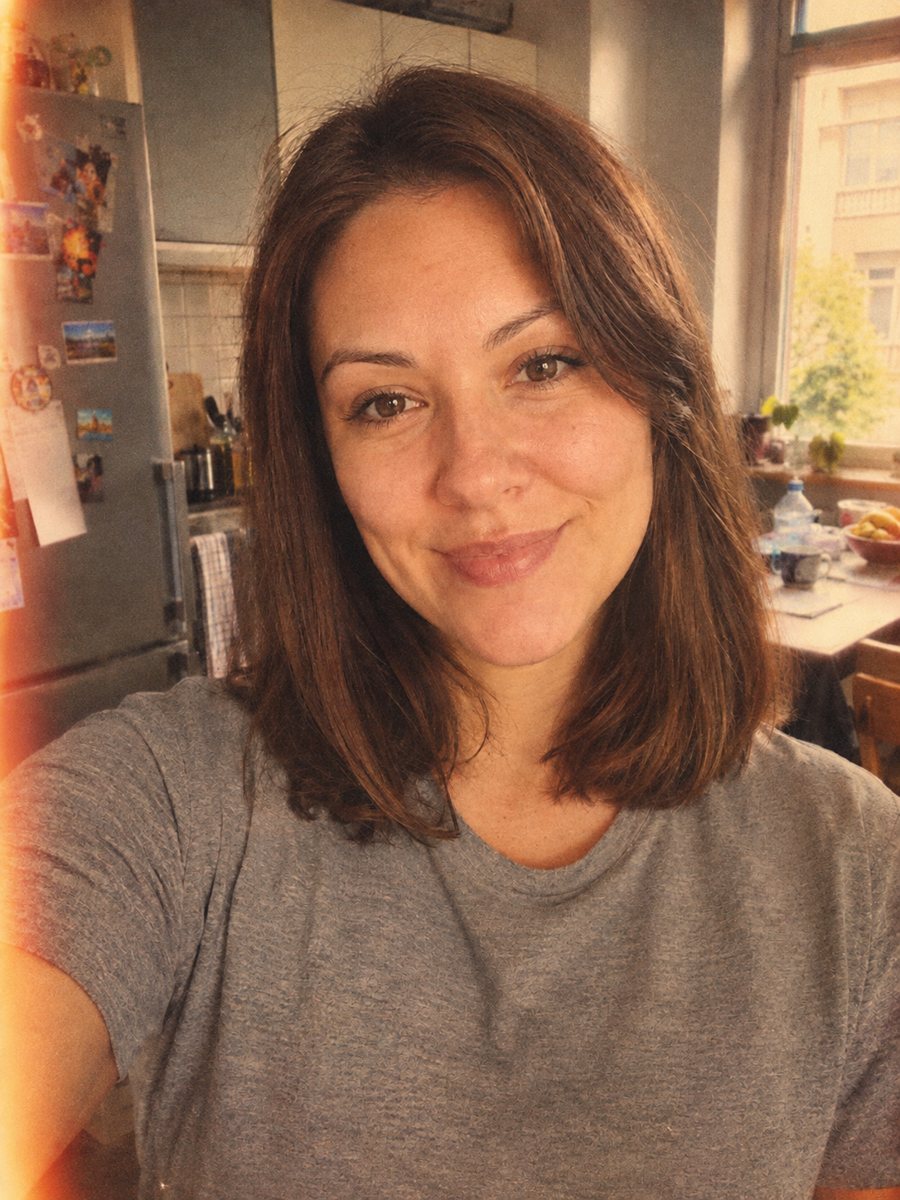 Give your photo a vintage 1970s film lookGive your photo a 1970s color film look with grain, faded tones and a light leak. Ready prompt, 2 credits...
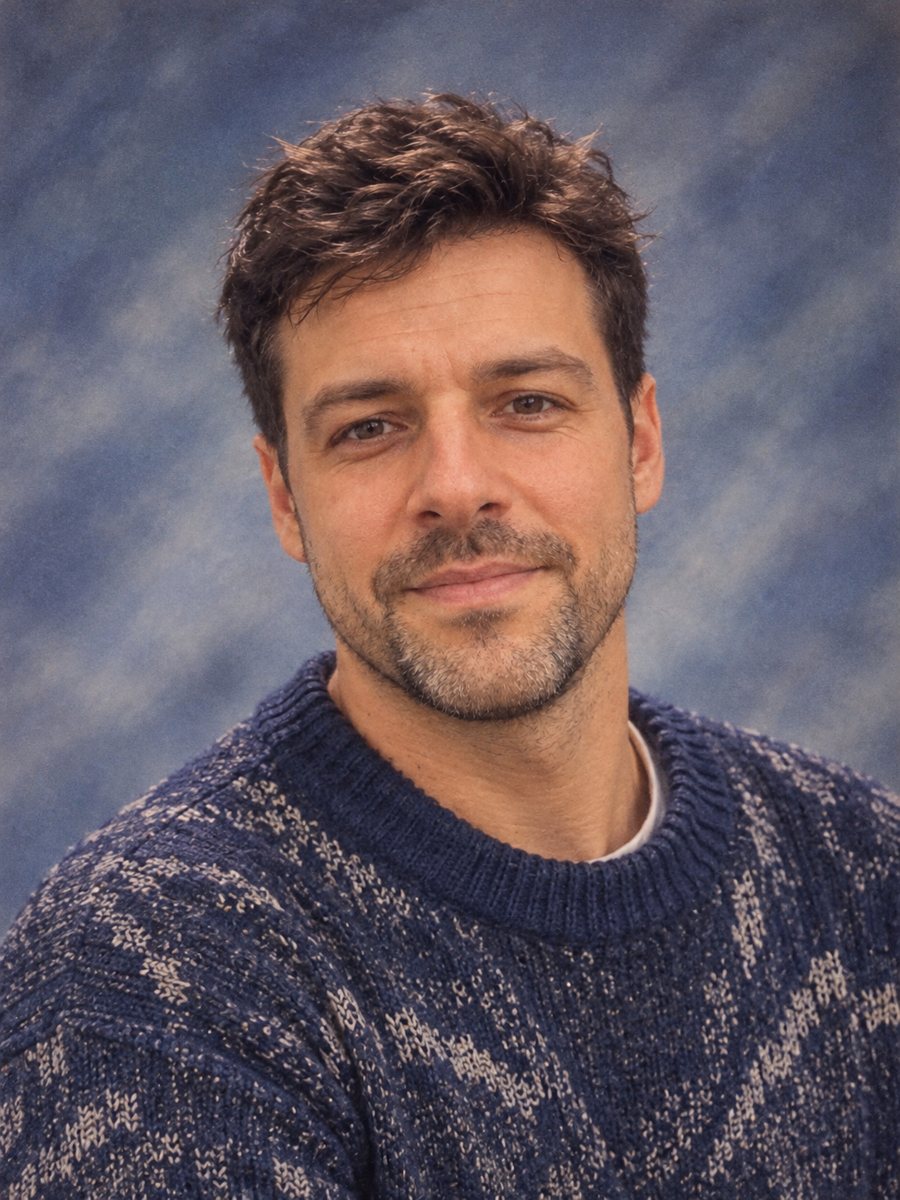 Make a 90s yearbook photo from your selfieMake a 1990s American high school yearbook portrait with a laser backdrop and flash light. Ready prompt, 2...
 Make a black and white studio portrait from a photoTurn a casual photo into a dramatic black and white studio portrait with a dark backdrop and side light....
 Make a birthday card from a photoTurn a photo into a bright birthday card with a party hat, confetti, balloons and a cake. Copy the ready...
 Upgrade your profile photo without changing youImprove a social media profile picture: fix exposure and white balance, blur a messy background to a warm...