Turn your photo into a paper cut art portrait
The style rebuilds your photo from stacked sheets of colored cardstock with clean cut edges and soft shadows between layers. Press the button, send a photo and the bot applies the style.
- 2 credits per image
- Result in 1–2 minutes
- No sign-up
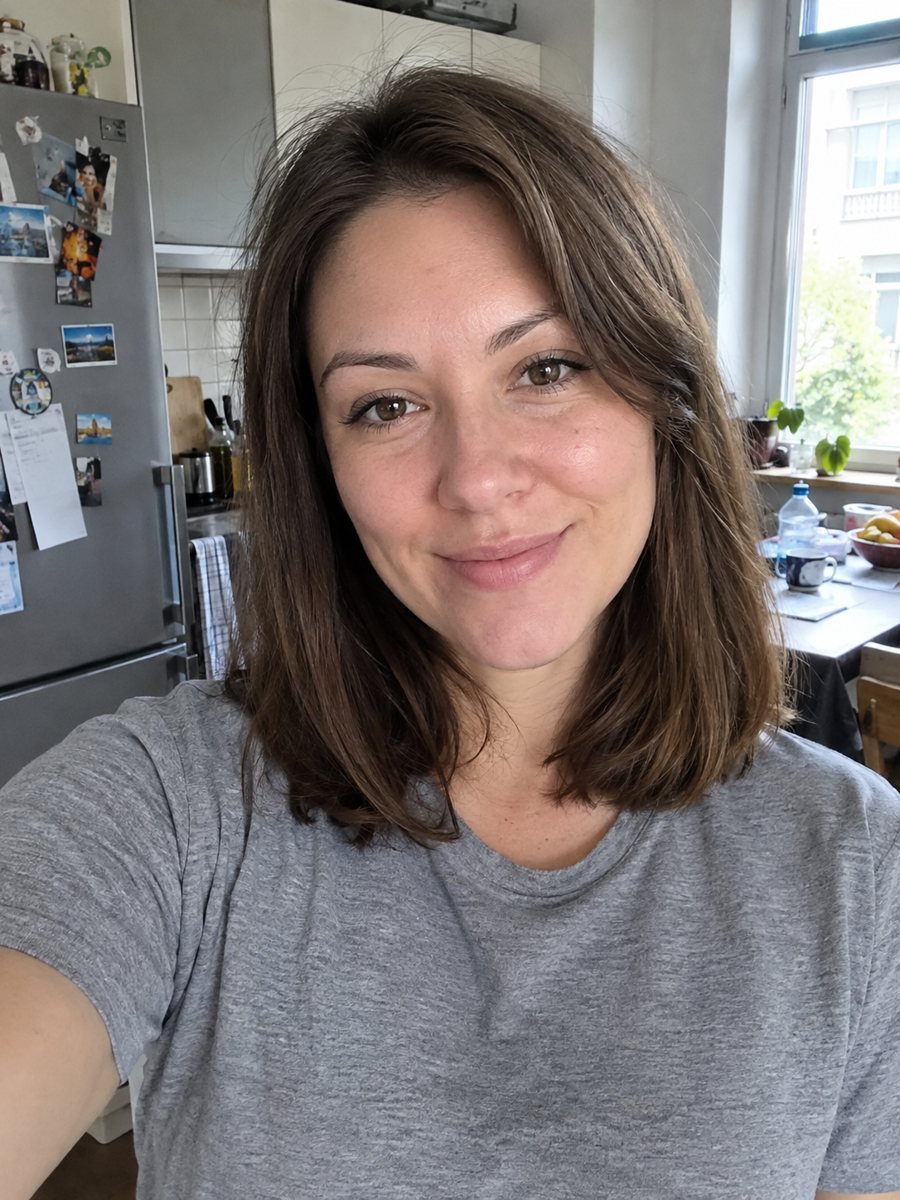
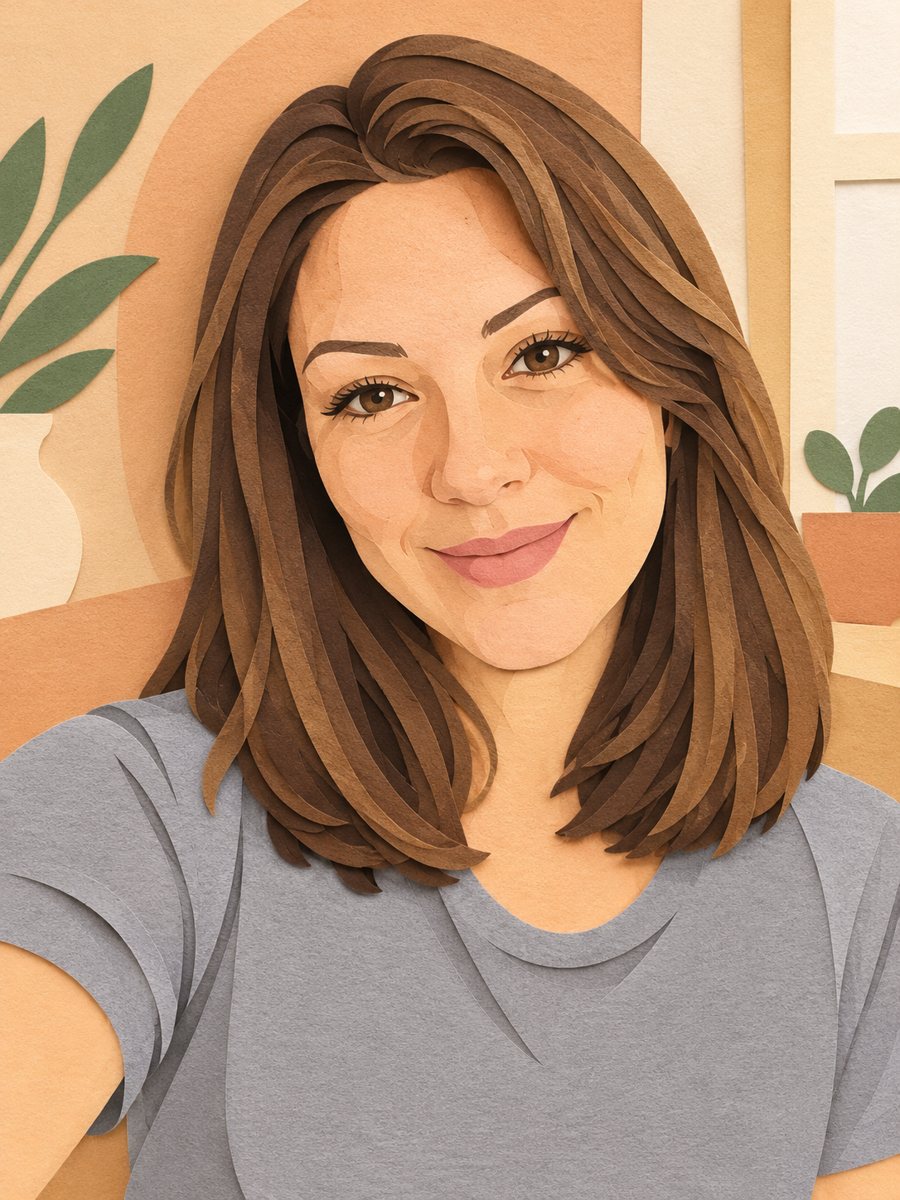 BeforeAfter
In short: Turn a photo into layered paper cut art with soft shadows and a warm pastel palette. Copy the ready prompt or open the Telegram bot, 7 images free.
- Where: the VisuMate bot in Telegram, no app or sign-up.
- Cost: 2 credits per image, 7 images free, then packs from 49 Telegram Stars.
- Time: 1 to 2 minutes per image, rerun with a new instruction at the same price.
When you need this
- You want a handmade looking gift but cannot cut paper yourself.
- A nursery or craft room needs a gentle wall picture with depth.
- You like pastel palettes and layered shapes for a profile image.
How to do it
- 1
Press the button. The bot opens with the paper cut style already chosen.
- 2
Send one photo as a file. In the caption you can set the colors, for example: peach, mint and cream.
- 3
After 1-2 minutes you get the image for 2 credits. Look at the silhouette and hairstyle, and rerun if the shape is off.
Try it on your own photo: 7 images are free, no sign-up.
Make it in TelegramThe prompt behind this style
Recreate this photo as layered paper cut art. Keep the silhouette, hairstyle and face recognizable. Several layers of colored cardstock stacked with visible depth and soft shadows between them, clean cut edges, simplified shapes, a warm pastel palette. Vertical 3:4, no text.
How it looks and likeness
You see layers of colored paper stacked with visible depth, like a shadow box. The face gets simplified into a few large shapes, and the hair flows in curved strips. Warm pastel colors make the picture calm and friendly. People use it for kids' rooms, baby shower gifts, craft blog covers and soft avatars. With so few shapes, the silhouette carries the likeness more than detail. Hair length, glasses and head angle are what make the person recognizable. A close head and shoulders photo works better than a full body one. If the result makes the face too simple, ask for more layers in the caption. Reruns cost 2 credits and the cut pattern changes every time.
Ideas
Frame it in a deep shadow box frame to match the look. A set of three pictures from different photos makes a nice family wall. The image is vertical 3:4 and has no text. The bot does not print, so use a print shop for paper or canvas. Pastel paper layers also print well on thick uncoated stock, which gives the picture a nice tactile feeling when it is framed.
Tips
- Photos with a clear outline of hair and shoulders give the best layers.
- Pick up to three colors in the caption to keep the palette calm.
- Simple clothes beat patterned ones, patterns become cut shapes.
- Backlit or plain backgrounds simplify the cutting.
- Try a rerun if the layers look too uniform.
Questions and answers
Is it real paper art?
No, it is an AI image that looks like layered paper.
Can I turn it into a physical craft?
You can use it as inspiration, but you would need to adapt shapes for actual cutting.
Can I change the colors?
Yes. Write them in the caption.
Is it good for pets?
The prompt is for people, but a pet with a clear outline may work.
What does it cost?
2 credits per image, with 15 free credits at the start.
More in "Photo styles"
 Turn your photo into a stained glass portraitTurn a portrait into a stained glass window with lead lines and jewel colors. Copy the ready prompt or...
 Turn your photo into a Roman style mosaic portraitTurn a photo into an ancient Roman style mosaic made of small stone and glass tiles. Ready prompt and...
 Turn a photo into a children's storybook illustrationMake a picture book illustration from a photo of a child, a pet or a toy with colored pencil texture....
 Turn your photo into a low poly portraitConvert a portrait into a low poly triangle image with smooth gradients and a clean two-tone background....