Restore old photo prompt for ChatGPT
These prompts ask ChatGPT for repair without a makeover. Below them are the places where this kind of request tends to break, so you know what to look for.
- 2 credits per image
- Result in 1–2 minutes
- No sign-up
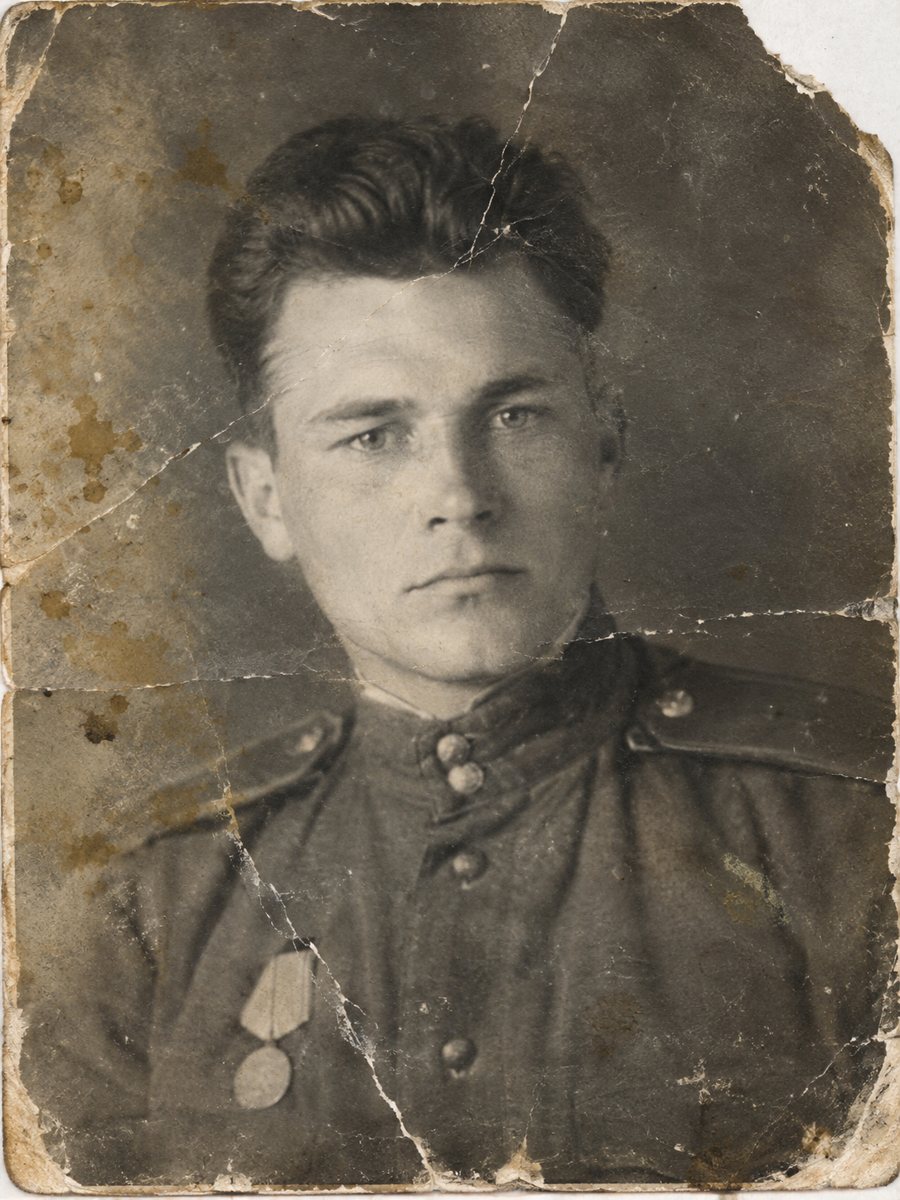
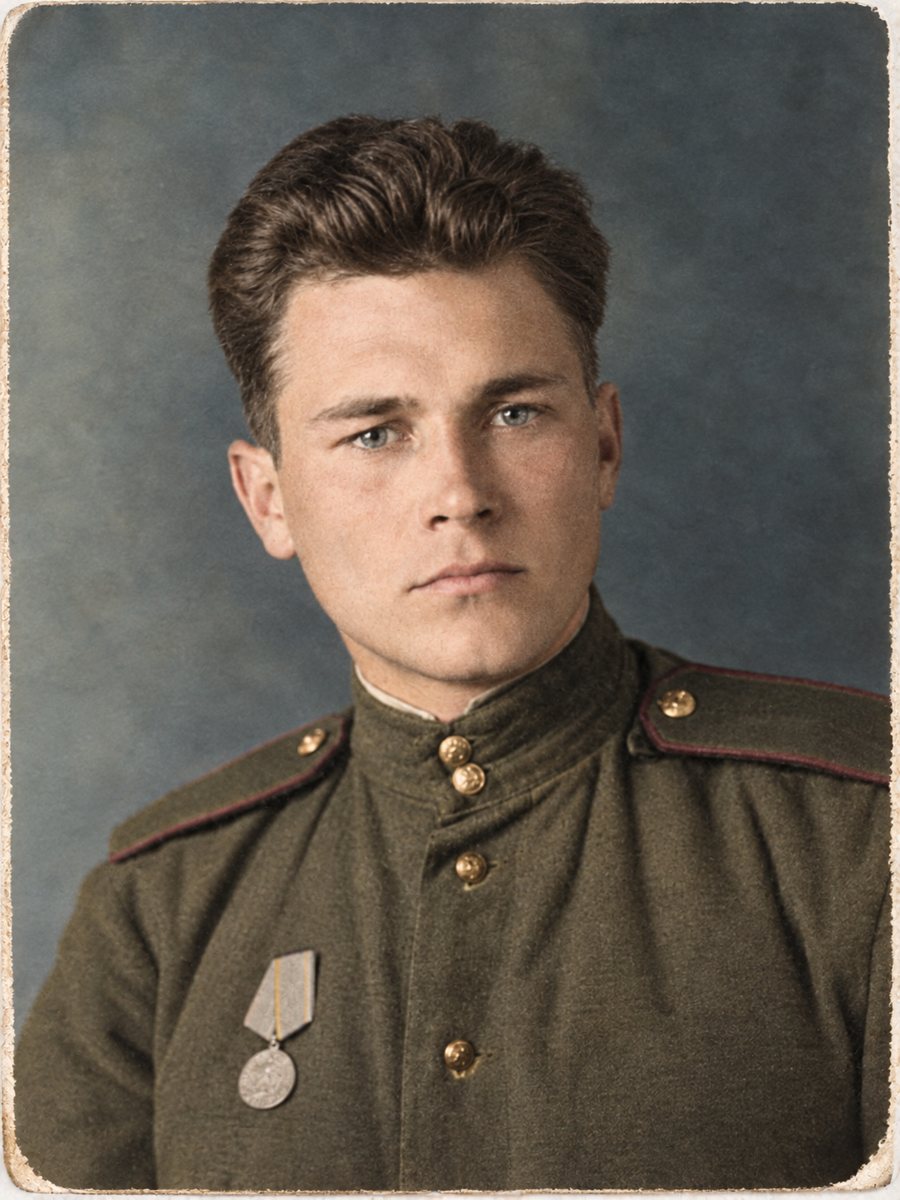 BeforeAfter
In short: Prompts for restoring an old photo in ChatGPT and the usual failure cases: invented details, changed faces, refusals and compression. Plus a bot option.
- Where: the VisuMate bot in Telegram, no app or sign-up.
- Cost: 2 credits per image, 7 images free, then packs from 49 Telegram Stars.
- Time: 1 to 2 minutes per image, rerun with a new instruction at the same price.
When you need this
- The assistant gave you a nicer picture of a different-looking person.
- It refused the request or answered with advice instead of an image.
- The image came back smaller or softer than the scan you uploaded.
How to do it
- 1
Open the bot with the button on this page and press Start, if you want a photo-only alternative to a chat assistant.
- 2
Send the photo as a file (document). In the caption paste a prompt from this page, for example: restore this photo, keep faces and clothes unchanged.
- 3
Wait 1-2 minutes, then compare the result with your original at full size.
Try it on your own photo: 7 images are free, no sign-up.
Make it in TelegramPrompts to try
Prompt: Restore this scanned photograph. Remove scratches, dust and stains. Keep the people's faces, expressions and clothes exactly as in the original.
Prompt: Repair the torn corner and the crack on the right side of this picture. Match the paper texture and keep the rest untouched.
Prompt: Reduce the yellow cast and recover contrast in this old photo. Do not retouch faces and do not add anything.
Prompt: This is a group photo from the past. Restore it and keep the number of people, their positions and the background identical.
Prompt: Make this photo look like a clean scan of the same print. No colorizing and no style changes.
Where it breaks
Invented details: patterns on clothes, jewelry or a sign in the background can appear where the original was blurry. Altered faces: the person can look younger, smoother or slightly different, and a group photo may change one face more than the others. Refusals: requests with identifiable people can be declined or answered with text, so rephrase as a plain repair job and try again. Compression: the returned image can be smaller or more compressed than your upload, which hurts fine detail.
None of this happens on every run. It is what to check.
Why a photo bot can be easier
A bot built for photos always treats your message as an edit of the file you sent. The restoration mode keeps faces, clothes and background and removes scratches, creases, stains and fading. You still need to check the result, because it is AI too.
The free start is 15 credits, 2 per image, so 7 tries. Send as a document so Telegram does not compress the file.
Tips
- Upload the largest scan you have. A small file limits the output.
- {'Ask for one change at a time': 'repair first, color later.'}
- When a face matters, say it must stay unchanged and check it afterward.
- If the assistant adds text or objects, tell it to remove them and repeat the request.
Questions and answers
Why does ChatGPT change faces in restored photos?
Image models rebuild damaged areas from patterns. A face can drift, so state that it must stay unchanged and compare the result.
What if it refuses my photo?
Rephrase as a plain repair request and describe the damage. Results vary, so check the current rules of the tool you use.
Can I use these prompts as a bot caption?
Yes. The bot replies in English, and the link from this page opens the right mode.
Does the bot add a watermark?
No.
Should I colorize in the same prompt?
Restore first. Add color in a separate step so you can check each result.
More in "Photo restoration"
- Restore old photo prompt for GeminiCopy-ready prompts to restore an old photo in Gemini, a checklist for faces, hands and text, and how the...
- What AI photo restoration can and cannot doA plain list of strengths and limits: scratches, stains and fading are fixable, while lost faces and fine...
- Restore an old photo for freeTry the bot with 15 free credits, enough for 7 images. See what the free start covers, what costs extra...
- Old photo restoration without a studioCompare a Telegram bot with a manual studio: speed, price, control and limits. Try 7 images free and...