Restore and colorize a memorial portrait
A memorial portrait should look like the person. The combined mode repairs and colors, and you can choose to stay with black and white if the family prefers. Take your time with the result.
- 2 credits per image
- Result in 1–2 minutes
- No sign-up
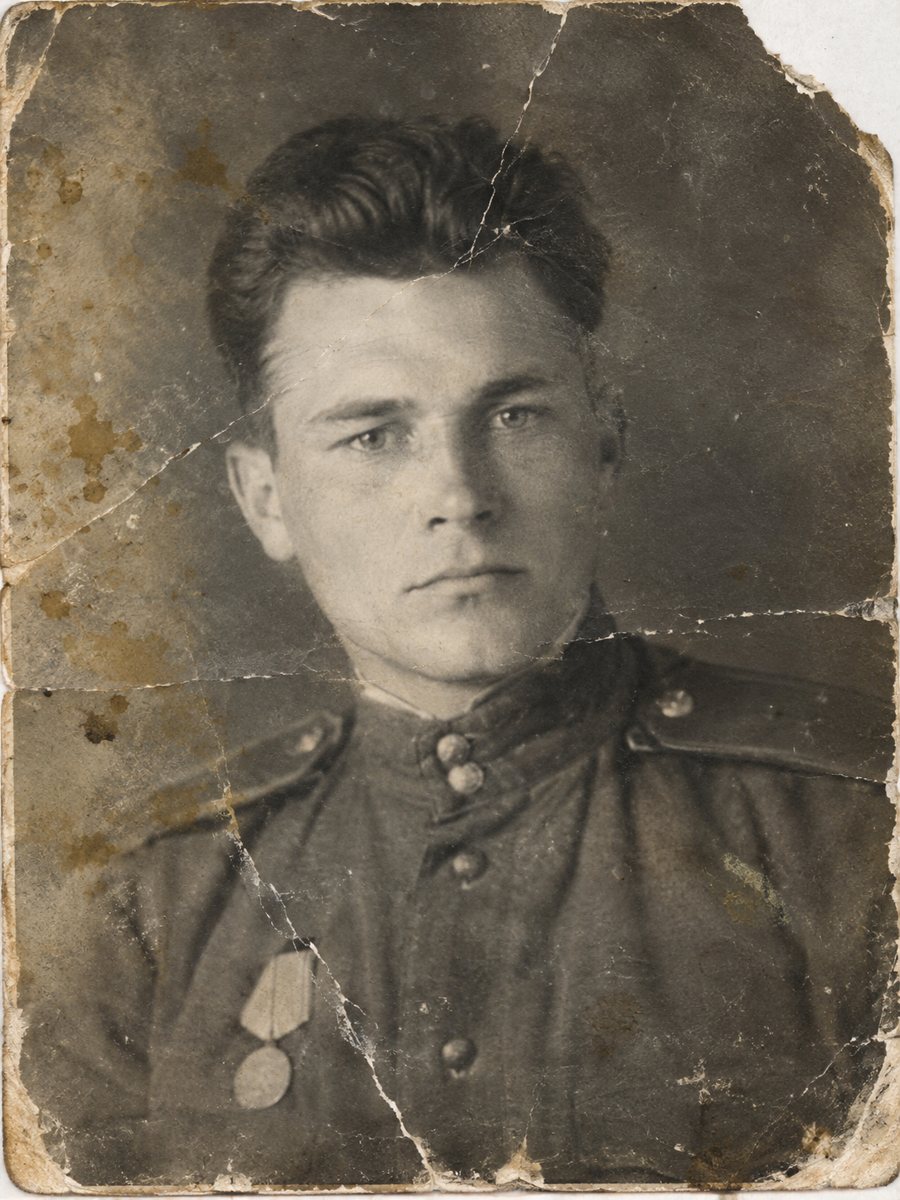
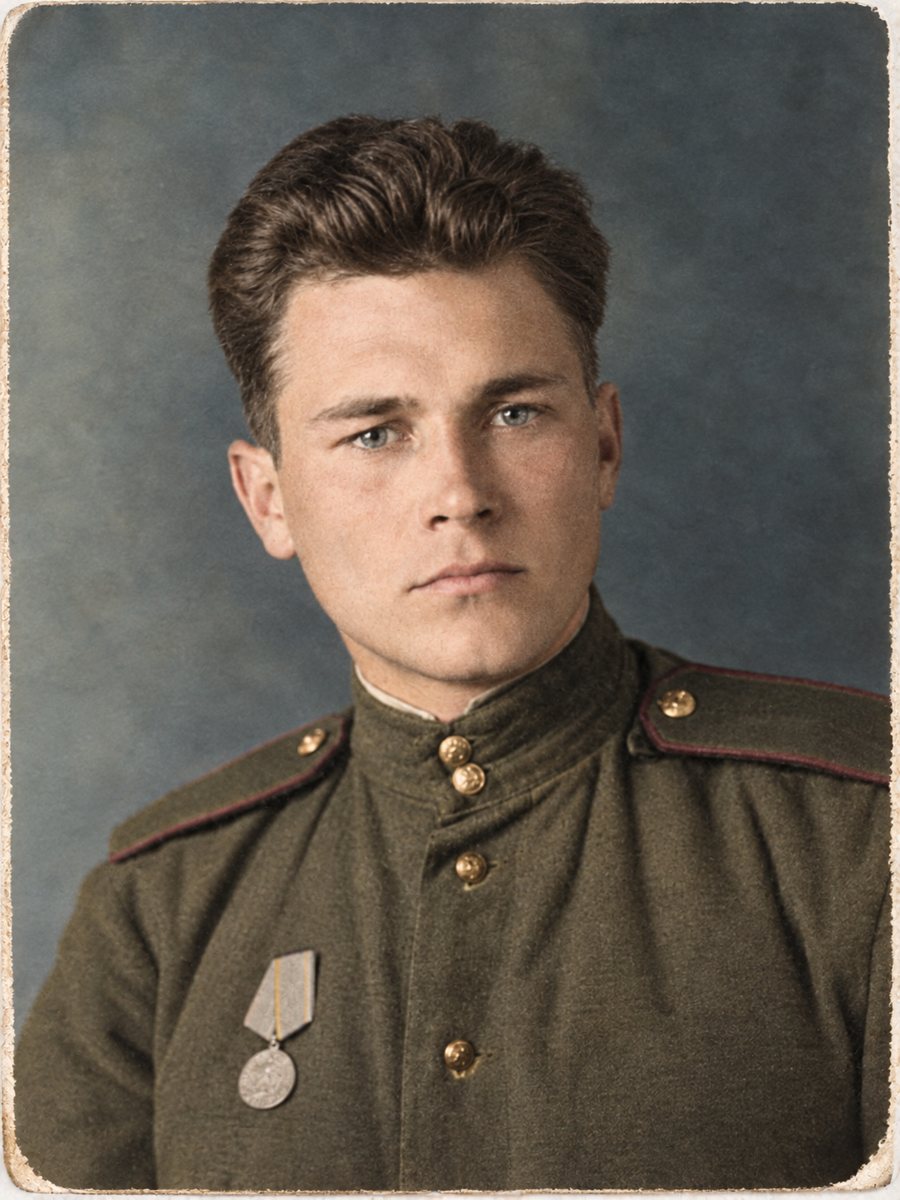 BeforeAfter
In short: For a framed memorial portrait, repair the damage first and consider color only if the family wants it. Review the face with people who knew them.
- Where: the VisuMate bot in Telegram, no app or sign-up.
- Cost: 2 credits per image, 7 images free, then packs from 49 Telegram Stars.
- Time: 1 to 2 minutes per image, rerun with a new instruction at the same price.
When you need this
- The family needs one good portrait for a service or a frame.
- The only photo is damaged.
- Relatives disagree about adding color.
How to do it
- 1
Tap the button on this page. Telegram opens the bot, press Start and the right mode is already selected.
- 2
Send the scan or phone picture as a file (document) so Telegram does not compress it. In the caption write: memorial portrait, repair damage only if color is not wanted, otherwise natural colors, keep the face exactly.
- 3
In 1-2 minutes you get the repaired and colorized picture in one image. Download it, and rerun if something needs a closer look.
Try it on your own photo: 7 images are free, no sign-up.
Make it in TelegramLikeness first
The most important part of a memorial portrait is that it looks like the person. Compare eyes, mouth and hairline with other photos. If the AI changed something, rerun or choose the repair-only mode. A calm and honest result matters more than a bright one. The bot replies in English. You can switch the language any time with /lang.
Decisions for the family
Color is optional. Some families keep black and white to respect the original. Others like color for the sense of presence. Print both small copies and let the family choose. Keep the untouched scan and the notes about the restoration in the family archive. Compare faces with other photos of the same person, since the AI works from patterns and a rebuilt face may not match exactly.
Tips
- Show the result to a relative who knew them well.
- If any feature looks off, use the original face or rerun.
- Offer both the black-and-white and the color version.
- Do not rush. A good result may need two runs.
Questions and answers
Is it respectful to colorize?
That is a family decision. Offer both.
Can the face look different?
Yes, especially if it was damaged. Review it.
Does the bot print?
No.
Can I ask for black and white?
Yes, use the repair mode.
More in "Photo restoration"
- Restore and colorize an old school class photoClass photos are packed with small faces and often creased from years in a folder. Repair the damage and...
- Restore and colorize an old baby photoBaby pictures from decades ago are often small, creased and faded. Repair them and add gentle color so...
- Restore and colorize a photo for ChristmasGive a repaired and colorized family photo for the holidays. Start in November, check the faces and order...
- Colorize an old school photographColorize a black-and-white school picture, from a single portrait to a whole class. Hint the uniform and...