Colorize a photo of your grandparents
Send a black-and-white portrait of your grandparents and the bot colorizes it with natural tones. If family members remember eye or hair color, put it in the caption.
- 2 credits per image
- Result in 1–2 minutes
- No sign-up
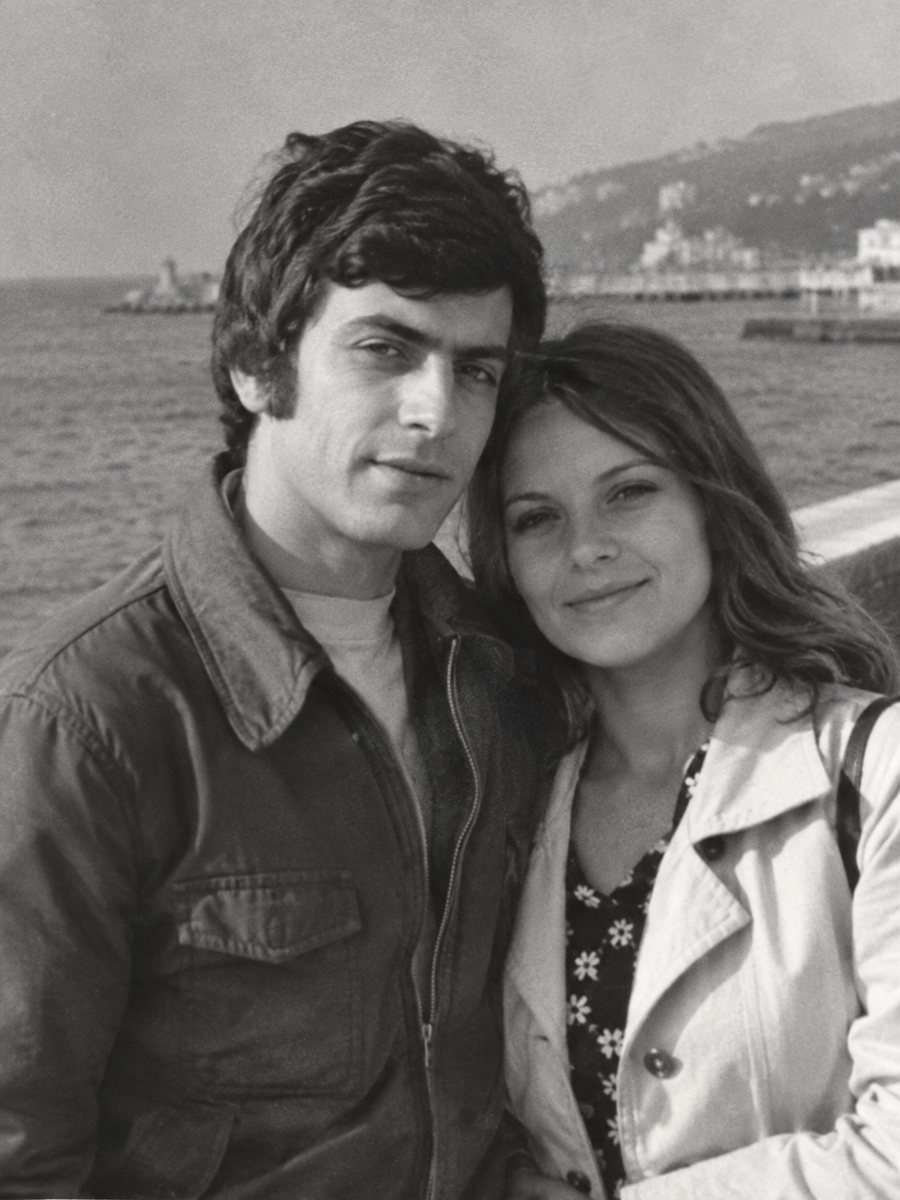
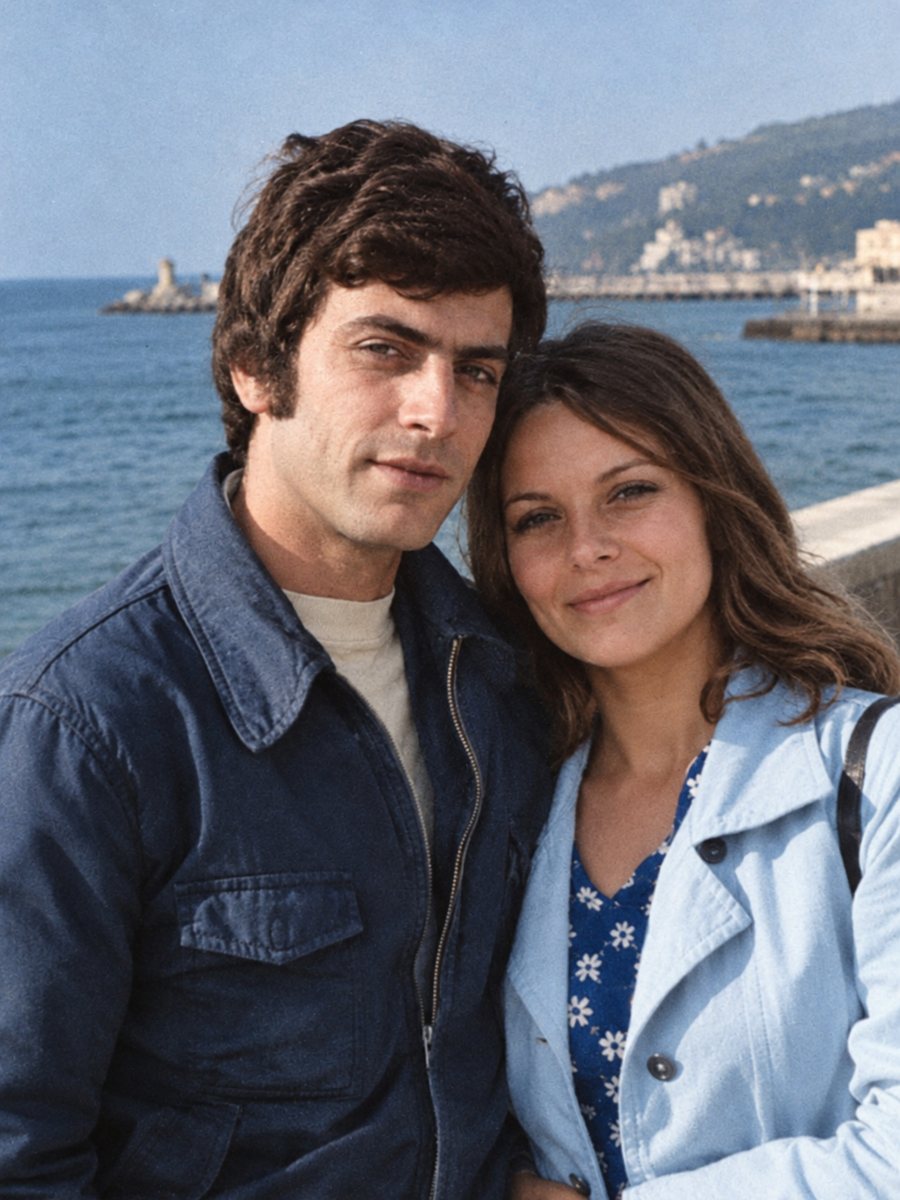 BeforeAfter
In short: See grandparents' black-and-white portraits in natural color. Add hair, eye and clothing colors from family memory in the caption.
- Where: the VisuMate bot in Telegram, no app or sign-up.
- Cost: 2 credits per image, 7 images free, then packs from 49 Telegram Stars.
- Time: 1 to 2 minutes per image, rerun with a new instruction at the same price.
When you need this
- You never saw your grandparents in color and wonder how they looked.
- Hair and eye colors were different from what the AI guesses.
- The photo is a gift for a family reunion.
How to do it
- 1
Use the button on this page to open the bot in Telegram, then press Start. Your 15 free credits appear on first launch.
- 2
Send the black-and-white photo as a file (document) so Telegram does not compress it. In the caption write what the family recalls, for example: gray-blue eyes, dark brown hair, gray cardigan.
- 3
In 1-2 minutes the colorized picture arrives in the chat. Download it, and if a color is off, run again with a hint in the caption.
Try it on your own photo: 7 images are free, no sign-up.
Make it in TelegramAsk the family
Memory is a better guide than any model. Ask an aunt or a parent what color the grandmother's coat was. Small details like eye color or a favorite brooch are possible to mention in the caption. The bot cannot read the family memory, but it can follow it. Take your time with the result and look at it at full size on a computer, because small details are easy to miss on a phone screen.
Respectful approach
A colorized portrait changes the feeling of the original. Some relatives love it and some prefer the old print. Show both and let them choose. Keep faces recognizable: if the colorized face looks different, rerun and compare with the original. A run takes 1-2 minutes and uses 2 credits, so trying a second version with a clearer caption is an easy step.
Tips
- Ask relatives about hair, eyes and favorite clothing colors.
- Eye color is often wrong on small faces, mention it if you know.
- Add hair color for older people who had gray hair, say gray.
- Show the result to a relative and rerun if they disagree.
Questions and answers
Can I set eye color?
Yes, mention it in the caption.
What if the photo is damaged?
Use the combined mode.
Will the AI make them look younger?
It aims to keep their appearance.
Can I order a print from the result?
Download the image and use a print service.
More in "Photo restoration"
- Colorize a great-grandparents photographEarly studio portraits can be colorized in muted, period-appropriate tones. Scan the card, clean the...
- Colorize an old family portraitGroup portraits with parents, children and grandparents get natural color for each person. Add hints for...
- Colorize a sepia photoReplace the brown tone of a sepia print with natural colors. Send a scan and add hints for clothing, sky...
- Restore photos for your family treeClean worn portraits of ancestors before you add them to a tree or a family chart. Send a scan, check the...