Colorize an ancestor photo for your family tree
A tree with color portraits feels closer to the living family. Send the scan of an ancestor's photo, colorize it and store it next to the original.
- 2 credits per image
- Result in 1–2 minutes
- No sign-up
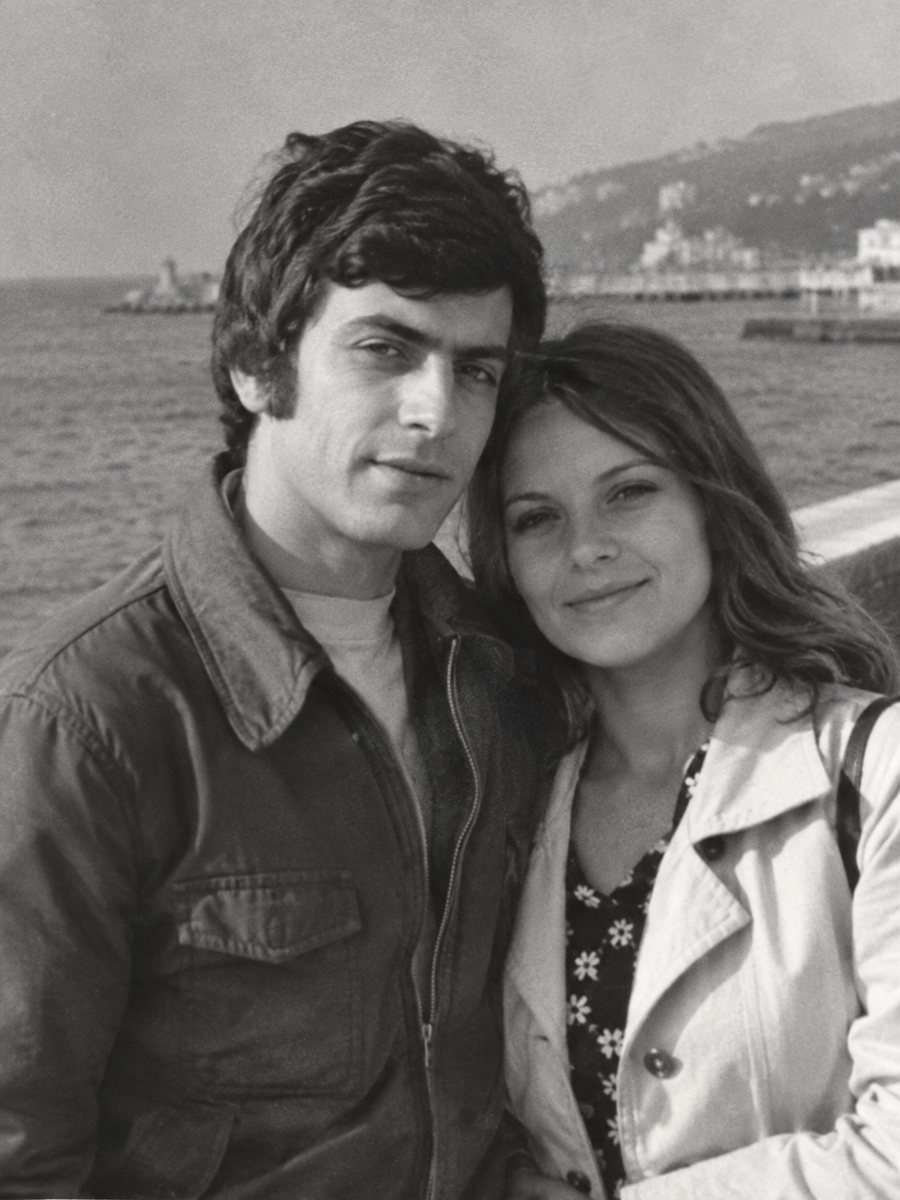
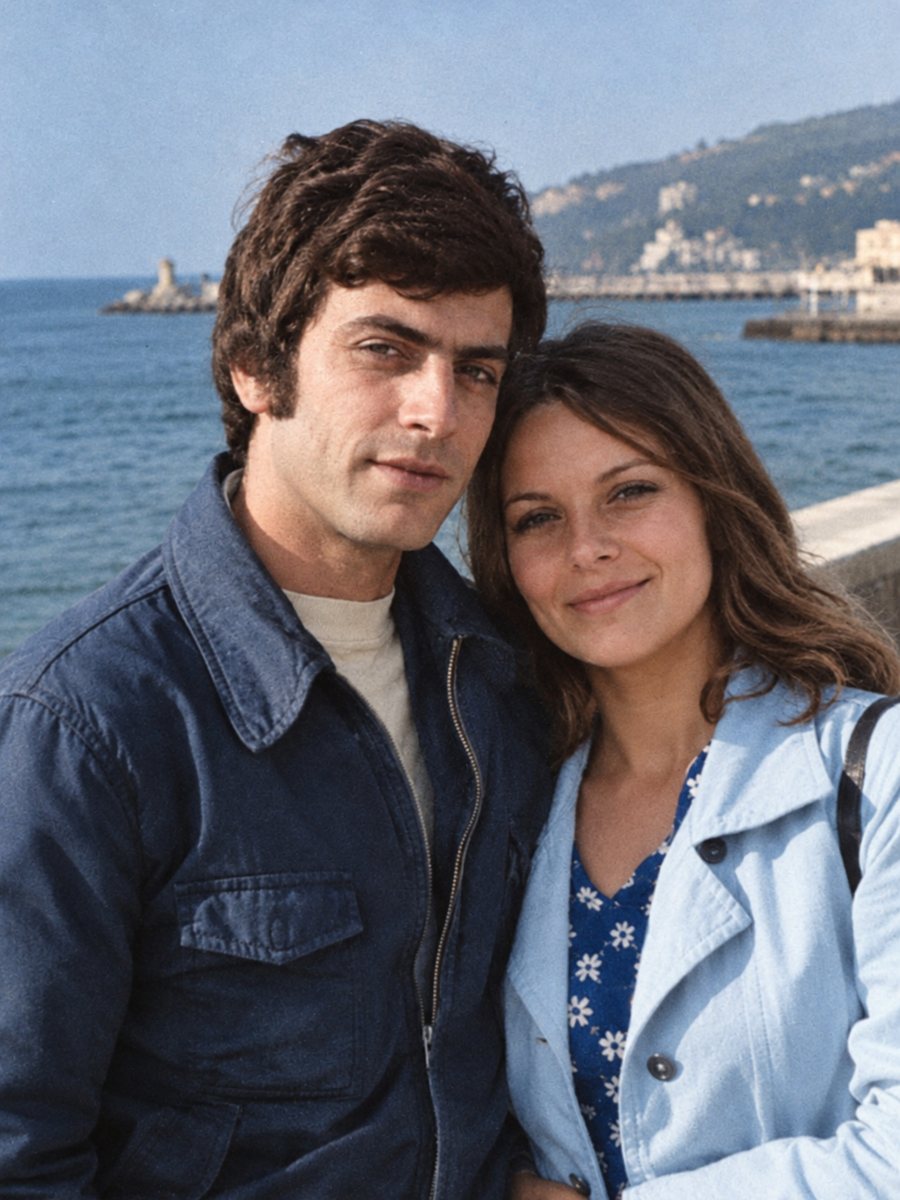 BeforeAfter
In short: Add natural color to ancestor portraits for a family tree or a printed book. Keep the black-and-white scan as the record and label color copies.
- Where: the VisuMate bot in Telegram, no app or sign-up.
- Cost: 2 credits per image, 7 images free, then packs from 49 Telegram Stars.
- Time: 1 to 2 minutes per image, rerun with a new instruction at the same price.
When you need this
- Tree software shows black-and-white thumbnails next to color ones.
- A family book needs consistent portraits.
- Relatives are curious about how the ancestors looked.
How to do it
- 1
Tap the button on this page. Telegram opens the bot, press Start and the right mode is already selected.
- 2
Send the black-and-white photo as a file (document) so Telegram does not compress it. In the caption write: ancestor portrait, natural colors, dark wool coat, light blue eyes, keep the face unchanged.
- 3
Wait 1-2 minutes for the colorized version. Check skin, clothes and sky, then rerun with a corrected caption if needed.
Try it on your own photo: 7 images are free, no sign-up.
Make it in TelegramConsistency across a tree
Colorized portraits from different decades can differ in tone. After you run several, compare skin and background brightness and rerun any that stand out. A short caption style, repeated across photos, produces a more even set. Save every version in the same folder and add the year and the names to the file name so nothing gets mixed up later.
Labeling for later
A colorized image is an interpretation. In your tree, add a note to the photo: colorized with AI, original scan available. Later researchers will thank you. Do not alter the original file. A plain naming system keeps the record clear for relatives who inherit the project. Send the scan as a file in Telegram so the picture is not compressed, and keep the untouched original in a separate folder for comparison.
Tips
- Crop portraits to the same shape for the tree.
- Store originals and colorized copies in separate folders.
- Mark colorized copies in the file name, for example smith-anna-1934-color.
- Do not use colorized images as evidence in research.
Questions and answers
Can a colorized portrait be used in a book?
Yes, with a note that it is colorized.
How do I keep portraits consistent?
Use similar captions and check each result.
Will the face change?
The AI aims to keep it.
Should I restore damage first?
Use the combined mode for damaged ones.
More in "Photo restoration"
- Colorize an old photo as a Christmas giftGive a family photo in color as a holiday present. Plan the scan, check the result with a relative and...
- Colorize a photo for Mother's DayA colorized portrait of a mother or grandmother can be a quiet Mother's Day gift. Choose a clear photo and...
- Colorize an old street photographColorize a black-and-white city street from decades ago. Describe shopfronts, vehicles and the season to...
- Sharpen a blurry military photoOld service photos are often small and soft. Sharpen faces, uniforms and insignia as far as the picture...