Colorize 1970s photographs
Black-and-white film was still common in 1970s homes, and early color prints often faded to orange or green. The bot colorizes black-and-white scans, and you can describe the colors in the caption.
- 2 credits per image
- Result in 1–2 minutes
- No sign-up
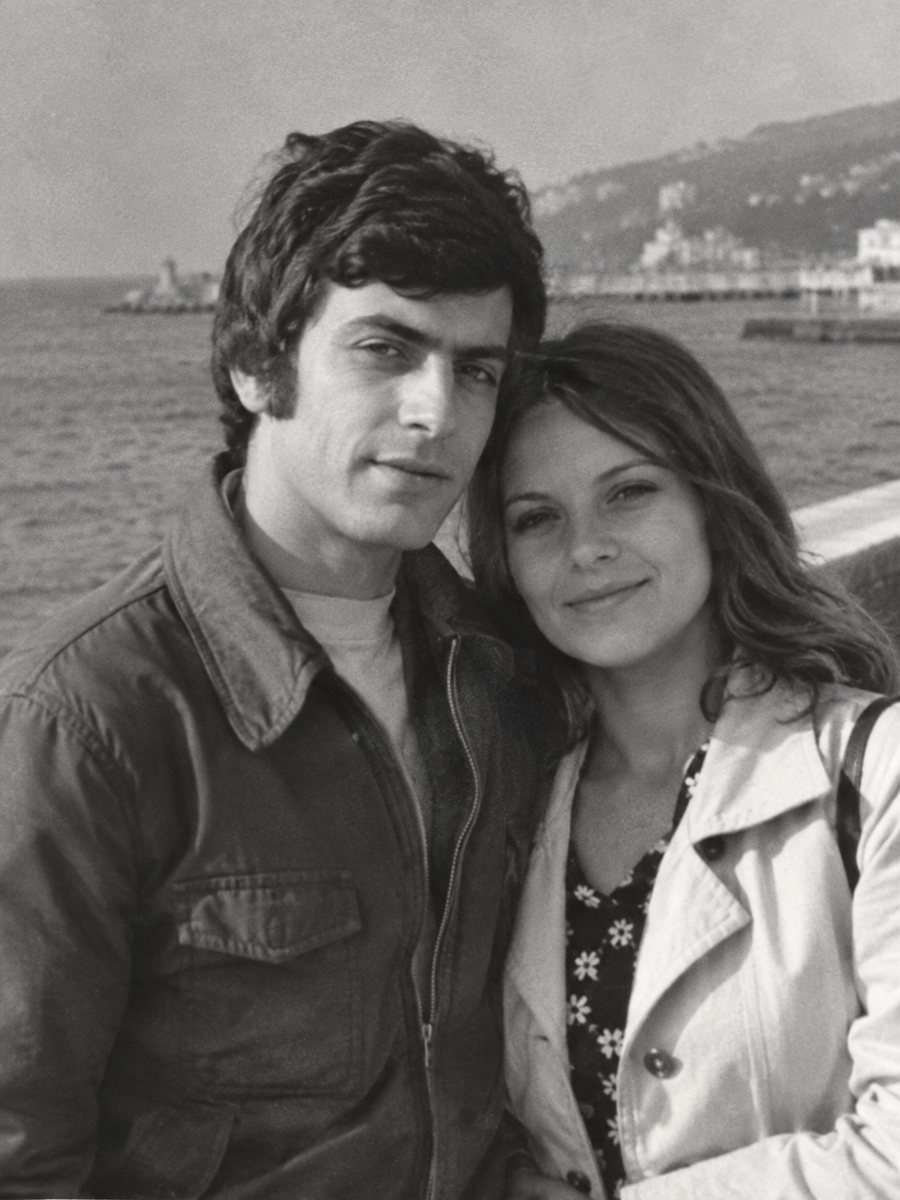
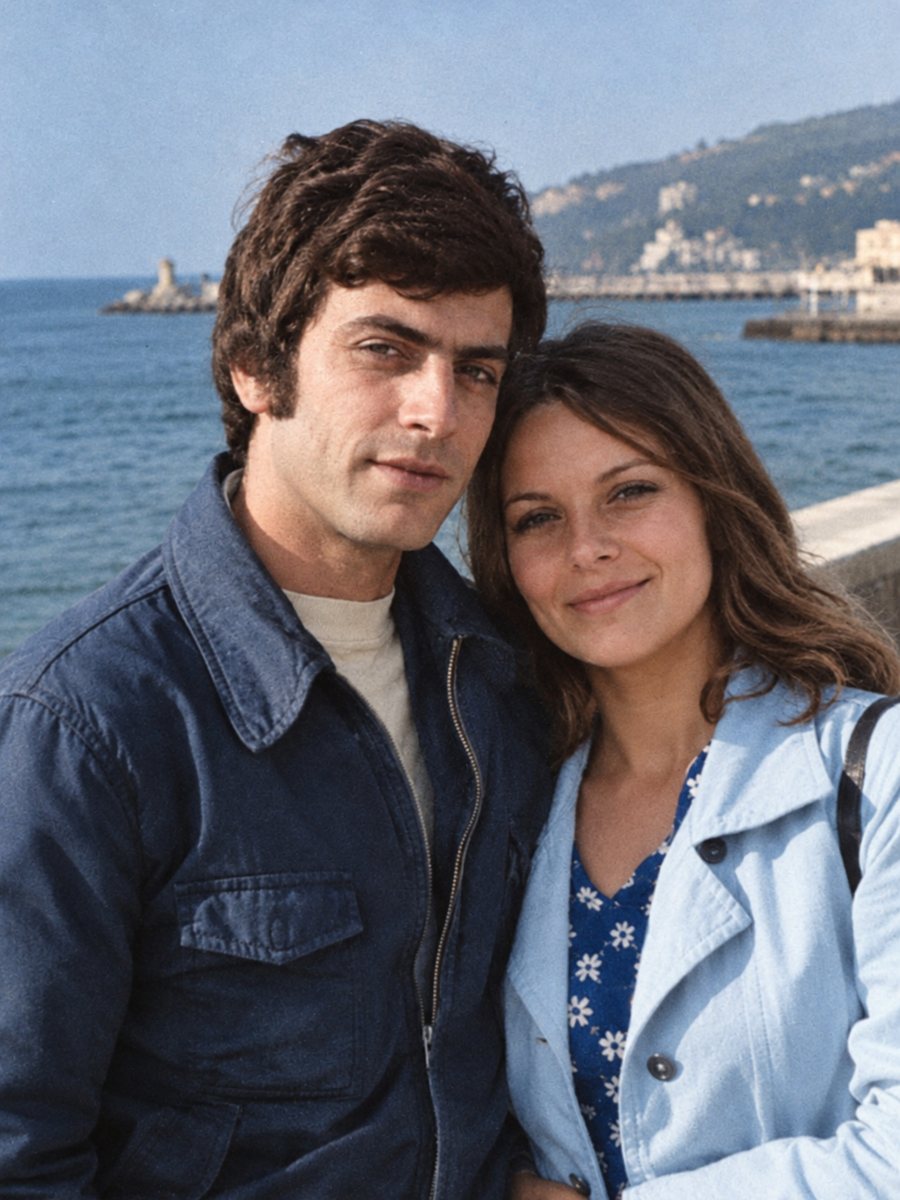 BeforeAfter
In short: Some 1970s family pictures are black-and-white and some are faded color. Send a scan and colorize it with hints for clothes, wallpaper and cars.
- Where: the VisuMate bot in Telegram, no app or sign-up.
- Cost: 2 credits per image, 7 images free, then packs from 49 Telegram Stars.
- Time: 1 to 2 minutes per image, rerun with a new instruction at the same price.
When you need this
- A 1970s school or sports photo is only in black and white.
- A color print faded to an orange cast.
- Wallpaper and furniture colors are memorable but missing in the picture.
How to do it
- 1
Tap the button on this page. Telegram opens the bot, press Start and the right mode is already selected.
- 2
Send the black-and-white photo as a file (document) so Telegram does not compress it. In the caption write the colors you recall, for example: brown corduroy jacket, orange sofa, green wallpaper.
- 3
In 1-2 minutes the colorized picture arrives in the chat. Download it, and if a color is off, run again with a hint in the caption.
Try it on your own photo: 7 images are free, no sign-up.
Make it in TelegramBlack-and-white or faded color
If the picture is black and white, the colorize mode works directly. If it is a faded color print, the AI restores tone first and a clean result is more likely with the combined mode. A strong orange cast can be hard to separate from real colors, so describe what was orange in the scene. Send the scan as a file in Telegram so the picture is not compressed, and keep the untouched original in a separate folder for comparison.
Interiors and patterns
The decade is known for patterned wallpaper, textured upholstery and wood paneling. The AI picks colors by type of object. For something distinctive, like an orange sofa, say so. Complex patterns come out simplified, and that is normal for this task. Treat the result as a careful interpretation of the original and share it together with the untouched scan. Compare faces with other photos of the same person, since the AI works from patterns and a rebuilt face may not match exactly.
Tips
- Faded color prints are better handled by the repair mode first.
- Wallpaper and furniture have bold patterns, name the main color only.
- Hair length and fashion are kept, do not worry about style changes.
- Keep the sky and grass natural by leaving them out of the caption.
Questions and answers
Does it work on faded color photos?
Use the combined mode to repair them.
Can it keep the retro look?
Mention a warm film look in the caption.
Will skin tones be natural?
Usually yes.
What about the original grain?
It is kept.
More in "Photo restoration"
- Colorize a sepia photoReplace the brown tone of a sepia print with natural colors. Send a scan and add hints for clothing, sky...
- Colorize a photo of your grandparentsSee grandparents' black-and-white portraits in natural color. Add hair, eye and clothing colors from...
- Colorize 1960s photographsColorize black-and-white pictures from the 1960s while keeping grain and faces. Mention clothing and car...
- Sharpen faces in an old group photoGroup photos have small faces that blur easily. Learn how to send the file, how to check each face and...