Restore and colorize immigration-era photos
Photos from the time a family left one country for another are often the oldest ones they have. Send the scan and the bot repairs the damage and adds period-appropriate color.
- 2 credits per image
- Result in 1–2 minutes
- No sign-up
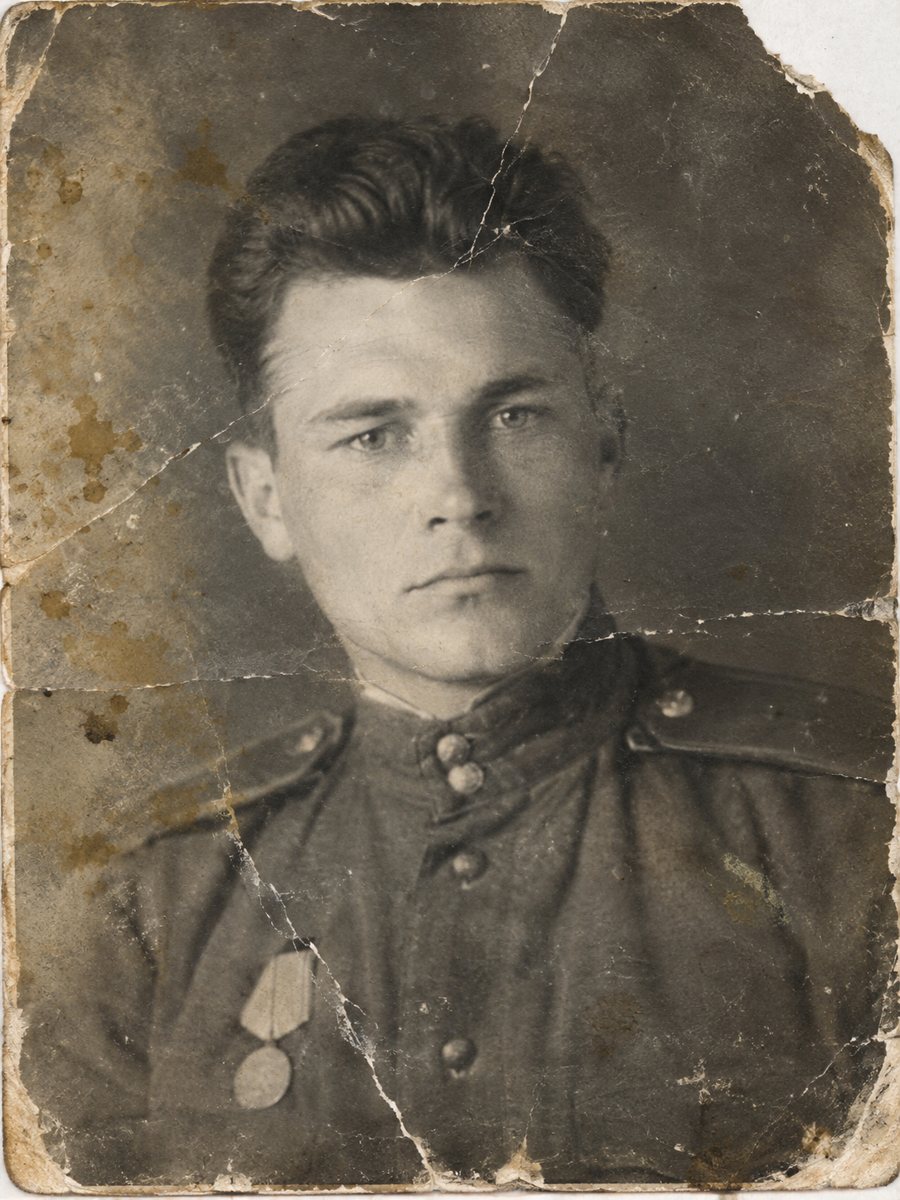
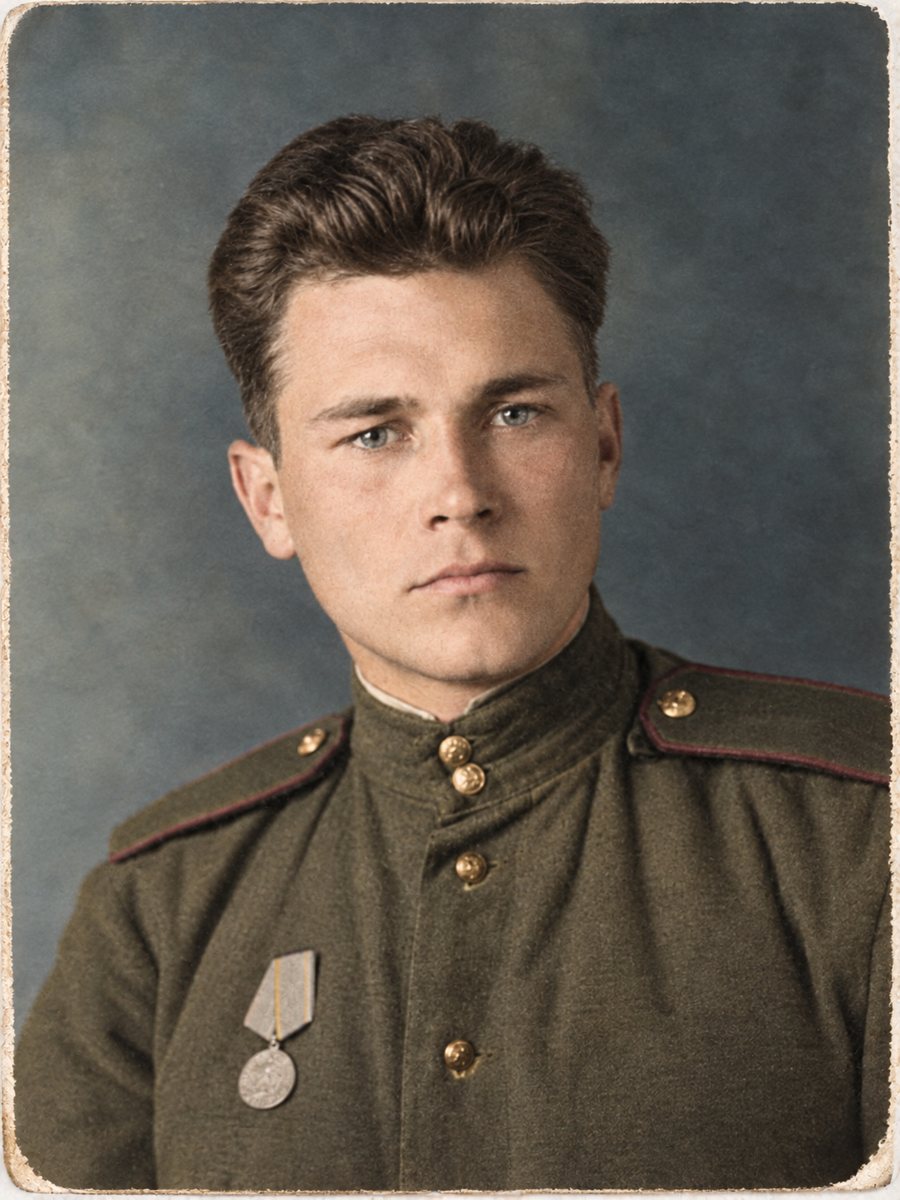 BeforeAfter
In short: Portraits taken before or after a family emigrated are often creased and faded. Repair them and add natural color for the family record.
- Where: the VisuMate bot in Telegram, no app or sign-up.
- Cost: 2 credits per image, 7 images free, then packs from 49 Telegram Stars.
- Time: 1 to 2 minutes per image, rerun with a new instruction at the same price.
When you need this
- A portrait taken for documents is the only picture of a great-grandparent.
- The card is stained from decades in a suitcase.
- The family wants a clean version for a history book.
How to do it
- 1
Tap the button on this page. Telegram opens the bot, press Start and the right mode is already selected.
- 2
Send the scan or phone picture as a file (document) so Telegram does not compress it. In the caption write: family portrait from about 1910, repair damage, dark wool clothes, muted colors.
- 3
In 1-2 minutes you get the repaired and colorized picture in one image. Download it, and rerun if something needs a closer look.
Try it on your own photo: 7 images are free, no sign-up.
Make it in TelegramOld portraits with a story
Pictures from migration often include formal poses, dark clothing and cardboard mounts. These suit restoration well because the shapes are simple. The AI cleans cracks and stains, then adds muted colors. If the card has a studio name, keep it in the scan, it may help to find the place. The first launch gives 15 free credits, which is enough for 7 images, so you can test the result on your own picture before buying anything.
Record and interpretation
The restored image is an interpretation of a fragile document. Keep the untouched scan, and mark restored and colorized copies. When you share with relatives, give the story along with the picture: who is in it, where and when, and how you know. Paid credits start from 199 Stars if you want to continue after the free start. A run takes 1-2 minutes and uses 2 credits, so trying a second version with a clearer caption is an easy step.
Tips
- Include the card border, studio name and city in the scan.
- Do not treat the restored face as proof of identity, use documents.
- Muted colors suit the era, ask for them if the result looks bright.
- Add a note about the sources to the file name.
Questions and answers
Can the bot read the studio stamp?
It does not read text reliably. Use the original.
Will colors be accurate?
They are plausible.
Should I fix before colorizing?
The combined mode does both.
What if parts of the card are missing?
The AI fills them with guesses.
More in "Photo restoration"
- Restore and colorize photos for a genealogy bookPrepare portraits for a printed family history. Choose which photos to color, keep originals and label...
- Restore and colorize a daguerreotypeDaguerreotypes are mirror-like and tarnished. Photograph them at an angle to catch the image, then repair...
- Restore and colorize a 1960s wedding photoA wedding picture from the 1960s with creases or fading can be repaired and colorized in one run. Hint the...
- Colorize 1920s and 1930s photographsColorize pictures from the 1920s and 1930s with soft, plausible colors. Clean damage first, because prints...